
How to Connect Three Monitors to a Docking Station
 By Theo LangUpdated
Connect three monitors to a laptop docking station by plugging the dock into a USB-C port that supports video output, then connecting each monitor to a video output on the dock. A triple-display dock runs three monitors from one cable, and it also passes power to the laptop. Some docks need a DisplayLink driver on a Mac before all three monitors light up.
Check the laptop port first
A USB-C port on a laptop does not always carry video. Look in the laptop manual or spec sheet for DisplayPort Alt Mode, Thunderbolt, or USB4 on that port. If the port only carries data, monitors attached to the dock stay blank even though the USB ports work. The WAVLINK dock states the same check: its USB-C port must support video output.
Pick a dock with three video outputs
Count the monitors and the inputs on each one, then match them to the dock. The Dell WD25 has HDMI and DisplayPort and supports up to four displays. The Plugable UD-3900PDZ and the Plugable UD-ULTCDL each have three HDMI outputs, and the WAVLINK dock has three HDMI outputs and two DisplayPort outputs. Check the resolution and refresh rate the dock lists for each output, since the outputs on one dock can carry different figures.
Connect the monitors and the power
Plug each monitor into a video output on the dock, then plug the dock into the laptop with the USB-C host cable and connect the dock to power. All four docks pass up to 100 W to the laptop through that one cable. The WAVLINK dock includes a 130 W power adapter, and the Plugable UD-ULTCDL has a front USB-C port that delivers 20 W charging for phones and accessories.
Install the driver and arrange the displays
On a Mac, install the DisplayLink driver before you expect all three monitors to work. The Plugable UD-3900PDZ and the Plugable UD-ULTCDL need the driver for their second and third HDMI outputs on a Mac, and the WAVLINK dock needs the driver on MacBook M1 through M5 models. On Windows and ChromeOS, the Plugable docks work without that step. Then open the display settings and arrange the three monitors in the order they sit on your desk.
What you need

Dell Pro Laptop Docking Station WD25
A USB-C dock with HDMI, DisplayPort, Ethernet, and 100 W power delivery, with support for up to four displays.
View on Amazon
Plugable USB C Triple Display Docking Station
A USB-C dock with three HDMI outputs, 100 W power delivery, and Ethernet, built for three extended displays on Windows, macOS, and ChromeOS.
View on Amazon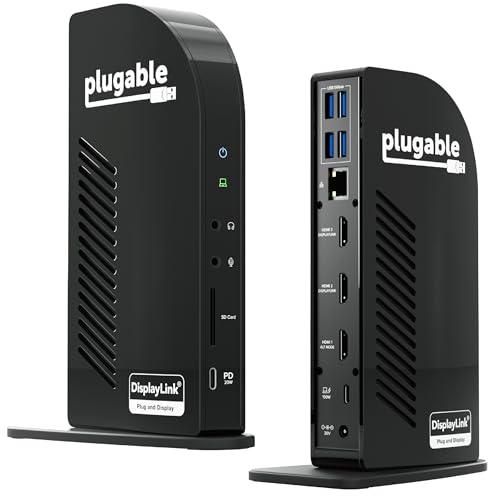
Plugable USB-C Triple Monitor Docking Station
A 13-in-1 USB-C dock with three HDMI outputs, 100 W laptop charging, a 20 W front USB-C port, and Gigabit Ethernet.
View on Amazon
WAVLINK Displaylink Docking Station 3 Monitors for Mac(M1-M5/Neo) &
A USB-C dock with three HDMI outputs and two DisplayPort outputs, 100 W power delivery, and 10 Gbps USB ports.
View on AmazonThese come from our ranked list Best Docking Station for 3 Monitors, which compares them spec by spec.
FAQ
Can I connect three monitors with a USB-C hub instead of a dock?
A hub with three video outputs can do it, but check the output count and the resolution each output lists. A dock also passes power to the laptop, and all four docks in the list below pass up to 100 W.
Why do only one or two of my three monitors show a picture?
Check that the laptop USB-C port supports video output, then check that the DisplayLink driver is installed on a Mac. On the Plugable UD-3900PDZ and UD-ULTCDL, the second and third HDMI outputs use DisplayLink, and the WAVLINK dock needs the driver on MacBook M1 through M5 models.
Can I watch protected video on monitors connected through these docks?
The Plugable UD-3900PDZ and UD-ULTCDL do not support HDCP protected content, and the WAVLINK dock is not recommended for HDCP-protected 4K streaming. Use a direct connection for protected video if your setup needs it.


