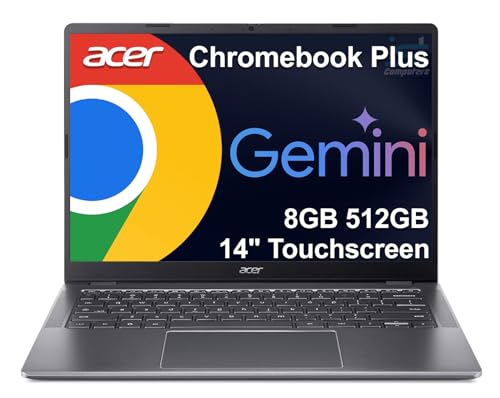
How to Choose a Chromebook
 By Theo LangUpdated
Start with what you will do on the Chromebook: browsing, school work, video calls and documents run in the browser, while Android apps add more options. Then match the screen size, memory, storage and ports to that list. Pick the model that fits the work you actually do.
List what you will do on it
Write down the main jobs for the Chromebook: web browsing, email, documents, school work, video calls, streaming and any Android apps you plan to use. Chromebooks run ChromeOS, so the work happens in the browser or in apps from the Play Store. If a program you rely on only runs on Windows or macOS, check its published requirements before you buy, since a Chromebook may not run it at all.
Pick a screen size and display
A 14-inch screen keeps the laptop light and easy to carry, while a 15.6-inch screen gives more room for documents and side-by-side windows. A 1080p display shows sharper text than a lower-resolution panel, and a touchscreen adds finger navigation in ChromeOS. Check the brightness and viewing angles in person when you can, and weigh how much carrying the laptop matters to you.
Compare memory, storage and ports
Memory holds the tabs and apps you have open, so more memory keeps more of them ready at once. Storage holds your files and downloads, and Chromebooks lean on cloud storage for the rest. Check the ports on the side: USB-C can carry charging, data and video on models that support it, so confirm video output in the spec sheet if you plan to use an external monitor. A microSD slot adds room for files.
Check updates, battery and warranty
Chromebooks have an auto update expiration date, after which they stop receiving ChromeOS updates, so check that date before you buy. Battery life varies by model and by how you use the laptop, so watch for signs of wear such as a battery that drains faster than it used to. Read the warranty terms too, and keep the manual for setup and care.
What you need

Lenovo Flagship Chromebook
A 14-inch Chromebook with a Full HD touchscreen, MediaTek Kompanio 520 processor, 4GB of memory, 64GB of storage and Wi-Fi 6.
View on Amazon
HP Chromebook 14 Laptop
A 14-inch Chromebook with an Intel Celeron N4120 processor, 4GB of memory, 64GB of storage and a 1-year limited hardware warranty.
View on Amazon
Acer 15.6-inch Touch Chromebook
A 15.6-inch Chromebook with a Full HD touchscreen, Intel N50 processor, 8GB of DDR5 memory, 128GB of storage and an HDMI port.
View on Amazon
HP Chromebook 15 15.6-inch Laptop
A 15.6-inch Chromebook with an Intel N200 processor, 8GB of DDR5 memory, 64GB of eMMC storage and a numeric keyboard.
View on AmazonThese come from our ranked list Best Chromebook, which compares them spec by spec.
FAQ
Can a Chromebook run Microsoft Office?
Chromebooks do not run the Windows version of Office, but you can use Office in the browser and Android Office apps from the Play Store. Check the published requirements for the version you plan to use before you buy.
Do Chromebooks need antivirus software?
ChromeOS includes built-in protection and updates itself, so separate antivirus software is not part of the standard setup. Keep the system updated, use strong passwords and install apps only from the Play Store or the Chrome Web Store.
What if a Chromebook runs out of storage?
Move files to cloud storage or a microSD card, and remove apps and downloads you no longer use. Check how much storage is free in settings before you add large files, and pick a model with more storage if you keep many files on the device.