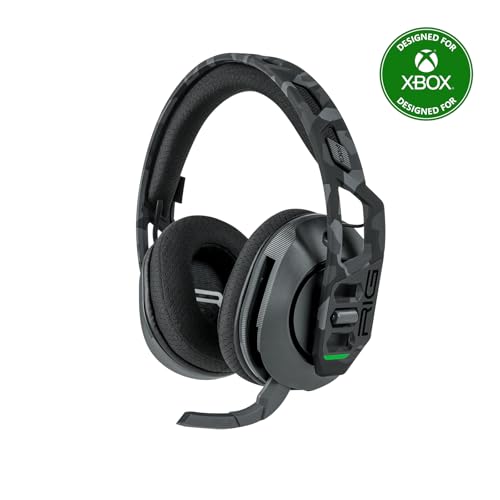
What Is a UC Bluetooth Headset?
 By Theo LangUpdated
UC stands for Unified Communications, and a UC Bluetooth headset is a wireless headset with a microphone made for calls, meetings and chat over Bluetooth. In practice it pairs with a phone, laptop or tablet for voice and media, and the headsets shown here add a 2.4GHz dongle mode for gaming on consoles and computers.
What UC means on a headset
UC stands for Unified Communications and describes headsets built around voice calls and online meetings. The key parts are a microphone for your voice, controls for calls, and a wireless link to the device running the call. The headsets shown here are gaming models with those same call parts: the HyperX Cloud III S lists a detachable boom mic for voice chat and calls, and the Razer BlackShark V3 lists a detachable microphone for team communication.
Bluetooth mode and dongle mode
These headsets connect in more than one way, and the mode decides what works. Bluetooth mode suits phones, laptops and tablets. A 2.4GHz USB dongle mode suits consoles and computers for gaming. The Ozeino headset states that Bluetooth mode works for phone, laptop and Switch, while its 2.4GHz mode covers PS5, PS4, PC and Mac. The WESEARY headset states Bluetooth mode is not compatible with PS5 or PS4. Check the mode notes for your device before you buy.
Check mic and call controls
For calls, check that the microphone works in the mode you plan to use. The WESEARY headset states its mic is not compatible with Switch via Bluetooth mode. The HyperX Cloud III S states its boom mic works in both 2.4GHz and Bluetooth modes. Look for a mute button and volume control you can reach without opening an app. The Ozeino headset lists button controls for volume, mute and answering calls. Check the mic in your meeting app settings after pairing.
Check device compatibility first
Compatibility lists differ by model and by mode, so read the notes for your exact device. The Ozeino, HyperX, WESEARY and Razer headsets shown here each state they are not compatible with Xbox consoles. The Ozeino headset also states Bluetooth needs an extra USB Bluetooth adapter, sold separately, for Mac, PS5, PS4 or PC. The Razer BlackShark V3 lists Bluetooth 5.3 and works with PC, Mac, PlayStation, Nintendo Switch and mobile devices. Match your device to the listed modes before ordering.
What you need
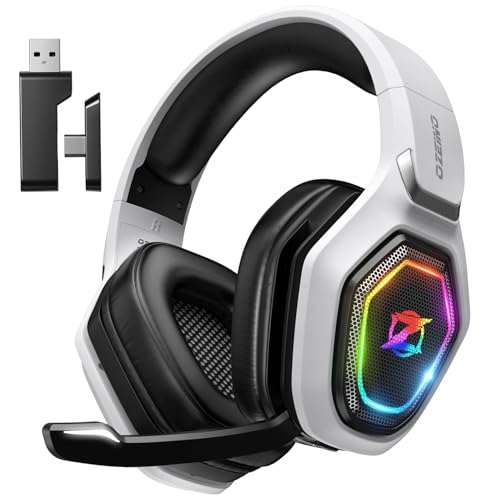
Ozeino Wireless Gaming Headset For PS5
A dual-mode headset with 2.4GHz USB and Bluetooth, a flip mic and call controls, for PS5, PC, Switch and phones.
View on Amazon
HyperX Cloud III S Wireless Gaming Headset
A headset with 2.4GHz and Bluetooth modes, a detachable boom mic for calls and memory foam ear cushions.
View on Amazon
WESEARY Wireless Gaming Headset for PS5
A dual-mode headset with Bluetooth 5.4, an omnidirectional mic with noise cancellation and LED lighting.
View on Amazon
Razer BlackShark V3 Wireless PC Gaming Headset
A triple-mode headset with 2.4 GHz, Bluetooth 5.3 and wired USB-C, plus a detachable microphone for team chat.
View on AmazonThese come from our ranked list Best Bluetooth Gaming Headset, which compares them spec by spec.
FAQ
Is a UC headset the same as a gaming headset?
They overlap. Both pair a microphone with wireless audio. UC points to calls and meetings, while gaming models add a 2.4GHz dongle mode for consoles. Check that the mic works in Bluetooth mode on your device.
Will Bluetooth mode work on a PS5?
Check the model notes. The WESEARY headset states Bluetooth mode is not compatible with PS5 or PS4, and the Ozeino headset states Bluetooth needs a separate adapter for PS5. Both list 2.4GHz mode for PlayStation use.
Can I use one headset for calls and games?
Yes, if the modes cover both. Use Bluetooth for phone and laptop calls and the 2.4GHz dongle for console or computer gaming. The Razer BlackShark V3 also lists simultaneous wireless mixing of two devices.