What Is a Headset and Headphone?
 By Theo LangUpdated
A headphone is a pair of earcups that plays sound into your ears. A headset is a headphone with a microphone attached, so you can listen and talk through the same device. The difference is the microphone: headphones are for listening only, while headsets add a mic for calls, voice chat and gaming.
What a headphone does
A headphone has two earcups joined by a headband, with a speaker driver in each cup. The models on this page use 40 mm, 50 mm and 53 mm drivers. Closed earcups cover the ear and keep out some outside sound, as the Razer models do with their closed earcups. You connect a headphone through a 3.5 mm jack or a USB cable, depending on the model.
What makes a headset different
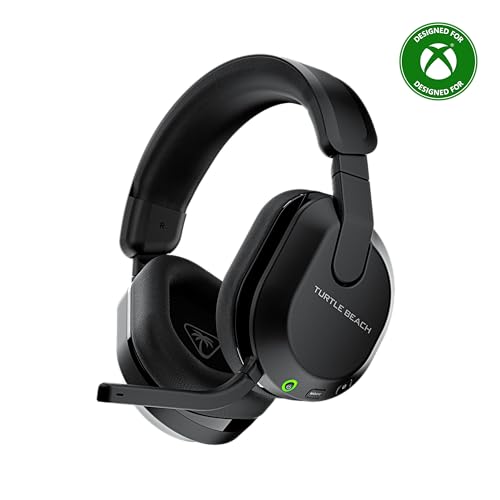
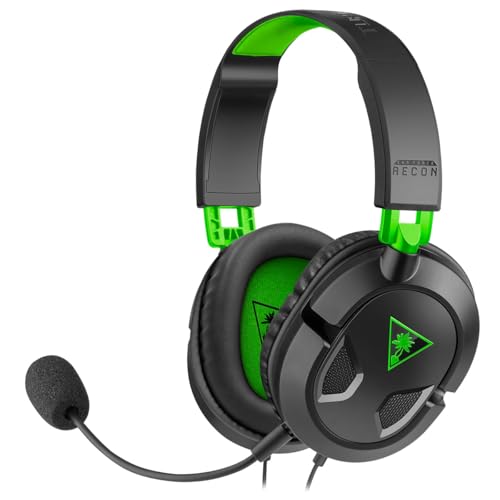
A headset adds a microphone to a headphone, so one device handles listening and talking. The microphone sits near your mouth on a boom you can move: the white Razer model has a bendable mic, and the BENGOO mic has a flexible design for adjusting its angle. The Razer models use a cardioid mic, which picks up more voice and less noise from the sides, and the HyperX Cloud III mic is noise-cancelling with an LED mute indicator. Use a headset for calls, meetings and voice chat in games.
Surround sound and positional audio
Some headsets add surround sound, which places game sounds around you so you can tell where a sound comes from. The two Razer models and the BENGOO support 7.1 surround sound, while the HyperX Cloud III uses angled 53 mm drivers tuned for gaming. The Razer 7.1 surround sound is software-enabled and works only on Windows 10 64-bit. Check the listing for your system before you count on surround sound.
Choose between a headset and a headphone
Pick a headset when you need to talk as well as listen: calls, meetings, streaming and voice chat in games. Pick a headphone when you only need to listen, such as music or films, and you already have a separate microphone. Check the connection first: the Razer models and the BENGOO use a 3.5 mm jack or USB, while the HyperX Cloud III adds USB-C and USB-A alongside 3.5 mm. Also check weight and ear cushion material if you wear the headset for long sessions.
What you need

Razer BlackShark V2 X Gaming Headset
A black Razer headset with 50 mm drivers, software-enabled 7.1 surround sound and a cardioid mic, connecting through a 3.5 mm jack.
View on Amazon
Razer BlackShark V2 X Gaming Headset for PC
The white Razer headset with 50 mm drivers, 7.1 surround sound and a bendable cardioid mic, also on a 3.5 mm jack.
View on Amazon
HyperX Cloud III Wired Gaming Headset for PC
A HyperX headset with angled 53 mm drivers, a noise-cancelling 10 mm mic and USB-C, USB-A and 3.5 mm connections.
View on Amazon
BENGOO G9000 Stereo Gaming Headset for PS4 PC Xbox One PS5 Controller
A blue BENGOO headset with 40 mm drivers, 7.1 surround sound, a flexible noise-isolating mic and a USB cable with volume control.
View on AmazonThese come from our ranked list Best PC Headset, which compares them spec by spec.
FAQ
Can I use a headset as a headphone?
Yes. A headset plays sound like a headphone, so you can listen to music or films with it and leave the microphone unused. You only need the mic when you talk, such as on a call or in voice chat.
Do I need a headset for video calls?
You need a microphone for the other side to hear you, and a headset puts the mic close to your mouth. A headphone alone gives you sound but no mic, so you would need a separate microphone for calls.
Does a headset work with a console?
Many do. The Razer models work with PC, Mac, PS4, PS5 and Switch through a 3.5 mm jack, and the HyperX Cloud III works with PC, PS5, PS4 and Xbox Series X and S. Check the listing for your console before buying.