What Is Dual Pairing on a Bluetooth Headset?
 By Theo LangUpdated
Dual pairing on a Bluetooth headset means the headset can stay connected to two devices at the same time, such as a phone and a laptop. On gaming headsets the same idea often appears as dual mode: one link over a 2.4 GHz USB dongle and a second link over Bluetooth.
What dual pairing means
A headset with dual pairing holds two wireless links at once. You can take game audio from a PC or console through one link and keep a phone connected through the other, without unpairing and pairing again each time you switch. Which link carries the sound depends on the headset, so read the mode notes for the model you choose.
Dual mode: dongle plus Bluetooth
Many gaming headsets call this dual mode instead. The 2.4 GHz USB dongle link is the gaming link, and the Bluetooth link covers phones, laptops and tablets. The Ozeino headset states this split plainly: the dongle serves consoles and computers, while Bluetooth mode works for phone, laptop and Switch. The WESEARY headset toggles between its two modes with a press on the mic.
Simultaneous audio is a step further
Some headsets mix both links at the same time instead of switching between them. The Razer BlackShark V3 states simultaneous wireless mixing over 2.4 GHz and Bluetooth, so you can monitor two devices at once. If you want game audio and a phone call in the same ears, check that the headset states simultaneous or mixing, not only dual mode.
Check the limits before you buy
Mode limits differ by device. The Ozeino headset states that Bluetooth cannot connect directly to a Mac, PS5, PS4 or PC without an extra adapter, and the WESEARY headset states its Bluetooth mode is not compatible with PS5 or PS4. Check the console and computer list for each mode, not only for the headset as a whole.
How to switch between devices
Pair the headset with each device once, then use the mode control to move between links. The HyperX Cloud III S has a wireless mode selector for its 2.4 GHz and Bluetooth links, and the WESEARY headset switches modes with a two-second press on the mic. Keep the dongle plugged into the gaming device so that link is ready when you switch back.
What you need
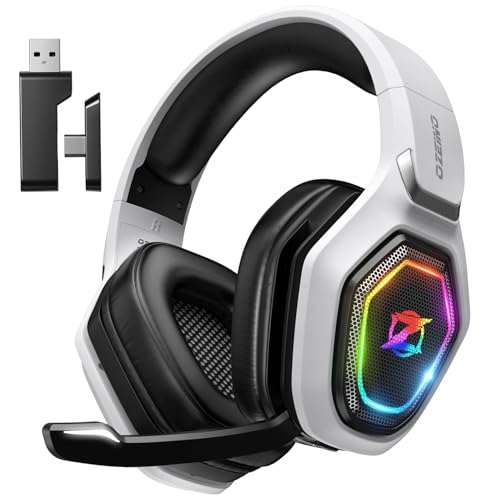
Ozeino Wireless Gaming Headset For PS5
A wireless gaming headset with dual input from a 2.4 GHz USB dongle and Bluetooth, plus a 3.5mm wired mode.
View on Amazon
HyperX Cloud III S Wireless Gaming Headset
A wireless gaming headset that connects by 2.4 GHz dongle or Bluetooth, with a mode selector and detachable mic.
View on Amazon
WESEARY Wireless Gaming Headset for PS5
A dual-mode gaming headset that toggles between 2.4 GHz and Bluetooth 5.4 with a press on the mic.
View on Amazon
Razer BlackShark V3 Wireless PC Gaming Headset
A triple-mode headset with simultaneous 2.4 GHz and Bluetooth mixing, so two devices can be monitored at once.
View on AmazonThese come from our ranked list Best Bluetooth Gaming Headset, which compares them spec by spec.
FAQ
Is dual pairing the same as dual mode?
They overlap but are not identical. Dual mode means the headset offers two kinds of link, such as a 2.4 GHz dongle and Bluetooth. Dual pairing means it stays connected to two devices at once. Read the mode notes to see which one a headset states.
Can I hear two devices at the same time?
Only if the headset states simultaneous mixing. The Razer BlackShark V3 states simultaneous 2.4 GHz and Bluetooth mixing to monitor two devices at once. Headsets that toggle modes play one link at a time.
Does dual pairing work with a PS5 and a phone?
It depends on the mode split. The Ozeino and WESEARY headsets state that Bluetooth mode does not connect to PS5 or PS4, so the console uses the 2.4 GHz dongle link while the phone uses Bluetooth. Check both mode lists before buying.