What Is a Cooling Fan in a Computer?
 By Theo LangUpdated
A cooling fan in a computer is a small fan that moves air through the case to carry heat away from parts such as the processor and graphics card. It pulls cooler air in, pushes warm air out, and keeps air moving so heat does not build up inside the case. Without that airflow, parts run hotter and the computer may slow down or shut down to protect itself.
What a cooling fan does
A cooling fan moves air across hot parts and out of the case. The processor and graphics card make heat while they work, and still air lets that heat collect around them. A fan keeps air moving, so cooler air reaches the parts and warm air leaves the case. The fan itself does not cool a part by touch. It works by keeping fresh air flowing past the part and carrying heat away with that air.
How air moves through a case
Air enters through openings at the front or side of the case, passes over the parts inside, and leaves through openings at the rear or top. Fans set the direction of that flow. One fan pulls air in while another pushes air out, so air follows a path through the case instead of sitting still. Clear vents and clear space around the case help that path stay open.
Intake and exhaust fans
An intake fan pulls cooler air from outside the case into the case. An exhaust fan pushes warm air from inside the case out through the rear or top. A case can have one or more of each type. Intake and exhaust fans work as a pair: intake brings fresh air in, exhaust removes warm air, and the flow between them carries heat out of the case.
Where fans sit in a computer
Fans sit in several places. Case fans mount on the front, rear or top of the case and move air through the whole case. A fan on top of a heatsink moves air over the processor, and fans built into a graphics card move air over that card. A power supply also has a fan that moves air through its own housing. Each fan serves the part or space next to it.
Signs a fan needs attention
A fan that makes a new grinding or rattling sound, stops spinning, or leaves the case hot to the touch needs attention. Dust on vents and fan blades can slow airflow, so check the vents and clear dust from outside the case. Shut the computer down and unplug it before you open it, and follow the maker's manual. If the fan still does not spin, contact the maker for help.
What you need
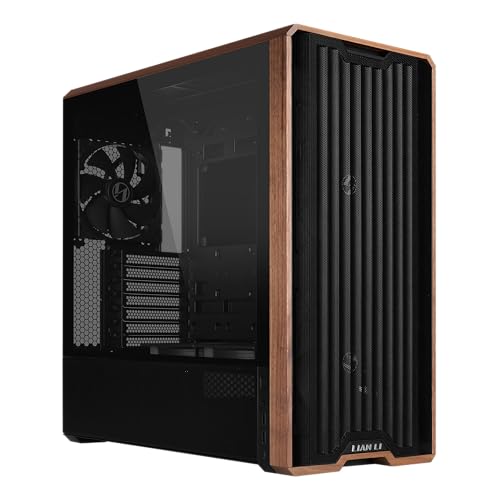
Lian Li LANCOOL 217 ATX Mid-Tower PC Case
A mid-tower case with five pre-installed PWM fans: two 170mm front fans, two 120mm reversed-blade fans and one 140mm rear fan.
View on Amazon
Cooler Master HAF II 500 ATX PC Case
An ATX case with two 220mm front intake fans and one 180mm rear exhaust fan, plus large front and rear ventilation openings.
View on Amazon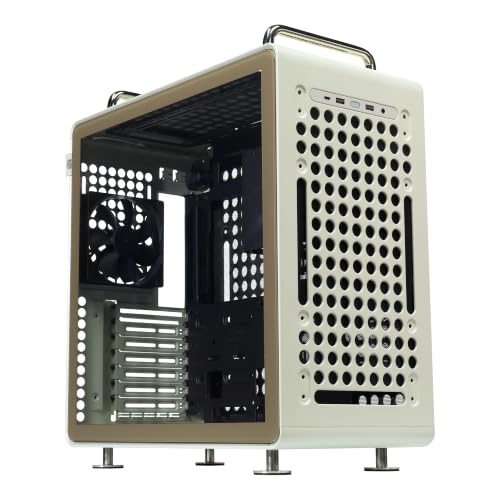
Cooler Master QUBE 540 ATX Mid-Tower PC Case
A mid-tower case with a full front mesh panel and a pre-installed SickleFlow 120mm fan for airflow.
View on Amazon
Zalman RAVN Compact ATX Mid-Tower Gaming PC Case
A compact ATX mid-tower case with a pre-installed 120mm rear fan and a full tempered glass side panel.
View on AmazonThese come from our ranked list Best PC Case for Cooling, which compares them spec by spec.
FAQ
What is the difference between an intake fan and an exhaust fan?
An intake fan pulls cooler air into the case. An exhaust fan pushes warm air out of the case. Together they set up a flow of air through the case that carries heat away from the parts inside.
Why does my computer fan get loud?
A fan spins faster when parts make more heat, such as during a game or a large file task. Dust on vents, a blocked vent, or a fan that is worn can also make it louder. Clear the vents and check that air can flow freely around the case.
Can I add a fan to my computer?
You can add a fan if your case has a free fan mount and a free fan header or power connector on the motherboard. Check the case manual for the fan size and the mount positions it supports, then shut the computer down and unplug it before you fit the fan. If you are unsure, contact the maker for help.