What Is a PC Tower Used For?
 By Theo LangUpdated
A PC tower is the tall case that holds the parts of a desktop computer: the motherboard, processor, graphics card, memory, storage drives and power supply. It gives those parts a frame to mount in, airflow to stay cool and ports to connect a monitor, keyboard and mouse. The tower itself does no computing; the parts inside it do.
What a PC tower holds
Inside the tower, the motherboard holds the processor and memory, and it links them to storage drives, the graphics card and the power supply. The graphics card drives the picture on the monitor, while the drives hold the operating system, programs and files. The power supply feeds power to each part through cables. A tower gives each part a fixed mounting point, so the parts stay in place and connect in a set layout instead of sitting loose on a desk.
How a tower keeps parts cool
Parts make heat while they work, so a tower moves air through the case with fans and vents. Cool air comes in through the front or bottom, passes over the parts and leaves through the back or top. Some towers also fit radiators, which move heat away from the processor with liquid and fans. Keep the vents clear and the case away from walls and soft surfaces, and follow the maker’s manual for where each fan goes.
What size and layout change
Towers come in sizes that match motherboard sizes, such as ATX and E-ATX, and a larger tower gives more room for long graphics cards, more fans and larger radiators. The layout also sets where drives sit, where cables run and how easy the parts are to reach. Before buying a case, check the board size and the graphics card length in the case notes, and check that the ports on the back match the monitor and devices you own.
How a tower connects to your desk
A monitor plugs into the graphics card or the motherboard at the back of the tower, and a keyboard and mouse plug into USB ports on the back or the front. Many towers also put USB ports and a headphone jack on the front, so you can reach them without moving the case. The tower plugs into mains power, and you switch it on with the power button on the case.
What you need

HYTE Y70 Touch Infinite Modern Aesthetic Gaming PC Case
An ATX case in Snow White with a 14.9-inch 2.5K touchscreen, dual-chamber layout, panoramic glass and room for up to 10 fans.
View on Amazon
Antec Flux Pro Full-Tower E-ATX PC Case
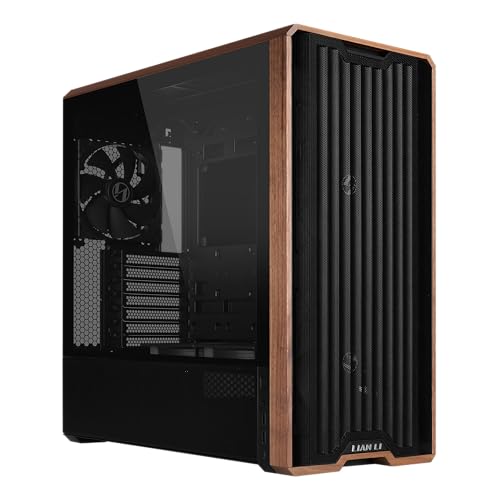
A full-tower E-ATX case with 6 PWM fans included, a walnut wood front panel, a CPU and GPU temperature display and support for a 420mm radiator.
View on Amazon
HYTE Y70 Touch Infinite Modern Aesthetic Gaming PC Case
The same ATX case in Pitch Black, with a 14.9-inch 2.5K touchscreen, a PCIe 4.0 riser for vertical graphics and room for up to 10 fans.
View on Amazon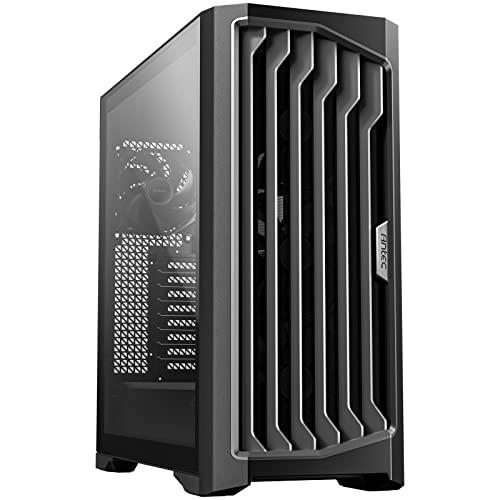
Antec Performance 1 FT Full Tower E-ATX PC Case
A full-tower E-ATX case with a temperature display, dual tempered glass side panels, cable covers and a Type-C 10Gbps port.
View on AmazonThese come from our ranked list Best PC Tower Case, which compares them spec by spec.
FAQ
Is a PC tower the same as a desktop computer?
Not quite. The tower is the case, and the desktop computer is the full system of parts inside it plus the monitor, keyboard and mouse. A tower on its own shows nothing on a screen until those parts and a monitor are connected.
What else do I need to use a PC tower?
A monitor, a keyboard and a mouse, plus mains power. The monitor plugs into the graphics card or motherboard at the back, and the keyboard and mouse plug into USB ports. Set up the operating system on the parts inside the tower before running programs.
Does a bigger tower run games better?
No. Size alone sets how much room the parts have, not how fast they work. The processor, graphics card and memory inside set what the system can do, so check the requirements published for the game or program you want to run.