
What Is a Mini Tower PC?
 By Theo LangUpdated
A mini tower PC is a mid-size desktop computer in an upright case that fits on or beside a desk. It is smaller than a full tower and larger than a small form factor case, and it holds standard desktop parts such as a motherboard, a graphics card, storage drives and cooling fans. A mini tower suits a desk setup where a full tower would take too much room.
What fits inside a mini tower
A mini tower holds a standard motherboard, a graphics card, storage drives and a power supply, with fans or a radiator for cooling. The case sets the limits: the board size it takes, the length of graphics card it accepts, the number of drive bays and the size of radiator it fits. Check the case spec sheet for those limits before you buy parts, since a part that is too long or too tall will not fit. A smaller case also leaves less room for cables, so plan the layout before you build.
How a mini tower differs from a full tower
A full tower is taller and deeper than a mini tower, and it gives you more drive bays, more fan mounts and room for larger radiators. A mini tower gives up some of that room in exchange for a smaller footprint on the desk or floor. They hold the same kinds of parts, so the choice comes down to how many drives and fans you want and how much space you have. If you plan to add drives later, count the bays the case lists before you buy.
Cooling and airflow in a small case
A smaller case moves less air than a large one, so fan placement matters. Air comes in through the front or bottom and leaves through the rear or top, carrying heat from the graphics card and processor out of the case. Keep the intake filters clear of dust and leave space around the case so air can move. If you add a radiator, check the case spec sheet for the radiator sizes it supports and where they mount.
Choosing a case for your build
Start with the parts you already have or plan to buy, then find a case that lists room for them. Match the motherboard size to the case, check the graphics card length against the case limit, and count the storage drives you want to install. Also check the front ports: a USB-C port on the case only helps if your motherboard has the matching header. Read the case spec sheet and the motherboard manual together before you order.
What you need

HYTE Y70 Touch Infinite Modern Aesthetic Gaming PC Case
A larger ATX dual-chamber case, not a mini tower, with a 14.9-inch 2.5K touchscreen, 10-fan capacity and an included PCIe 4.0 riser cable, in Snow White.
View on Amazon
Antec Flux Pro Full-Tower E-ATX PC Case
A full-tower E-ATX case, larger than a mini tower, with 6 PWM fans included, a walnut wood front panel, a 90-degree rotated PSU mount and CPU and GPU temperature display.
View on Amazon
HYTE Y70 Touch Infinite Modern Aesthetic Gaming PC Case
A larger ATX dual-chamber case, not a mini tower, with a 14.9-inch 2.5K touchscreen, 10-fan capacity and an included PCIe 4.0 riser cable, in Pitch Black.
View on Amazon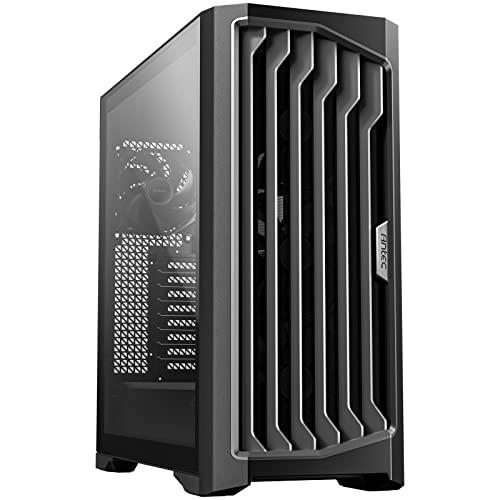
Antec Performance 1 FT Full Tower E-ATX PC Case
A full-tower E-ATX case, larger than a mini tower, with a high-airflow mesh front panel, a temperature display, dual tempered glass side panels and a Type-C 10Gbps port.
View on AmazonThese come from our ranked list Best PC Tower Case, which compares them spec by spec.
FAQ
Is a mini tower big enough for a gaming PC?
Yes, if the parts fit the case. Check the motherboard size, the graphics card length and the radiator size against the case spec sheet, and leave room for airflow around the fans.
What is the difference between a mini tower and a mid tower?
The names overlap, and the same case can carry either name. Read the case spec sheet for the board size, card length and radiator support instead of relying on the name.
Do mini tower cases come with fans?
Some do and some do not, so check the case spec sheet for how many fans come in the box and how many mounts the case has. A case that ships without fans needs fans bought separately before the build is complete.


