What Graphics Card Can My PC Handle?
 By Theo LangUpdated
What your PC can handle comes down to four checks: the slot on the board, the space in the case, the power supply and its connectors, and the monitor you connect. A card that fits the slot, fits the case, and matches the power supply and monitor is one your PC can handle. Work through the checks below before you buy.
Check the slot your board has
Graphics cards plug into a PCIe slot on the board. Open the manual for your board or PC and find the slot type and the version it lists, such as PCIe 4.0 or PCIe 5.0. A card made for a newer PCIe version still fits an older slot, but check the manual for what your board supports. Also check that the slot is free and that the space beside it is clear for the card.
Measure the space inside the case
Shut the PC down and unplug it before you open it, and follow the maker's manual. Measure the length from the back of the case to the first thing in the way, and measure the height from the slot to the side panel. Count how many slots the card takes at the back of the case, since some cards cover more than one. Compare each measurement with the card's listed length, height and slot width before you buy.
Check the power supply and connectors
Find the power supply in your PC and read the rating printed on it, then check the connectors it has for a graphics card. Compare both with the power and connector figures the card maker lists for that card. If the connectors on the supply do not match the ones the card asks for, do not buy an adapter to force the fit; ask the maker which supply fits that card.
Match the monitor and its ports
Check which video ports your monitor has, such as HDMI or DisplayPort, and match them to the ports on the card. Check the resolution name your monitor uses, such as 1080p, 1440p or 4K, and the refresh rate it lists, such as 60 Hz or 144 Hz. A card lists the resolutions and refresh rates it supports, so compare those figures with your monitor before you buy.
Check the software you plan to run
Look up the requirements the maker of your software or game publishes for the graphics card, and compare them with the card you plan to buy. Those requirements name the card generation and the video memory the software asks for. A card that meets the published requirements for your software is a card your PC can use for that software.
What you need

ASUS PRIME GeForce RTX 5060 Ti 16GB
An ASUS GeForce RTX 5060 Ti with 16 GB of GDDR7 memory, PCIe 5.0, HDMI, a 2.5-slot design and a 3 year warranty.
View on Amazon
ASUS Prime GeForce RTX 5060 Ti 8GB
An ASUS GeForce RTX 5060 Ti with 8 GB of GDDR7 memory, PCIe 5.0, HDMI, a 2.5-slot design and a 3 year warranty.
View on Amazon
MSI Gaming RTX 3050 LP 6G OC Graphics Card
An MSI GeForce RTX 3050 with 6 GB of GDDR6 memory, a 96-bit interface, HDMI 2.1a and DisplayPort outputs, and a 3 year warranty.
View on Amazon
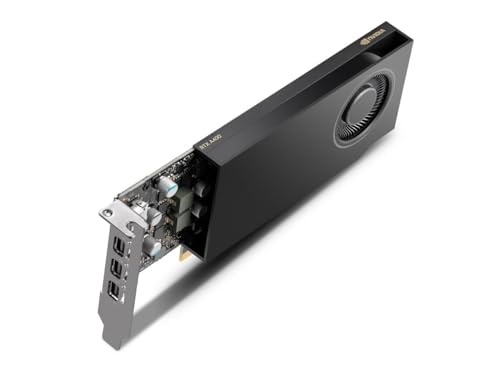
NVIDIA RTX 4000 SFF Ada Generation Workstation Ada Lovelace Architecture Dual Slot Low Profile Professional Graphics Board 900-5G192-2571-000 VD8465
An NVIDIA RTX 4000 SFF Ada Generation workstation card with dual slot low profile design for small form factor builds.
View on AmazonThese come from our ranked list Best Sff GPU, which compares them spec by spec.
FAQ
Does a newer graphics card fit an older PC?
It can, if the card fits the slot, the case and the power supply of that PC. Check the slot version in the board manual, measure the space in the case, and compare the card's power and connector figures with the supply in the PC.
Will my power supply work with a new graphics card?
Compare the rating printed on your power supply and the connectors it has with the power and connector figures the card maker lists for that card. If the supply falls short on either, ask the maker which supply fits that card.
Can my PC handle a card with more video memory?
Video memory is one figure to compare, and the card still has to fit the slot, the case and the power supply. Check the requirements the maker of your software or game publishes, and match the card to those requirements and to your monitor.