Which Graphics Card Fits Your Motherboard?
 By Theo LangUpdated
A graphics card fits your motherboard when the board has a PCIe x16 slot for it, the case has room for its length and thickness, the power supply has the connectors it uses, and its video outputs match your monitors. Check each point in your motherboard manual and the card's spec sheet before you buy.
Check the PCIe slot on your motherboard
Most graphics cards use a PCIe x16 slot. Open your motherboard manual or the board maker's spec page and look for a PCIe x16 slot and its version, such as PCIe 4.0 or PCIe 5.0. A PCIe 5.0 card fits a PCIe 4.0 slot, and a PCIe 4.0 card fits a PCIe 5.0 slot. A board with a PCIe x16 slot takes a modern graphics card.
Measure the space inside your case
Shut the PC down, unplug it, and follow your case and motherboard manuals before you open it. Measure the free length from the slot bracket to the nearest obstruction and the number of slots the card covers, then compare both with the length and slot width the card lists. A card that is longer than the free space, or wider than the spare slots, does not fit. Small-form-factor cards suit compact cases, but check the measurements first.
Check the power connectors and supply
A graphics card draws power from the slot and from cables that run from the power supply. Look at the connectors on the card and check that your power supply has matching cables with free ends. Read the card maker's guidance for the supply it gives, and use only cables that match the card's connectors. If the connectors do not match, the card cannot run in that system.
Match the video outputs to your monitors
Check the video outputs on the card, such as HDMI and DisplayPort, and match them to the inputs on your monitors. Count the monitors you want to connect and the inputs each one has, then check that the card has enough outputs of the right kind. A port name alone does not prove a feature, so check the card's notes for the output version and the resolutions it lists.
What you need

ASUS PRIME GeForce RTX 5060 Ti 16GB
A 16GB GDDR7 card with PCIe 5.0 and HDMI, a 2.5-slot design, Axial-tech fans and Dual BIOS, SFF-Ready.
View on Amazon
ASUS Prime GeForce RTX 5060 Ti 8GB
An 8GB GDDR7 card with PCIe 5.0 and HDMI, a 2.5-slot design, Axial-tech fans and Dual BIOS, SFF-Ready.
View on Amazon
MSI Gaming RTX 3050 LP 6G OC Graphics Card
A low-profile 6GB GDDR6 card with two HDMI 2.1a ports and one DisplayPort 1.4a output.
View on Amazon
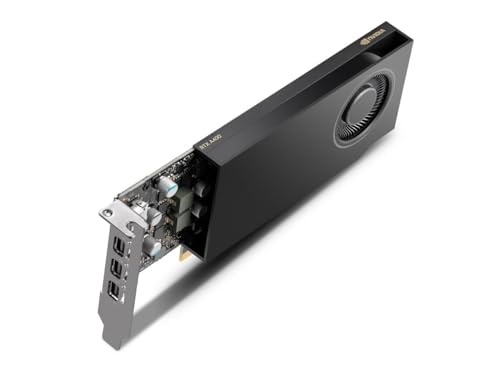
NVIDIA RTX 4000 SFF Ada Generation Workstation Ada Lovelace Architecture Dual Slot Low Profile Professional Graphics Board 900-5G192-2571-000 VD8465
A dual-slot, low-profile workstation card built on the Ada Lovelace architecture.
View on AmazonThese come from our ranked list Best Sff GPU, which compares them spec by spec.
FAQ
Can I use a PCIe 5.0 card in a PCIe 4.0 slot?
Yes. A PCIe 5.0 card fits a PCIe 4.0 slot, and a PCIe 4.0 card fits a PCIe 5.0 slot. Check your motherboard manual for the slot version and for any notes on new cards.
What if my case is too small for the card?
Measure the free length and the spare slots in your case, then compare them with the length and slot width the card lists. If the card is longer than the free space, pick a shorter card or a larger case.
Do I need a new power supply for a new card?
Check the connectors on the card and the cables from your power supply first. If the connectors match, read the card maker's guidance for the supply it lists. If they do not match, pick a card with matching connectors or change the supply.