What Does Video Card Memory Do?
 By Theo LangUpdated
Video card memory, or VRAM, is memory on the graphics card that holds the textures, frames and other data the GPU works with while it draws a picture. More memory lets the card hold larger textures and higher-resolution frames without going back to system memory. The cards here carry 12GB or 16GB of GDDR6 or GDDR7 memory.
What video card memory holds
Video card memory holds the data the GPU needs close at hand: textures for surfaces, the frame being drawn, and the geometry and lighting data for the scene. When that data sits in VRAM, the GPU reads it without waiting on system memory. If the data does not fit, the card swaps it in and out, which slows the work. That is why memory size matters most at higher resolutions and with larger texture packs.
Memory size and resolution
Resolution sets how much frame data the card holds: a 2160p frame holds more pixels than a 1080p or 1440p frame, so it takes more memory. The cards here carry 12GB or 16GB of video memory. Compare the capacity against the resolution you play at, and check the requirements published for your games before you pick.
Memory type and bus width
Memory type and bus width set how fast data moves in and out of VRAM. The ASRock card uses 16GB of GDDR6 on a 256-bit bus at 20 Gbps, and the ASUS card uses 16GB of GDDR7. The GIGABYTE and MSI cards use 12GB of GDDR6 on a 192-bit interface. A wider bus moves more data per cycle, and a newer memory type moves data faster per pin. Read the memory type and bus width together when you compare cards.
Check fit and power before you buy
A graphics card also has to fit your case and your power supply. The ASRock card is a 2.5-slot card at 290x123x51mm with two 8-pin power connectors and a recommended 700W power supply. The ASUS card uses a 2.5-slot design. Measure your case clearance and check the power supply rating in your PC manual before you order.
What you need

ASRock Radeon RX 9070 Challenger
A Radeon RX 9070 card with 16GB of GDDR6 on a 256-bit bus at 20 Gbps, PCIe 5.0 and triple fans.
View on Amazon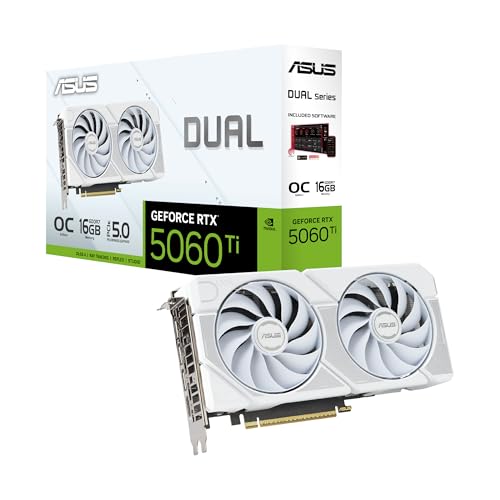
ASUS Dual
A GeForce RTX 5060 Ti card with 16GB of GDDR7, PCIe 5.0, HDMI 2.1b, DisplayPort 2.1b and dual Axial-tech fans.
View on Amazon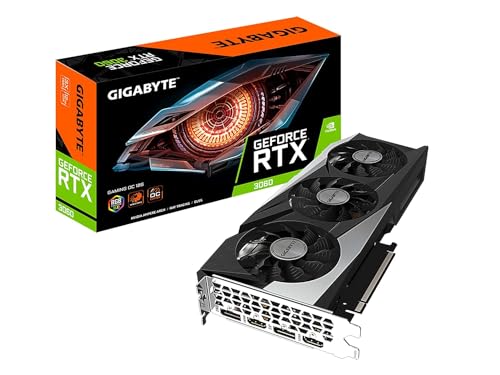
GIGABYTE GeForce RTX 3060 Gaming OC 12G
A GeForce RTX 3060 card with 12GB of GDDR6 on a 192-bit interface and three WINDFORCE fans.
View on Amazon
MSI Gaming
A GeForce RTX 3060 card with 12GB of GDDR6 on a 192-bit interface, DisplayPort and HDMI 2.1 outputs.
View on AmazonThese come from our ranked list Best Video Graphics Card, which compares them spec by spec.
FAQ
Is more video card memory always better?
Not on its own. Memory size is one figure next to memory type, bus width and the GPU itself. A card with more memory but a narrower bus can move data more slowly, so read the memory type and bus width together with the capacity.
What is the difference between GDDR6 and GDDR7?
GDDR7 is the newer memory type used on the ASUS card here, while the other three cards use GDDR6. The type sets how fast data moves per pin, so compare the memory type with the bus width and capacity when you compare cards.
Does video card memory replace system memory?
No. Video card memory serves the GPU, while system memory serves the CPU and the programs running on it. The two work side by side, and adding video memory does not add system memory.