What Does Upgrading a Graphics Card Do?
 By Theo LangUpdated
Upgrading a graphics card swaps the part of your PC that draws the picture on your screen for a newer one. A newer card carries more video memory and a newer architecture, so it can handle higher resolutions and more detailed settings in games and creative apps. Check the requirements published for your games and software before you choose a card.
What the graphics card does
The graphics card draws every frame you see on the monitor. Its video memory holds the textures and image data for the frame, and its processor works through that data. The ASUS cards use the NVIDIA Blackwell architecture with DLSS 4, the MSI card uses the Ampere architecture, and the NVIDIA card uses the Ada Lovelace architecture. A newer architecture brings newer features, so the card you pick shapes what your PC can show.
What changes after the upgrade
After an upgrade you can try higher resolutions, such as 1440p or 4K, and higher detail settings, and see whether your games and software run the way you want. The ASUS cards list 772 AI TOPS for AI features in apps that use them, and the MSI card lists a 1492 MHz boost clock with 6GB of GDDR6 memory. Check the requirements published for your games and software, since no card on its own decides how a game looks.
Check that the card fits your PC
A card has to fit the space and the slots in your case. The ASUS cards use a 2.5-slot design and are SFF-ready, while the MSI card and the NVIDIA card are low profile. The ASUS cards list PCIe 5.0. Before you open the case, shut the PC down and unplug it, and follow the maker's manual for the card and the PC. Check the length and the slot count against the space you have.
Match the card to your monitor
The card and the monitor need matching ports. The ASUS cards have HDMI and DP 2.1, and the MSI card has one DisplayPort 1.4a port and two HDMI 2.1a ports. Check the ports on your monitor and the resolution and refresh rate it supports, such as 1080p, 1440p or 4K at 60, 120, 144 or 240 Hz. A card with a port your monitor does not have needs an adapter or a different monitor.
What you need

ASUS PRIME GeForce RTX 5060 Ti 16GB
A 16GB GDDR7 card with PCIe 5.0, HDMI and DP 2.1, a 2.5-slot design, Axial-tech fans and a Dual BIOS switch.
View on Amazon
ASUS Prime GeForce RTX 5060 Ti 8GB
An 8GB GDDR7 card with the same 2647 MHz OC mode, PCIe 5.0, HDMI and DP 2.1 and a 2.5-slot design.
View on Amazon
MSI Gaming RTX 3050 LP 6G OC Graphics Card
A low-profile 6GB GDDR6 card with a 1492 MHz boost clock, one DisplayPort 1.4a and two HDMI 2.1a ports.
View on Amazon
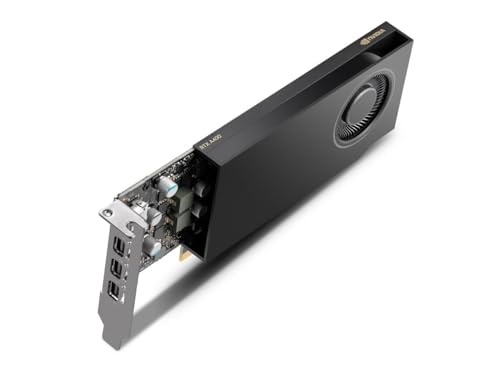
NVIDIA RTX 4000 SFF Ada Generation Workstation Ada Lovelace Architecture Dual Slot Low Profile Professional Graphics Board 900-5G192-2571-000 VD8465
A dual-slot low-profile workstation card for rendering, data science and simulation, built on the Ada Lovelace architecture.
View on AmazonThese come from our ranked list Best Sff GPU, which compares them spec by spec.
FAQ
Does a new graphics card make games look better?
A newer card can handle higher resolutions and more detailed settings, but the result depends on the game and the rest of your PC. Check the requirements published for your games before you buy.
Will a new graphics card fit in any PC?
No. Check the slot count and the space in your case against the card. The ASUS cards use a 2.5-slot design, and the MSI and NVIDIA cards are low profile. Shut the PC down, unplug it, and follow the maker's manual.
What is video memory for?
Video memory holds the textures and image data for each frame. The ASUS and MSI cards here carry 6GB, 8GB or 16GB of video memory, in GDDR6 or GDDR7.