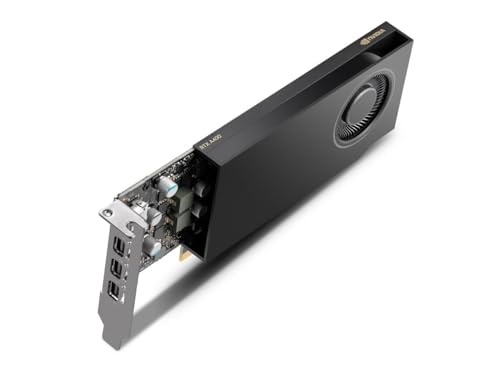
What Does a Graphics Card Do?
 By Theo LangUpdated
A graphics card turns data from the processor into the picture on your monitor. It holds its own video memory, draws the image frame by frame, and sends it through a video output such as HDMI or DisplayPort. A card with more video memory can hold larger textures, so check the requirements published for the software or game you use.
What the card draws
The card takes the picture data the processor sends and turns it into the image on the monitor. Its video memory holds the textures and the frames the card is working on, while its processor draws the image and sends it to the video output. A monitor with a higher resolution asks the card to draw more pixels in a frame, so the resolution name in the monitor listing tells you how much picture the card must draw. Check the requirements published for the software or game you use before you pick a card.
Video memory and the bus
Video memory holds the textures, frames and other picture data the card works with while it draws. The memory type, such as GDDR6 or GDDR7, names the kind of memory on the card, and the bus carries data between the memory and the card processor. A wider bus can carry more data at once, while more video memory can hold more picture data at once. Compare the memory figure and the bus figure in the card listing, and check the requirements published for the software or game you use.
Ports, size and power
Check the video ports on the card against the ports on your monitor, such as HDMI and DisplayPort, and check that the cable you plan to use fits the card and the monitor. Check the slot width and the length of the card against the space in the case, since a card that is too long or too wide will not fit. Check the power connectors on the card and the power supply in the case, and follow the card listing for the power supply it calls for. Shut the computer down and unplug it first, and follow the steps in the maker's manual to fit the card.
Cooling and fan noise
A card makes heat while it draws, and fans on the card move air over the card to carry that heat away. A card with more fans can move air over more of the card, while a card with fewer fans relies on the air flow in the case. Keep the vents in the case clear, and follow the steps in the maker's manual for cleaning dust from the fans.
What you need

ASRock Radeon RX 9070 Challenger
A Radeon RX 9070 card with 16GB GDDR6 memory on a 256-bit bus, PCIe 5.0, triple fans and a 2.5-slot design.
View on Amazon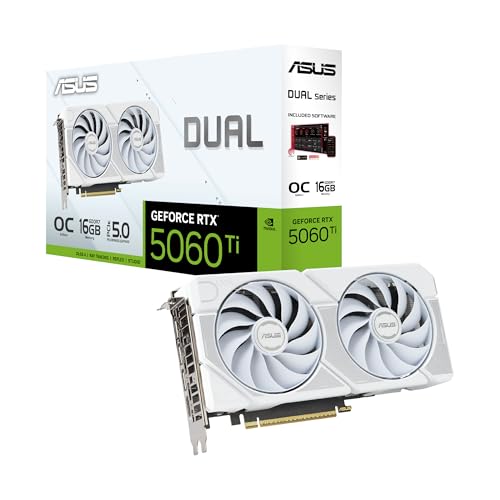
ASUS Dual
A GeForce RTX 5060 Ti card with 16GB GDDR7 memory, PCIe 5.0, HDMI 2.1b, DisplayPort 2.1b and Dual BIOS for Quiet and Performance profiles.
View on Amazon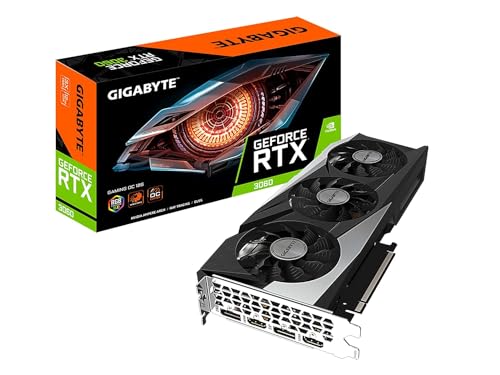
GIGABYTE GeForce RTX 3060 Gaming OC 12G
A GeForce RTX 3060 card with 12GB GDDR6 memory on a 192-bit bus, three WINDFORCE fans and second-generation RT cores.
View on Amazon
MSI Gaming
A GeForce RTX 3060 card with 12GB GDDR6 memory on a 192-bit bus, HDMI 2.1, three DisplayPort outputs and a Torx twin fan design.
View on AmazonThese come from our ranked list Best Video Graphics Card, which compares them spec by spec.
FAQ
Do I need a graphics card for a monitor?
No, if the processor in the computer already has graphics built in and the monitor connects to the computer. A separate graphics card adds its own video memory and video outputs, so check the ports on the computer and the requirements published for the software or game you use.
What does video memory do?
Video memory holds the textures and frames the card is working on while it draws the picture. A card with more video memory can hold more picture data at once, so compare the memory figure in the card listing with the requirements published for the software or game you use.
Can I use a graphics card with any monitor?
Only if the card and the monitor share a video connection, such as HDMI or DisplayPort, and the cable fits the card and the monitor. Check the ports on the card and on the monitor, and check the resolution and refresh rate the card and the monitor list.