What Cord Plugs Into a Graphics Card?
 By Theo LangUpdated
A display cable and a power cable plug into a graphics card. The display cable is HDMI or DisplayPort, matching the outputs on the card and the inputs on the monitor. The power cable is the one your card and power supply manuals name, so check both manuals before you connect it.
Plug the display cable into the card
The display cable runs from the graphics card to the monitor. Use HDMI or DisplayPort, matching the port on the card to the same port on the monitor. The ASUS PRIME GeForce RTX 5060 Ti cards here have HDMI and DisplayPort 2.1 outputs. The MSI GeForce RTX 3050 has one DisplayPort 1.4a output and two HDMI 2.1a outputs. Check the monitor for the same HDMI or DisplayPort input before you buy a cable.
Connect the power cable from the power supply
Shut the computer down and unplug it first, then follow the maker manual for your card and your power supply. The power cable runs from the power supply to the graphics card. Your card manual names the power connection the card uses, and the power supply manual names the matching cable. Do not force a cable that does not fit the connector on the card.
Seat the card in the PCIe slot
The graphics card itself plugs into a PCIe slot on the motherboard. The ASUS PRIME GeForce RTX 5060 Ti cards here use PCIe 5.0. Shut the computer down and unplug it first, then follow the maker manual to seat the card and fix it in place. After the card is seated, connect the display cable and the power cable.
Check the monitor input after connecting
After you connect the cable, set the monitor input to the port you used, HDMI or DisplayPort. If the screen stays blank, check that the cable is fully seated in the card and in the monitor, and that the monitor input matches the cable. If it still stays blank, shut the computer down, unplug it, and follow the maker manual for the card.
What you need

ASUS PRIME GeForce RTX 5060 Ti 16GB
A GeForce RTX 5060 Ti with 16GB GDDR7 memory, PCIe 5.0 and HDMI output.
View on Amazon
ASUS Prime GeForce RTX 5060 Ti 8GB
A GeForce RTX 5060 Ti with 8GB GDDR7 memory, PCIe 5.0 and HDMI output.
View on Amazon
MSI Gaming RTX 3050 LP 6G OC Graphics Card
A GeForce RTX 3050 with 6GB GDDR6 memory, one DisplayPort 1.4a output and two HDMI 2.1a outputs.
View on Amazon
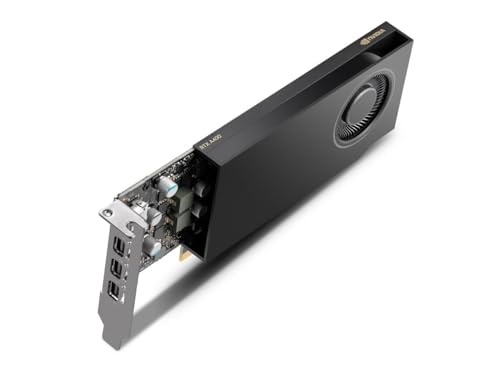
NVIDIA RTX 4000 SFF Ada Generation Workstation Ada Lovelace Architecture Dual Slot Low Profile Professional Graphics Board 900-5G192-2571-000 VD8465
An Ada Lovelace workstation graphics card for rendering, data science and simulation workloads.
View on AmazonThese come from our ranked list Best Sff GPU, which compares them spec by spec.
FAQ
Does a graphics card need a power cable?
It depends on the card. Check the card manual for the power connection it uses, and check the power supply manual for the matching cable before you connect anything.
Can I use HDMI or DisplayPort with a graphics card?
Yes, if the card and the monitor both have that port. The ASUS PRIME cards here have HDMI and DisplayPort 2.1, and the MSI RTX 3050 has one DisplayPort 1.4a output and two HDMI 2.1a outputs.
What if the monitor stays blank after I connect the cable?
Check that the cable is fully seated in the card and the monitor, and that the monitor input matches the cable you used. If it still stays blank, shut the computer down, unplug it, and follow the maker manual for the card.