What Are On-Ear Headphones?
 By Theo LangUpdated
On-ear headphones have earcups that rest on the outer ear, held by a headband over the head. The cups sit on the ear instead of surrounding it, so the driver sits closer to the ear opening. Headsets with closed earcups that fully cover the ears use a different fit, with larger cups and cushions around the ear.
Where on-ear headphones sit
An on-ear design places a cushion against the outer ear on the left and right sides. The headband holds the cups in place, and the driver in the cup faces the ear opening through the cushion. Because the cup rests on the ear, the seal depends on cushion shape and headband pressure. A closed over-ear cup surrounds the ear and seals against the head around the ear.
On-ear, over-ear and in-ear fits
On-ear cups rest on the ear, over-ear cups surround the ear, and in-ear buds sit in the ear canal. The fit changes how much outside sound reaches the ear and how much sound leaks out. A larger closed cup that fully covers the ear can form a closer seal around the ear. A smaller on-ear cup leaves more of the ear exposed to the room around you.
Drivers, connections and microphones to check
Check the driver size, the plug type and the microphone type before you buy. Driver size is given in millimeters, and the plug must match your computer, console or phone. A headset microphone can use a cardioid pattern that favors sound from the front, or an omni-directional pattern that picks up sound from more directions. Check for a mute control if you use voice chat.
Cushions, headband and controls
Check cushion material, headband adjustment and control placement on the headset. Foam cushions sit between the cup and the ear or head, and headband padding sits on top of the head. Volume and mute controls can sit on the cable or on the cup. Match the cushion shape to the fit you want, on the ear or around the ear, before you choose a model.
What you need

Razer BlackShark V2 X Gaming Headset
A gaming headset with closed earcups that fully cover ears, 50 mm drivers, a cardioid microphone and a 3.5 mm connection.
View on Amazon
Razer BlackShark V2 X Gaming Headset for PC
A white gaming headset with closed earcups that fully cover ears, 50 mm drivers, a bendable cardioid microphone and a 3.5 mm connection.
View on Amazon
HyperX Cloud III Wired Gaming Headset for PC
A wired gaming headset with angled 53 mm drivers, a noise-cancelling microphone and USB-C, USB-A and 3.5 mm connections.
View on Amazon
BENGOO G9000 Stereo Gaming Headset for PS4 PC Xbox One PS5 Controller
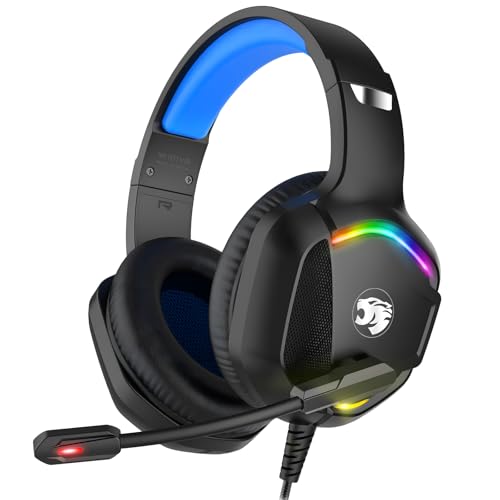
An over-ear gaming headset with 40 mm drivers, a flexible omni-directional microphone, LED lights and a USB connection with volume control.
View on AmazonThese come from our ranked list Best PC Headset, which compares them spec by spec.
FAQ
Are on-ear headphones the same as over-ear headphones?
No. On-ear cups rest on the outer ear, while over-ear cups surround the ear. The headband holds the cups in place in the two designs, but cup size and cushion placement differ.
Do on-ear headphones reduce outside noise?
On-ear cups rest on the ear, so the seal is smaller than the seal from a closed cup that fully covers the ear. Outside sound can still reach the ear around the cushion.
What connection should I check for gaming headsets?
Check the plug against your device before you buy. Headsets connect with a 3.5 mm jack or with USB, and the device must have a matching port or adapter for sound and microphone use.