Standard PC Fan Sizes Explained
 By Theo LangUpdated
The standard PC fan size is 120 mm, measured across the square frame from edge to edge. Case makers state the fan sizes their mounts take, and the Lian Li A3-mATX takes 120 mm fans, up to 10 of them. Check the case notes for the mounts and the count before you buy a fan.
What 120 mm means
Fan size is the width of the square frame, measured in millimetres from one edge to the other. A 120 mm fan measures 120 mm across the frame, and the mounting holes sit in the corners of that frame. The size tells you whether the fan fits the mount, not how fast it spins or how much air it moves. Check the size on the fan frame or in the case notes before you buy.
Match the fan to the case mounts
Count the fan mounts in the case and check the size each mount takes before you buy. The Lian Li A3-mATX takes up to 10 120 mm fans, so its mounts take that size. The Cooler Master NR200P V3 has 240 mm and 280 mm radiator mounts, and the Lian Li A4-H2O takes a 240 mm AIO, so check the notes for each mount before you pick a fan.
Measure the fan you have
If you already have a fan, measure the frame before you buy a matching one. Lay the fan flat and measure from one outer edge to the other across the frame, in millimetres. Compare that figure with the size the case lists for the mount. If the figures do not match, the fan does not fit that mount, so check the other mounts or pick a fan in the listed size.
Check the case size and layout
The cases in this guide are compact, so the mounts sit close to the other parts. The Lian Li A3-mATX is a 26.3 L case for mATX and ITX motherboards, the Lian Li A4-H2O is an 11 L case, the Fractal Design Terra is a 10.4 L case, and the Cooler Master NR200P V3 is an 18.6 L case for Mini-ITX boards. Shut the computer down and unplug it before you open the case, and follow the maker's manual.
What you need

Lian Li A3-mATX PC Case
A compact mATX case that takes up to 10 120 mm fans and a 360 mm radiator, with mesh panels for airflow.
View on Amazon
Lian Li A4-H2OX5 Mini-ITX Case-SFX Layout-PCIe 5.0 Riser-Black-A4H2OX5
An 11 L Mini-ITX case with a 240 mm AIO mount, a triple-slot GPU mount and a PCIe 5.0 riser cable.
View on Amazon
Fractal Design Terra Jade
A 10.4 L Mini-ITX case with a walnut front panel, room for a GPU up to 322 mm long and a USB Type-C port.
View on Amazon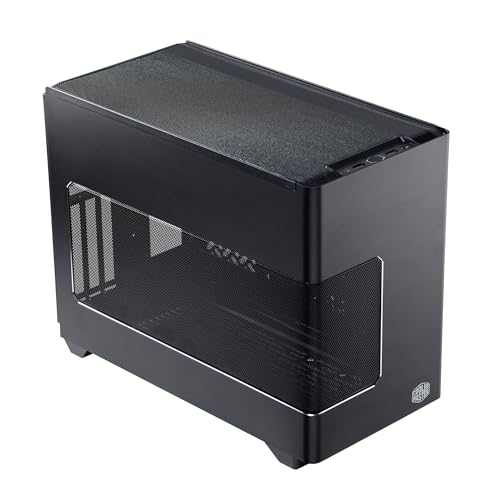
Cooler Master NR200P V3 Mini-ITX PC Case
An 18.6 L Mini-ITX case with 240 mm and 280 mm radiator mounts, room for a GPU up to 361.5 mm long and a PCIe 5.0 riser.
View on AmazonThese come from our ranked list Best ITX Case, which compares them spec by spec.
FAQ
How do I know what size fan my case takes?
Check the case notes for the fan size and the count of mounts. The Lian Li A3-mATX lists up to 10 120 mm fans. If the notes list a radiator size instead, check the mounts on the case itself and the maker's manual.
Can I fit a 120 mm fan in any case?
No. A 120 mm fan fits only a mount made for that size, so check the mounts in your case first. The Lian Li A3-mATX lists 120 mm fans; measure the mount and check the case notes before you buy.
How many fans does a case take?
It depends on the case. The Lian Li A3-mATX takes up to 10 120 mm fans. Check the case notes for the count and the size each mount takes before you buy.