
PC Case Fan Sizes Explained
 By Theo LangUpdated
PC case fan size is the diameter of the fan that fits a mount in a case, and the size to buy is the size the case manual lists for that mount. The Lian Li A3-mATX PC Case lists 120mm fans, with room for up to 10 of them. Check the mount in your case before ordering, and shut the PC down and unplug it before opening it.
What fan size means
Fan size is the width of the fan across its frame, and a mount is made for a fan of that width. A fan that is wider than its mount will not line up with the holes, and a fan that is narrower will leave gaps at the edges. The size is set by the case, not by the fan, so the case manual is the place to find it.
Check the mounts in your case
Shut the PC down, unplug it, and open it as the maker manual describes. Look at each mount on the front, top, rear and side panels, and read the fan size the manual lists for that mount. Count the mounts and note which ones sit near the graphics card, the processor cooler and the power supply, since those spots set how air moves through the case.
Match the fan to the radiator and the graphics card
A radiator mount takes fans that match the radiator the case supports. The Lian Li A3-mATX PC Case supports a 360mm radiator, the Lian Li A4-H2OX5 supports a 240mm AIO, and the Cooler Master NR200P V3 supports top-mounted 240/280mm radiators. Graphics card length also limits the space near the front mounts: the Lian Li A3-mATX PC Case fits GPUs up to 415mm, the Fractal Design Terra Jade fits GPUs up to 322 mm, and the Cooler Master NR200P V3 fits GPUs up to 361.5mm.
Fit the fan and check the direction
Mount the fan on the holes for its size and fasten it as the manual describes, with the cable routed clear of the blades. Fans move air in a set direction, so check the arrow on the fan frame and point the airflow the way the manual shows for that mount. After fitting, close the case, plug the PC in, and listen for rubbing or rattling before using it.
What you need

Lian Li A3-mATX PC Case
An mATX case that supports up to 10 x 120mm fans and a 360mm radiator, with steel mesh panels and room for GPUs up to 415mm.
View on Amazon
Lian Li A4-H2OX5 Mini-ITX Case-SFX Layout-PCIe 5.0 Riser-Black-A4H2OX5
A Mini-ITX case in an 11-liter design that supports a 240mm AIO and a triple-slot GPU, with mesh panels on the bottom, sides and top.
View on Amazon
Fractal Design Terra Jade
A Mini-ITX case in a 10.4 L design that fits GPUs up to 322 mm in length, with a walnut front panel and an 8 mm-thick aluminum front.
View on Amazon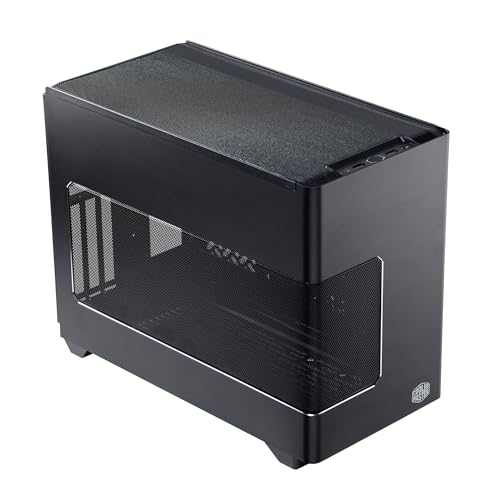
Cooler Master NR200P V3 Mini-ITX PC Case
A Mini-ITX case with support for top-mounted 240/280mm radiators, GPUs up to 361.5mm and SFX power supplies up to 130mm in length.
View on AmazonThese come from our ranked list Best ITX Case, which compares them spec by spec.
FAQ
How do I know what size fan my case takes?
Check the case manual for the fan size it lists for each mount, and measure the mount if the manual is not at hand. The Lian Li A3-mATX PC Case lists 120mm fans, with room for up to 10 of them.
Can I fit a larger fan in a smaller mount?
No. A fan fits only a mount made for its size, so buy the size the case lists. If the mount lists 120mm fans, a larger fan will not line up with the holes.
Does a bigger radiator need bigger fans?
A radiator needs fans that match its mounts, and the case manual states the radiator size it supports. The Lian Li A3-mATX PC Case supports a 360mm radiator, while the Cooler Master NR200P V3 supports 240/280mm radiators.


