
How to Test Noise Cancelling Headphones
 By Theo LangUpdated
To check how well your noise cancelling headphones work, compare what you hear with ANC on and ANC off in the same noisy place. Play steady background noise, such as a fan or traffic, and switch between ANC, normal and transparency modes if your headphones have them. A clear drop in the background sound with ANC on, with your music still clear, means the noise cancelling is working.
Charge the headphones and turn ANC on
Start with a full charge so a low battery does not change the result. Pair the headphones to your phone or laptop over Bluetooth, then open the companion app if your model has one. Turn ANC on and listen for the background sound to drop. If your headphones have a normal mode and a transparency mode, note how to switch between them so you can compare each one in the same place.
Use steady background noise
Pick a steady sound, such as a running fan, a vacuum cleaner or traffic outside a window. Play music at a low volume, or play nothing at all, and stand in the same spot for each check. Listen for the background sound with ANC off first, then switch ANC on without moving. The steady noise should fall away while the music stays at the same volume.
Compare ANC, normal and transparency modes
Switch between the modes in the same spot with the same background noise. In normal mode you hear the room as it is. In transparency mode voices and announcements come through so you can stay aware of what is around you. In ANC mode the steady background sound should drop. If the three modes sound the same, check the mode settings in the app if your model has one.
Check calls and the fit
Make a short call in a noisy place and ask the other person how your voice sounds with ANC on. A call microphone picks up your voice while the noise cancelling lowers the sound around you. Also check the fit: the earcups should sit flat over your ears with no gap, since a gap lets outside sound in and weakens the result. Adjust the headband until the seal feels even on both sides.
What you need

soundcore by Anker Q20i Hybrid Active Noise Cancelling Headphones
A black over-ear pair with hybrid ANC, 40 mm drivers, Bluetooth 5.0 and 40 hours of playtime with ANC on.
View on Amazon
Soundcore by Anker Q20i Hybrid Active Noise Cancelling Headphones
The same Q20i model in taupe, with hybrid ANC, 40 mm drivers, Bluetooth 5.0 and 40 hours of playtime with ANC on.
View on Amazon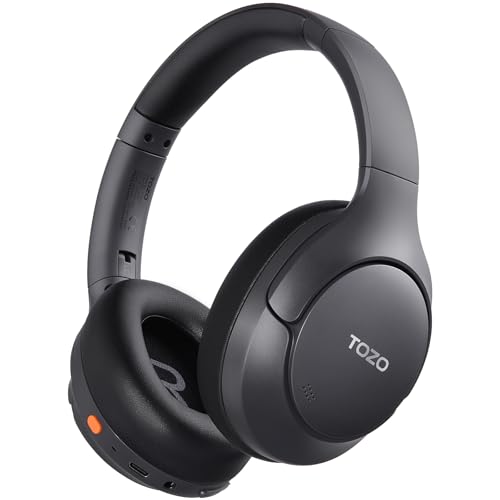
TOZO HT3 Hybrid Noise Cancelling Wireless Headphones
A foldable over-ear pair with hybrid ANC, 40 mm drivers, Bluetooth 6.0, five mics and up to 90 hours of playback.
View on Amazon
Hybrid Active Noise Cancelling Headphones
A foldable over-ear pair with hybrid ANC, 40 mm drivers, Bluetooth 6.0, six mics and up to 120 hours of playback.
View on AmazonThese come from our ranked list Best Noise Cancelling Headphones for PC, which compares them spec by spec.
FAQ
How do I know if ANC is working?
Compare ANC on and off in the same noisy place. With ANC on, steady background sound such as a fan or traffic should drop while your music stays clear. If both settings sound the same, check the mode settings in the app if your model has one.
Why does ANC work better on some sounds than others?
ANC works best on steady, low sounds such as fans, engines and traffic. Short, sharp sounds such as a door closing or a voice nearby pass through more easily. That is normal for noise cancelling headphones and does not mean the ANC is broken.
Should I check ANC with music playing or in normal mode?
Do both. Check in normal mode first so you can hear how much background sound the ANC removes when you switch it on. Then play music at a low volume and check that it stays clear while the background sound stays low.


