
How to Set Up PC Case Fans
 By Theo LangUpdated
Set up PC case fans by mounting intake fans at the front or bottom and exhaust fans at the rear or top, then connect them to the motherboard fan headers and set a fan curve in the BIOS. Shut the PC down and unplug it before you open the case. The four cases below show how fan mounts and radiator support differ by case size.
Plan intake and exhaust first
Decide the airflow path before you mount anything. Intake fans sit at the front or bottom and pull cool air in, while exhaust fans sit at the rear or top and push warm air out. Read the case manual for the mounts your case provides: the Lian Li A3-mATX supports up to 10 x 120mm fans and a 360mm radiator, so it gives you more positions to plan around than a small case.
Mount the fans in the case
Shut the PC down, unplug it, and open the side panel before you touch any mount. Fit each fan into its mount with the screws from the fan box, and check the arrow printed on the fan frame so the air moves in the direction you planned. Tighten the screws evenly and leave the cables routed toward the back of the case so they stay clear of the blades.
Connect power and control
Plug each fan cable into a fan header on the motherboard or into a fan hub if your case or board provides one. Check the motherboard manual for the header positions and for which headers support speed control. Keep the cables tied back from the fan blades and from the graphics card so nothing catches while the fans spin.
Set the fan curve and check airflow
Open the BIOS or your motherboard fan software and set a fan curve that raises fan speed as the system warms up. Start the PC, hold a hand near the rear and top vents, and confirm that air moves out through the exhaust positions. If a fan runs loud at idle or a vent feels still, shut the PC down, check the header connection, and confirm the fan faces the right way.
What you need

Lian Li A3-mATX PC Case
An mATX case with steel mesh side and top panels that supports a 360mm radiator and up to 10 x 120mm fans.
View on Amazon
Lian Li A4-H2OX5 Mini-ITX Case-SFX Layout-PCIe 5.0 Riser-Black-A4H2OX5
A Mini-ITX case with mesh panels on the bottom, sides and top that supports a 240mm AIO.
View on Amazon
Fractal Design Terra Jade
A Mini ITX case with a slidable central wall and anodized aluminum panels in a 10.4 L footprint.
View on Amazon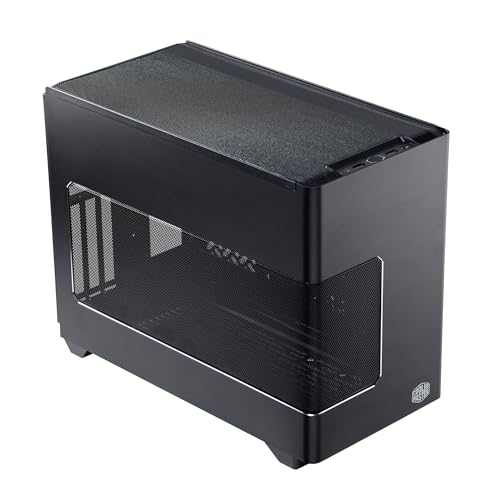
Cooler Master NR200P V3 Mini-ITX PC Case
A Mini-ITX case with a vented mesh side panel that supports 240mm or 280mm top-mounted radiators.
View on AmazonThese come from our ranked list Best ITX Case, which compares them spec by spec.
FAQ
How many fans does a PC case need?
It depends on the case and its mounts. The Lian Li A3-mATX supports up to 10 x 120mm fans. Check your case manual for the mounts it provides, then fill the intake and exhaust positions it lists.
Which way should case fans face?
Mount intake fans at the front or bottom so they pull cool air in, and mount exhaust fans at the rear or top so they push warm air out. Most fans print an arrow on the frame that shows the airflow direction, so check the arrow before you tighten the screws.
Do I need a radiator for PC fans?
No. Fans alone move air through the case, and a radiator is only part of a liquid cooling loop. The Lian Li A3-mATX supports a 360mm radiator, the Lian Li A4-H2OX5 supports a 240mm AIO, and the Cooler Master NR200P V3 supports 240mm or 280mm radiators for builds that use one.


