
How to Put a PC Together Step by Step
 By Theo LangUpdated
To put a PC together, install the processor, cooler and memory on the motherboard first, then mount the board in the case, add the power supply and storage, fit the graphics card, connect the cables and power on. Work on a clear surface, keep the manuals for each part open, and check each connector before you press it in.
Gather your parts and tools
Lay out the case, motherboard, processor, cooler, memory, storage drive, graphics card and power supply, with the manual for each part. Check the form factor names match: the cases in this article take mATX or Mini-ITX boards, so confirm your board size against the case before you start. Keep screws for each part in separate piles. Shut down and unplug any existing computer before you open it, and follow the maker's manual for each step.
Install the processor, cooler and memory
Place the motherboard on its box or a flat, non-conductive surface. Open the processor socket lever, align the processor using the marker shown in the manual, lower it in without force and close the lever. Fit the cooler following its manual, including any backplate or brackets it names. Push each memory module into its slot until the latches close, using the slot order the motherboard manual gives for your number of modules.
Mount the motherboard in the case
Fit the rear I/O shield if your board has a separate one, then keep only the case standoffs that line up with the mounting holes on your board. Lower the board in at an angle so the ports pass through the shield, then secure it with the screws the case provides. Do not force the board if a port catches; lift it out and reseat it.
Add the power supply and storage
Mount the power supply in the position the case manual shows. The Lian Li A3-mATX allows front or side power supply installation and takes ATX, SFX and SFX-L units, while the Cooler Master NR200P V3 takes SFX units up to 130mm long. Fit your storage drive in a bay or slot the case provides, then connect the power and data cables the drive and board manuals name.
Fit the graphics card and connect cables
Remove the slot covers the graphics card needs, seat the card fully in its slot and secure it with screws. In sandwich layout cases such as the Lian Li A4-H2OX5, the card mounts behind the motherboard on the included PCIe 5.0 riser cable. Connect the main board power, processor power, graphics card power, front panel wires, fans and front USB cables using the pin diagrams in the manuals. Check each plug before pressing it home.
Power on and check the first boot
Connect a monitor, keyboard and the power cable, then switch the power supply on and press the case power button. The fans should spin and the board should show its start screen. If nothing appears, switch off, unplug the power cable and recheck the memory seating, the graphics card seating and the power connectors against the manuals. Enter the board settings screen to confirm the processor, memory and storage drive are listed before installing an operating system.
What you need

Lian Li A3-mATX PC Case
A 26.3L mATX case for mATX or ITX boards, with room for GPUs up to 415mm and a 360mm radiator.
View on Amazon
Lian Li A4-H2OX5 Mini-ITX Case-SFX Layout-PCIe 5.0 Riser-Black-A4H2OX5
An 11-liter Mini-ITX sandwich case with a PCIe 5.0 riser cable, triple-slot GPU support and 240mm AIO support.
View on Amazon
Fractal Design Terra Jade
A 10.4 L Mini ITX case with walnut front panel, GPU support up to 322 mm and a PCIe 4.0 riser cable.
View on Amazon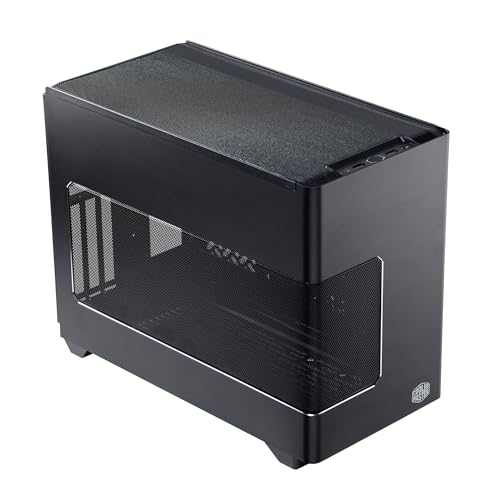
Cooler Master NR200P V3 Mini-ITX PC Case
An 18.6L Mini-ITX case with vertical GPU mounting up to 361.5mm, a PCIe 5.0 riser and SFX power supply support.
View on AmazonThese come from our ranked list Best ITX Case, which compares them spec by spec.
FAQ
Do I install parts before mounting the motherboard?
Yes. Fit the processor, cooler and memory while the board is on a flat surface, where you can see the socket and slots clearly. Then mount the board in the case and add the power supply, storage and graphics card.
What should I check if the PC does not start?
Switch off and unplug the power cable first. Recheck that the memory modules are latched, the graphics card is fully seated, and the board and processor power connectors are pressed home, using the diagrams in the manuals.
How do I know which case size fits my motherboard?
Compare the form factor names. The Lian Li A3-mATX takes mATX and ITX boards, while the Lian Li A4-H2OX5, Fractal Design Terra and Cooler Master NR200P V3 take Mini-ITX boards. Match the board name to the case name before ordering.


