How to Install an External Graphics Card on a PC
 By Theo LangUpdated
An external graphics card sits in an enclosure that connects to your PC through a Thunderbolt or USB4 cable, so the card works outside the case. Install the card into the enclosure, connect the enclosure to the PC, then install the drivers for the card. Check that your PC has a Thunderbolt or USB4 port first, since a plain USB-C port does not always carry the connection.
Check your PC's port first
An external graphics card needs a port that carries a fast external connection, such as Thunderbolt or USB4. Check your laptop or PC manual for Thunderbolt or USB4 on the port you plan to use. A USB-C port does not always carry video output, so a port that only carries data leaves the card unusable even though the cable fits. Also check the requirements published for the software or game you want to run, since those set the card you need.
Match the card to the enclosure
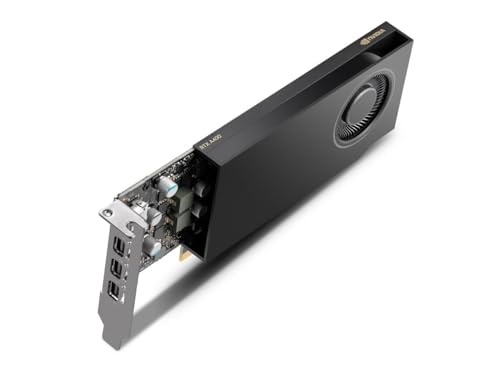
The enclosure holds the card and supplies its power, so read the enclosure manual before you buy a card. Check the card length, the number of slots it takes up, and the power connectors the enclosure provides. The ASUS PRIME GeForce RTX 5060 Ti cards here take 2.5 slots, the NVIDIA RTX 4000 SFF is a dual-slot low-profile board, and the MSI GeForce RTX 3050 LP is a low-profile card. A card that does not fit the enclosure cannot be installed.
Install the card in the enclosure
Shut the PC down and unplug it, then follow the enclosure maker's manual for opening the enclosure. Seat the card fully in the enclosure's PCIe slot and fasten the bracket with the screws the enclosure provides. Connect the power cables from the enclosure to the card's power connectors, if the card has them. Close the enclosure before you plug anything back in.
Connect the enclosure and install drivers
Plug the enclosure into power, then connect it to the PC with the Thunderbolt or USB4 cable. Turn the enclosure on, then the PC, and install the drivers for the card from the card maker's site. Connect your monitor to the card's HDMI or DisplayPort output, not to the PC's own video port. If the screen stays blank, check the cable, the port, and that the enclosure is powered on.
What you need

ASUS PRIME GeForce RTX 5060 Ti 16GB
A GeForce RTX 5060 Ti with 16 GB of GDDR7 memory, PCIe 5.0, HDMI and Axial-tech fans in a 2.5-slot SFF-ready design.
View on Amazon
ASUS Prime GeForce RTX 5060 Ti 8GB
A GeForce RTX 5060 Ti with 8 GB of GDDR7 memory, PCIe 5.0, HDMI and Axial-tech fans in a 2.5-slot SFF-ready design.
View on Amazon
MSI Gaming RTX 3050 LP 6G OC Graphics Card
A low-profile GeForce RTX 3050 with 6 GB of GDDR6 memory, one DisplayPort and two HDMI 2.1a outputs.
View on Amazon
NVIDIA RTX 4000 SFF Ada Generation Workstation Ada Lovelace Architecture Dual Slot Low Profile Professional Graphics Board 900-5G192-2571-000 VD8465
A dual-slot low-profile professional graphics board built on the Ada Lovelace architecture.
View on AmazonThese come from our ranked list Best Sff GPU, which compares them spec by spec.
FAQ
Can I use any USB-C port for an external graphics card?
No. The port must support Thunderbolt or USB4, so check your laptop or PC manual for the port's capabilities before buying an enclosure.
Does the monitor plug into the PC or the card?
Plug the monitor into the card's HDMI or DisplayPort output. A monitor on the PC's own video port does not use the external card.
Do I need to install drivers for the external card?
Yes. Install the drivers for the card from the card maker's site after you connect the enclosure, then restart the PC if the installer asks.