
How to Clean Wired Headphones
 By Theo LangUpdated
To clean wired headphones, unplug them first, then wipe the ear cushions, headband and cable with a dry soft cloth to lift dust and skin oils. A soft brush clears dirt from the ear cup mesh and the microphone, and a cloth lightly dampened with water and mild dish soap handles marks on plastic and leatherette. Let every part dry fully before you plug the headphones back in.
Unplug the headphones first
Unplug the headphones from the device before you clean them, so no sound plays through the drivers while you work. Lay the cable out straight and keep it free of knots, so you can wipe the full length without pulling on the plug. Work on a clean, dry surface with the ear cups facing up, so dust you brush off does not fall back onto the cushions. Keep the plug and the microphone away from water while you clean.
Wipe the ear cushions and headband
Wipe the ear cushions and the headband with a dry soft cloth to lift dust and skin oils. For marks that stay, dampen the cloth lightly with water and a little mild dish soap and wipe the surface again, then go over it with a cloth dampened with clean water. Do not soak the cushions or the headband, and do not let liquid run into the seam where the cushion meets the ear cup. Let the cushions dry fully before you wear the headphones again.
Brush the ear cup mesh and microphone
Use a soft brush to clear dust and dirt from the ear cup mesh and around the microphone. Brush gently and away from the mesh, so dirt comes off instead of being pushed deeper into the ear cup. Do not use liquid on the mesh or on the microphone opening, and do not poke the mesh with a sharp object. For a removable microphone, wipe it with a dry soft cloth and check that it sits firmly in place when you put it back.
Wipe the cable and let everything dry
Wipe the cable from the plug to the ear cups with a dry soft cloth, then with a cloth lightly dampened with water and mild dish soap if the cable has marks. Check the plug for dust and wipe it clean with a dry cloth. Coil the cable loosely for storage instead of wrapping it tight around the headphones. Let every part dry fully before you plug the headphones back in and use them.
What you need

Turtle Beach Atlas 200 Wired Multiplatform Gaming Headset for Xbox
A wired gaming headset with 50mm drivers, a flip-to-mute microphone and memory foam cushions, connected through a standard 3.5mm plug.
View on Amazon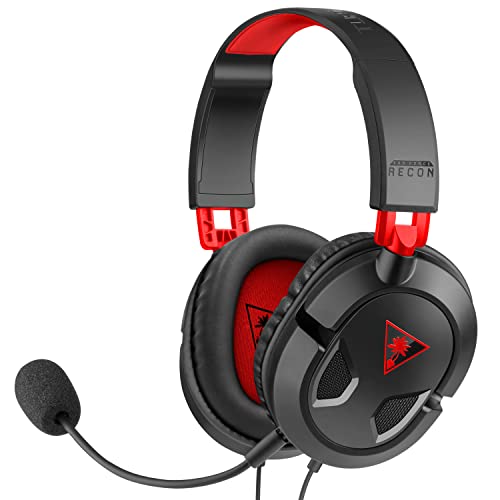
Turtle Beach Recon 50 Wired Multiplatform Gaming Headset for PC
A wired headset with 40mm speakers, a removable microphone and in-line volume and mic mute controls, with a PC splitter cable included.
View on Amazon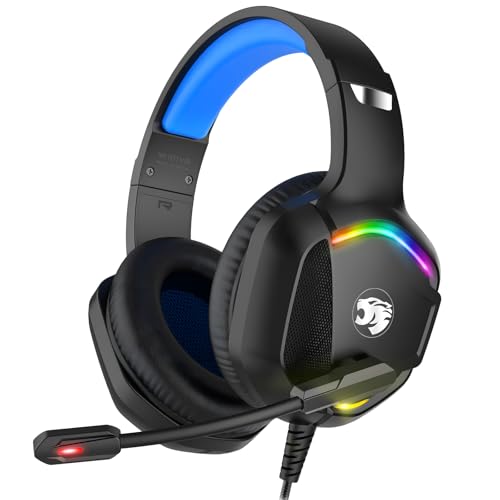
IMYB A36 Gaming Headset
A wired headset with 50mm drivers, a 6.5ft braided cable and rotary volume control, with soft ear cushions and a flexible headband.
View on Amazon
FIFINE H9 Wired Gaming Headset
A wired headset with 50mm drivers, 7.1 surround sound and a detachable boom microphone, with a 10ft braided cable and a USB control box.
View on AmazonThese come from our ranked list Best Wired Headset for PC, which compares them spec by spec.
FAQ
Can I wash wired headphone ear cushions?
No. Do not soak the cushions or run them under water, since moisture can reach the drivers. Wipe them with a dry cloth, or a cloth lightly dampened with water and mild dish soap, then let them dry fully.
How do I clean the headphone plug?
Wipe the plug with a dry soft cloth to remove dust and finger marks. If the plug looks dirty, wipe it with a cloth lightly dampened with water, dry it fully, and check the sound before you use the headphones again.
Can I use cleaning wipes on wired headphones?
Use a dry soft cloth or a cloth lightly dampened with water and mild dish soap instead. Cleaning wipes can leave residue on the cushions and the cable, and liquid can reach the drivers through the ear cup mesh.


