
How to Clean a PC Fan Filter
 By Theo LangUpdated
Shut down and unplug your PC, remove the fan filter or mesh panel, clear dust with a soft brush or vacuum, then refit the dry filter. Follow the case maker's manual for your model, since panel clips and washable filters differ by case.
Shut down and unplug the PC
Shut the PC down through the operating system, then unplug the power cable before you touch a panel or filter. Follow the case maker's manual for your model and keep the manual open while you work. If the PC is under warranty and the manual does not cover panel removal, contact the maker before opening the case. Place the case on a stable surface with room to set panels down flat.
Remove the filter or mesh panel
Find the intake filter or mesh panel in the manual, then release its clips or screws in the order the manual shows. Lift or slide the panel away without forcing it, and keep any screws together in a small container. Note which side faces out and where the filter sits in the panel, since a filter fitted backward can stop the clips from closing. Set the panel down with the dusty side facing up.
Clear dust from the filter
Tap loose dust from the filter over a bin, then brush along the mesh with a soft brush to lift dust from the openings. A vacuum with a brush attachment can pick up loosened dust from the surface. Wash the filter with water only if the maker manual says the filter is washable, and let it dry fully before refitting. If the manual gives no washing guidance, keep to dry brushing and vacuuming.
Refit the filter and check airflow
Refit the dry filter in the orientation you noted, then secure the panel with its clips or screws. Reconnect the power cable and start the PC, then check that case fans spin and air moves through the cleaned intake. Watch for a visible dust layer on the mesh, dust building up inside the case, or fans sounding louder than usual as signs that the filter needs cleaning again.
What you need

Lian Li A3-mATX PC Case
A compact mATX case with steel mesh side and top panels and support for up to 10 x 120mm fans.
View on Amazon
Lian Li A4-H2OX5 Mini-ITX Case-SFX Layout-PCIe 5.0 Riser-Black-A4H2OX5
A Mini-ITX case with mesh panels on the bottom, sides and top for direct cooling airflow.
View on Amazon
Fractal Design Terra Jade
A Mini ITX case with anodized aluminum panels, a walnut front panel and a slidable central wall.
View on Amazon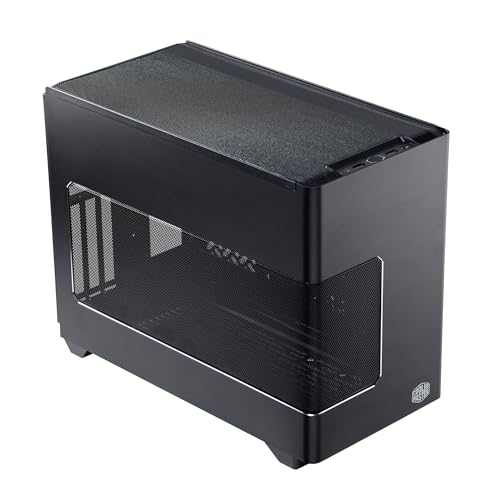
Cooler Master NR200P V3 Mini-ITX PC Case
A Mini-ITX case with tool-free aluminum and mesh panels that remove for quick access and maintenance.
View on AmazonThese come from our ranked list Best ITX Case, which compares them spec by spec.
FAQ
How often should you clean a PC fan filter?
Clean it when you can see a dust layer on the mesh, when dust builds up inside the case, or when fans sound louder than usual. Check the intake panels when you clean around the desk, and follow any interval the case maker gives in the manual.
Can you wash a PC fan filter with water?
Only if the maker manual says the filter is washable. Rinse it as the manual directs and let it dry fully before refitting. If the manual gives no washing guidance, use a soft brush or a vacuum with a brush attachment instead.
Should you clean filters with the PC running?
No. Shut the PC down and unplug the power cable before removing a panel or filter. Follow the maker manual for your case, and contact the maker before opening a PC that is under warranty if the manual does not cover panel removal.


