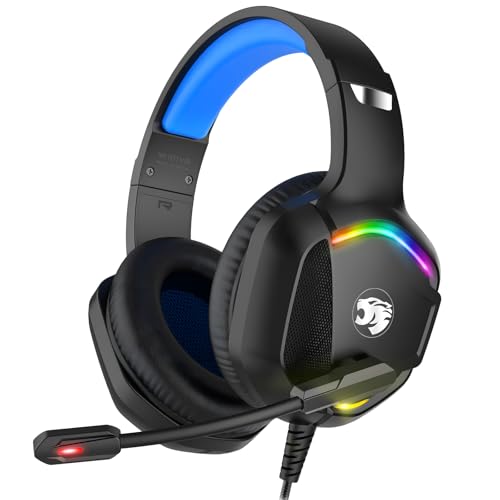
How to Clean Headphone Ear Tips
 By Theo LangUpdated
Remove the ear cushions only if the maker manual shows that step, then wash removable ear cushions with water and mild soap and let them dry fully. Wipe the mesh and the earcup surfaces with a soft, dry cloth, and keep liquid away from the drivers inside the headphones.
Check what comes off first
Read the maker manual for your headphones and check whether the ear cushions come off by hand. Pull gently at the edge only where the manual shows a removable part, and stop if the cushion resists. Keep left and right parts in order on a clean towel so each part goes back on the correct side.
Wash removable ear cushions
Rinse removable ear cushions under clean water and wash them with a small amount of mild soap on your fingers. Rub each cushion gently to lift wax and dirt from the surface, then rinse until the water runs clear. Do not use bleach, strong solvents or rough brushes, since they can tear or roughen the cushion surface.
Wipe foam and cushion surfaces
Wipe memory foam cushions and protein over-ear pads with a soft cloth that is damp, not wet, using water with a small amount of mild soap. Dab at marks instead of scrubbing, and wring the cloth out often so no liquid soaks into the foam. Keep the cloth away from the mesh over the driver, and never spray liquid straight onto the earcup.
Clean the mesh with a dry swab
Use a dry cotton swab or a soft, dry brush to lift wax and dust from the mesh over the driver or inside the earcup. Roll the swab lightly across the surface and turn it to a clean area as it picks up dirt. Do not push the swab deep into the earcup, and do not use metal tools that can tear the mesh.
Dry fully and refit the parts
Leave washed and wiped cushions on a clean towel until they feel dry to the touch, with no damp spots left in the cushions. Push each cushion back on evenly until it seats in the same position as before. Play audio at a low level and check that both sides sound even before you wear the headphones again.
What you need

Razer BlackShark V2 X Gaming Headset
A 3.5mm headset with 50mm drivers, memory foam cushion and closed earcups for PC gaming.
View on Amazon
Razer BlackShark V2 X Gaming Headset for PC
The same 3.5mm headset in white, with 50mm drivers and leatherette with memory foam ear cushions.
View on Amazon
HyperX Cloud III Wired Gaming Headset for PC
A headset with 53mm drivers, memory foam, and USB-C, USB-A and 3.5mm connections for PC.
View on Amazon
BENGOO G9000 Stereo Gaming Headset for PS4 PC Xbox One PS5 Controller
A USB headset with 40mm drivers, protein over-ear pads and soft memory earmuffs for gaming.
View on AmazonThese come from our ranked list Best PC Headset, which compares them spec by spec.
FAQ
Can I wash foam ear cushions with water?
Check the maker manual first, since foam cushions vary by model. If washing is allowed, use water with mild soap, squeeze gently, rinse, and let the cushions dry fully before you refit them.
Can I use alcohol on headphone ear cushions?
Check the maker manual for your model first. If alcohol is allowed, put a small amount on a cloth or swab rather than on the cushion itself, and keep it away from foam and drivers.
How often should I clean headphone ear cushions?
Clean when you can see wax or dirt on the cushions, when the mesh looks blocked, or when one side sounds quieter than the other. Clean cushions that look clear and sound even need no fixed schedule.