How to Clean Headphone Ear Cups
 By Theo LangUpdated
Unplug the headset, then wipe the ear cups with a dry, soft cloth to lift dust and skin oils. For marks that stay, dampen the cloth with water and a little mild soap, wipe the cups, then wipe again with a clean damp cloth and let them dry fully before you wear them again.
Unplug the headset first
Unplug the headset from the computer or console and switch it off if it has a power switch, so nothing plays while you work. Set it on a clean, flat surface with the ear cups facing up. Check the cups for dust, hair and marks before you pick a cloth, so you know which spots need more than a dry wipe.
Wipe the cups with a dry cloth
Use a dry, soft cloth and wipe each ear cup in small circles, covering the outer shell and the cushion that touches your ear. The cloth lifts dust and loose dirt without wetting the foam or leather. Shake the cloth out or fold it to a clean side as you go, so you do not move dirt from one cup to the other.
Clean marks with a damp cloth
Dampen a clean cloth with water and a little mild soap, then wring it out so it is barely damp. Wipe the marked spots on the cups and cushions, then wipe them again with a cloth dampened with water only to lift the soap. Never soak the cups or let water pool on the cushions, since wet foam takes a long time to dry.
Let the ear cups dry fully
Set the headset somewhere with moving air and leave the ear cups open to the air until they feel dry to the touch. Do not wear the headset while the cushions are still damp, and do not dry them with a hair dryer or put them near a heater. Once dry, plug the headset back in and check that sound comes through both cups.
Keep the cups clean between uses
Wipe the cups with a dry cloth after long sessions, and store the headset on a stand or hook instead of tossing it in a bag where dust and crumbs collect. Keep it out of direct sun and away from drinks that can spill on the cushions. A quick wipe now keeps dirt from building up on the foam and leather.
What you need

Razer BlackShark V2 X Gaming Headset
Closed earcups with breathable foam cushions that fully cover the ears, with memory foam and a 3.5mm audio jack.
View on Amazon
Razer BlackShark V2 X Gaming Headset for PC
White closed earcups with leatherette and memory foam cushions, plus a bendable cardioid mic and 50mm drivers.
View on Amazon
HyperX Cloud III Wired Gaming Headset for PC
A wired headset with memory foam ear cushions, angled 53mm drivers, and USB-C, USB-A and 3.5mm connections.
View on Amazon
BENGOO G9000 Stereo Gaming Headset for PS4 PC Xbox One PS5 Controller
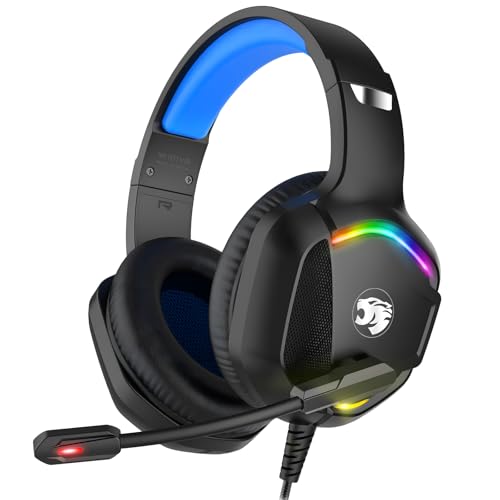
Soft memory earmuffs with skin friendly leather over-ear pads and LED lights on the earcups, connected by USB.
View on AmazonThese come from our ranked list Best PC Headset, which compares them spec by spec.
FAQ
Can I use soap on headphone ear cups?
Yes, use a little mild soap on a damp cloth, then wipe the soap off with a cloth dampened with water only. Let the cups dry fully before you wear the headset again.
How often should I clean my headphone ear cups?
Clean them when you see dust or marks, or when the cushions feel sticky or smell stale. A quick dry wipe after long sessions keeps dirt from building up between deeper cleans.
Can I wash the ear cushions under water?
No. Do not run water over the ear cups or soak the cushions, since water can reach the drivers inside. Wipe them with a damp cloth instead and let them dry fully.