
How to Clean a Computer Case and Monitor
 By Theo LangUpdated
Shut the computer down, unplug it, and wipe the case and monitor with a dry microfiber cloth. Use a soft brush or compressed air to clear dust from vents and fans, and a cloth lightly dampened with water for the screen. Never spray liquid straight onto the screen or into the case.
Shut down and unplug everything
Shut the computer down through the operating system, then switch off the power supply and unplug the power cable from the wall and from the case. Unplug the monitor and any other cables, and move the case to a clear space where dust can fall away from your desk. Follow the maker's manual for your case and monitor before you open anything.
Dust the outside of the case
Wipe the outside panels with a dry microfiber cloth, working from the top down so dust falls to the floor instead of onto clean panels. Run a soft brush over mesh panels and vents to lift dust out of the holes, then wipe again. Pay attention to the front panel and the feet, where dust gathers, and wipe the cables and the back of the case too.
Clean inside the case
Remove the side panel following the maker's manual, then use a soft brush or short bursts of compressed air to clear dust from fans, heatsinks and the inside walls. Hold each fan still with a finger while you clean it so it does not spin. Work from the top of the case down, and take care not to touch the parts on the motherboard with the brush or your hands.
Wipe the monitor screen
Wipe the monitor screen with a dry microfiber cloth, using light, even strokes across the whole screen. If marks stay, dampen the cloth with a small amount of water and wipe again, then dry the screen with the dry part of the cloth. Never spray water or cleaner straight onto the screen, and do not press hard on the panel.
Put it back together and check
Put the side panel back on and make sure it sits flush and its screws or clips are secure. Plug the monitor and the case back in, then switch the computer on and check that the screen shows a picture and the fans run. If the screen stays blank, check that the monitor cable is fully seated at both ends.
What you need

Lian Li A3-mATX PC Case
A compact mATX case with steel mesh side and top panels and a modular design, with room for a 360mm radiator and up to 10 120mm fans.
View on Amazon
Lian Li A4-H2OX5 Mini-ITX Case-SFX Layout-PCIe 5.0 Riser-Black-A4H2OX5
An 11-liter Mini-ITX case with mesh panels on the bottom, sides and top, a triple-slot GPU mount and a PCIe 5.0 riser cable.
View on Amazon
Fractal Design Terra Jade
A small form factor Mini-ITX case with a solid walnut front panel, anodized aluminum panels and a slidable central wall.
View on Amazon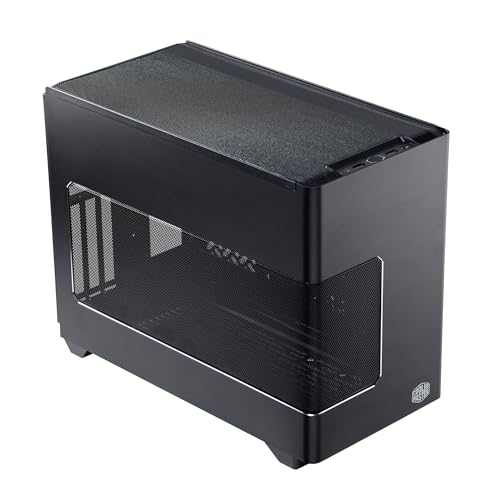
Cooler Master NR200P V3 Mini-ITX PC Case
A Mini-ITX case with tool-free aluminum and mesh side panels that remove for quick access, plus a vented mesh side panel.
View on AmazonThese come from our ranked list Best ITX Case, which compares them spec by spec.
FAQ
Can I use a vacuum cleaner inside my computer case?
A household vacuum can build up static and pull small parts loose, so use a soft brush or compressed air for the inside of a case. Use the vacuum only to clean the floor around the desk.
How do I remove marks from a monitor screen?
Start with a dry microfiber cloth. If the mark stays, dampen the cloth with a little water and wipe the screen again, then dry it with a clean part of the cloth. Never spray liquid straight onto the screen.
Should I open the case while it is still plugged in?
No. Shut the computer down and unplug it before you open the case or touch anything inside. Unplugging the power cable cuts power to the parts inside the case.


