
How to Build an ITX PC
 By Theo LangUpdated
An ITX PC is a small desktop built around a Mini-ITX motherboard in a compact case. The build follows the same order as a full-size PC, but every part has to fit a smaller space, so you check clearances before you buy. The steps below take you from choosing the case to the first boot.
Pick the case and check clearances
Start with the case, since it sets the limits for every other part. Check the maximum graphics card length, the radiator size, and the power supply form factor the case accepts, and compare each one with the parts you plan to use. Measure the graphics card, the cooler, and the power supply against the case maker's published limits before you order. A part that is a few millimeters too long will not fit, and returning it costs time.
Fit the motherboard and cooler first
Mount the motherboard on the tray or standoffs the case provides, then fit the cooler before the board goes in if the case is tight. Connect the front panel cables, the fan cables, and the power cables while you can still reach them, since space shrinks once the graphics card is in. Keep cables flat against the case walls so air can move freely, and do not force any connector that does not line up.
Mount the graphics card last
Slide the graphics card into the PCIe slot on the motherboard and fasten it to the case bracket. If the case uses a riser cable, seat the card in the riser first and check that the riser is fully clicked into the motherboard slot. Connect the power cables from the power supply to the card, and check that the card clears the side panel before you close the case. A card that presses against the panel will not cool well.
Cable up and check the airflow
Route each cable along the edges of the case and tie it down so it stays clear of fans. Leave the intake and exhaust paths open, and check that no cable rests on a fan blade. Fit the fans the case layout calls for, with air moving in at the front or bottom and out at the rear or top. Close the panels only after every cable sits clear of moving parts.
First boot and what to check
Connect a monitor, keyboard, and mouse, then switch the machine on and watch for the boot screen. If nothing appears, shut it down and unplug it first, then check that the power cables, the graphics card, and the memory are seated, and follow the maker's manual for the board. When the machine boots, enter the BIOS or UEFI setup and check that the drives and memory show up before you install the operating system.
What you need

Lian Li A3-mATX PC Case
A 26.3L mATX and ITX case with steel mesh panels, room for a 415mm GPU and a 360mm radiator, and a walnut wood front panel.
View on Amazon
Lian Li A4-H2OX5 Mini-ITX Case-SFX Layout-PCIe 5.0 Riser-Black-A4H2OX5
An 11-liter Mini-ITX case with a sandwich layout, a triple-slot GPU mount, a PCIe 5.0 riser, and room for a 240mm AIO.
View on Amazon
Fractal Design Terra Jade
A 10.4L Mini-ITX case with a solid walnut front panel, room for a 322mm GPU, and a USB Type-C 20Gbps port.
View on Amazon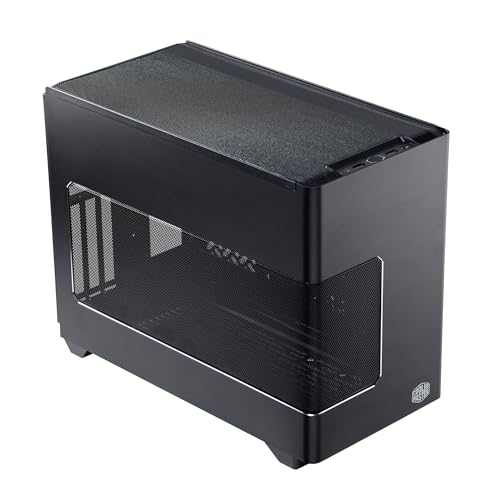
Cooler Master NR200P V3 Mini-ITX PC Case
An 18.6L Mini-ITX case with a vertical GPU mount for cards up to 361.5mm, a PCIe 5.0 riser, and 280mm radiator support.
View on AmazonThese come from our ranked list Best ITX Case, which compares them spec by spec.
FAQ
Can I use a full-size graphics card in an ITX case?
It depends on the case. Check the maximum graphics card length the case maker states and compare it with the length of your card, and check the number of slots the card takes against the slots the case offers.
Do ITX builds run hotter than full-size builds?
Small cases leave less room for air to move, so plan the fan layout and keep cables clear of the airflow path. Mesh panels and a radiator help, and you should check temperatures with the software that came with the board or cooler.
What power supply fits an ITX case?
It depends on the case. Some cases take an SFX power supply, while others take an ATX power supply, so check the form factor the case maker states and match the supply to it before you buy.


