
How to Build a PC Tower
 By Theo LangUpdated
To build a PC tower, pick a case that fits your parts, then fit the power supply, motherboard, graphics card, storage and fans inside it, in that order. Check the case form factor against the motherboard first: two cases here are ATX and two are E-ATX. Follow the maker's manual for each part, and shut the PC down and unplug it before you open it.
Check the case fits your parts
Start with the form factor: the HYTE Y70 cases are ATX, and the Antec Flux Pro and Antec Performance 1 FT are E-ATX, so match the case to the motherboard you own. Check the graphics card slot and the radiator support next: the HYTE Y70 fits a 4-slot vertical graphics card and a 360mm radiator, and the Antec Flux Pro fits a 420mm radiator and a 360mm radiator. Measure the parts against the case before you buy, and check the maker's manual for the sizes each case accepts.
Fit the power supply and motherboard
Shut the PC down and unplug it before you open the case, and follow the maker's manual for each part. Fit the power supply in its mount first, then fit the motherboard on its standoffs and fasten it in place. The Antec Flux Pro has a 90-degree rotated power supply mount, so check the manual for how that mount turns. Route the power cables toward the board before you fit the other parts, so they stay clear of the fans.
Fit the graphics card and storage
Fit the graphics card in the PCIe slot and fasten it to the case, then connect the power cables the card lists. The HYTE Y70 includes a PCIe 4.0 riser cable for vertical graphics card mounting, so check the manual for the riser steps if you mount the card that way. Fit the storage drives in their bays and connect their cables. The Antec Performance 1 FT lists RTX 40 GPU support, so check the card length against that case before you buy.
Set up cooling and fans
Fit the fans and the radiator before you close the case, and check the airflow direction in the manual so the fans move air through the case. The HYTE Y70 fits up to 10 fans, and the Antec Flux Pro fits up to 12 fans and comes with 6 PWM fans. The Antec Flux Pro has a CPU and GPU temperature display, and the Antec Performance 1 FT has a temperature display, so you can check the temperatures after the first boot. Keep the cables clear of the fan blades.
Close the case and check the first boot
Close the side panels, plug the PC in and switch it on, then check that the fans spin and the display lights up. The HYTE Y70 has a 14.9-inch 2.5K LCD touchscreen with 10-point multi-touch, so check the screen software after the first boot. If the PC does not start, shut it down, unplug it and check each cable and part against the manual before you open it again.
What you need

HYTE Y70 Touch Infinite Modern Aesthetic Gaming PC Case
An ATX dual-chamber case with a 14.9-inch 2.5K LCD touchscreen, a PCIe 4.0 riser cable and room for up to 10 fans, in Snow White.
View on Amazon
Antec Flux Pro Full-Tower E-ATX PC Case
An E-ATX full-tower case with 6 PWM fans included, room for up to 12 fans, a 420mm radiator mount and a CPU and GPU temperature display.
View on Amazon
HYTE Y70 Touch Infinite Modern Aesthetic Gaming PC Case
An ATX dual-chamber case with a 14.9-inch 2.5K LCD touchscreen, a PCIe 4.0 riser cable and room for up to 10 fans, in Pitch Black.
View on Amazon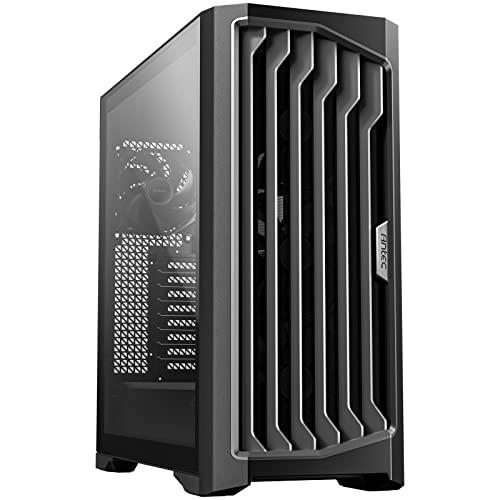
Antec Performance 1 FT Full Tower E-ATX PC Case
An E-ATX full-tower case with a mesh front panel, a temperature display, a USB Type-C port and dual tempered glass side panels.
View on AmazonThese come from our ranked list Best PC Tower Case, which compares them spec by spec.
FAQ
What case form factor do I need for my motherboard?
Match the case to the board: ATX boards fit ATX cases, and E-ATX boards need an E-ATX case. The HYTE Y70 cases here are ATX, and the two Antec cases here are E-ATX, so check your board size before you buy.
Do I need extra fans for a new build?
It depends on the case. The Antec Flux Pro comes with 6 PWM fans and fits up to 12, and the HYTE Y70 fits up to 10 fans. Check the fan count and the radiator support on the case you buy.
Can I mount the graphics card vertically?
Yes, if the case supports it. The HYTE Y70 includes a PCIe 4.0 riser cable for vertical graphics card mounting, and it fits a 4-slot vertical graphics card. Check the manual for the riser steps before you fit the card.


