
How to Build a Custom PC Case
 By Theo LangUpdated
Building a custom PC case means choosing a case that fits the motherboard, graphics card, cooler and power supply, then installing each part in order. Start with the case size and the clearances it lists, and check every part against those figures before ordering. The steps below walk through size, clearances, airflow, assembly and the first power-on.
Pick the case size first
A case is built around the motherboard, so start with the form factor: mATX or Mini-ITX. The case lists the motherboard sizes it takes, the graphics card length it fits, and the radiator and fan mounts it has. Write those figures down before ordering parts, and check the graphics card, cooler and power supply against them one by one.
Check clearances before ordering
Measure the graphics card length, the cooler height and the power supply length, then compare each with the clearance figures in the case manual. A card that is too long hits the front panel, a cooler that is too tall stops the side panel closing, and a power supply that is too long gets in the way of cables and drives. Small form factor cases also list which power supply types fit, such as SFX, so check that line too.
Plan airflow and fan placement
Decide where air comes in and where it leaves before fitting parts. Mesh side and top panels help air move through the case, and fans mounted at the front or bottom bring cool air in while fans at the top or rear push warm air out. Leave a clear path from the intake to the graphics card and the cooler, and keep cables tied back from the fan blades.
Assemble the parts in order
Work on a clear table with the case on its side. Shut the machine down and unplug it before opening any panel, and follow the manual that came with the case. Fit the power supply first, then the motherboard with the cooler, then the graphics card on its riser cable if the mount is vertical, and route cables behind the motherboard tray so they stay clear of fans.
Power on and check the build
Plug the power cable back in and switch the machine on. Check that all fans spin, that the display shows a picture, and that the case front buttons and ports respond. If a fan stays still or the screen stays blank, shut the machine down, unplug it, and check the power and fan cables and the graphics card seating before trying again.
What you need

Lian Li A3-mATX PC Case
A 26.3L mATX case with a walnut wood front panel, support for GPUs up to 415mm and a 360mm radiator, and room for up to 10 120mm fans.
View on Amazon
Lian Li A4-H2OX5 Mini-ITX Case-SFX Layout-PCIe 5.0 Riser-Black-A4H2OX5
An 11-liter Mini-ITX case with a sandwich layout, a triple-slot GPU mount behind the motherboard, a PCIe 5.0 riser cable and support for a 240mm AIO.
View on Amazon
Fractal Design Terra Jade
A 10.4L Mini-ITX case with a solid walnut front panel, a slidable central wall with 30mm of flexibility, and room for a GPU up to 322mm.
View on Amazon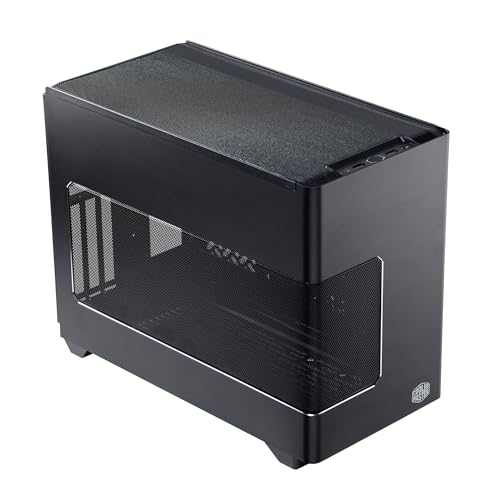
Cooler Master NR200P V3 Mini-ITX PC Case
An 18.6L Mini-ITX case with vertical GPU mounting for cards up to 361.5mm, a PCIe 5.0 riser cable and support for 240mm or 280mm radiators.
View on AmazonThese come from our ranked list Best ITX Case, which compares them spec by spec.
FAQ
Can I build a custom PC case from scratch?
You can, but a retail case already gives the frame, panels, mounts and front I/O, so it saves the metal work. A scratch build needs sheet metal work, mounting points and airflow planning. Check the case manual for the form factors and clearances it supports.
What size case do I need for my parts?
Match the case to the motherboard form factor first, then check the graphics card length, cooler height and power supply form factor against the clearances the case lists. A case that fits the motherboard can still be too short for a long graphics card or too shallow for a tall cooler.
Do I need a riser cable for a vertical GPU mount?
A vertical GPU mount needs a riser cable to connect the card to the motherboard, since the card sits away from the slot. Check that the riser matches the PCIe version your motherboard and graphics card use. The Lian Li A4-H2O and the Cooler Master NR200P V3 both include a PCIe 5.0 riser cable.


