
How to Build a Computer from Scratch
 By Theo LangUpdated
Building a computer from scratch means picking parts that fit together, mounting them in a case, connecting power and cables, and installing the system software. Start with the case and motherboard size, since they set the size of the parts that fit inside. The sections below walk through the order to follow.
Pick the case and motherboard size
Start with the case, since its size sets the motherboard size and the length of the graphics card. The Lian Li A3-mATX fits mATX and ITX boards in a 26.3L case, while the A4-H2O, the Fractal Terra and the Cooler Master NR200P V3 fit Mini-ITX boards in 11L, 10.4L and 18.6L cases. Check the graphics card length too: the A3-mATX takes cards up to 415mm, the NR200P V3 takes cards up to 361.5mm, and the Terra takes cards up to 322mm.
Match cooling and the power supply
Cooling and power fit inside the same size limits. The A3-mATX holds a 360mm radiator and up to 10 120mm fans, the A4-H2O holds a 240mm AIO, and the NR200P V3 holds 240mm or 280mm radiators. For power, the A3-mATX fits ATX, SFX and SFX-L power supplies, the A4-H2O fits SFX and SFX-L, and the NR200P V3 fits SFX power supplies up to 130mm long. Mesh panels on the A3-mATX and the NR200P V3 help air move through the case.
Mount the board and the graphics card
Keep the power supply unplugged while you install parts, and follow the manuals for the case and the parts. Set the motherboard on its mounts and fasten it, then seat the graphics card in its slot. The A4-H2O mounts a triple-slot card behind the board with a PCIe 5.0 riser cable, the NR200P V3 mounts the card upright with a PCIe 5.0 riser cable, and the Terra uses a PCIe 4.0 riser cable. Check that the card clears the case sides before you close the panels.
Connect power, then start the system
Plug the power cables into the board, the graphics card and the drives, and connect the front panel cables as the case manual shows. The Terra has a front USB Type-C 20Gbps port, so connect its cable to the matching header on the board. Check each plug seats fully, then plug the power supply into the wall and press the power button. If the screen stays blank, shut the system down, unplug it and check each connection again.
What you need

Lian Li A3-mATX PC Case
An mATX case with room for GPUs up to 415mm, a 360mm radiator, steel mesh panels and a walnut wood front.
View on Amazon
Lian Li A4-H2OX5 Mini-ITX Case-SFX Layout-PCIe 5.0 Riser-Black-A4H2OX5
An 11-liter Mini-ITX case with a triple-slot GPU mount, a 240mm AIO fit and a PCIe 5.0 riser cable.
View on Amazon
Fractal Design Terra Jade
A 10.4-liter Mini-ITX case with a walnut front panel, room for GPUs up to 322mm and a USB Type-C 20Gbps port.
View on Amazon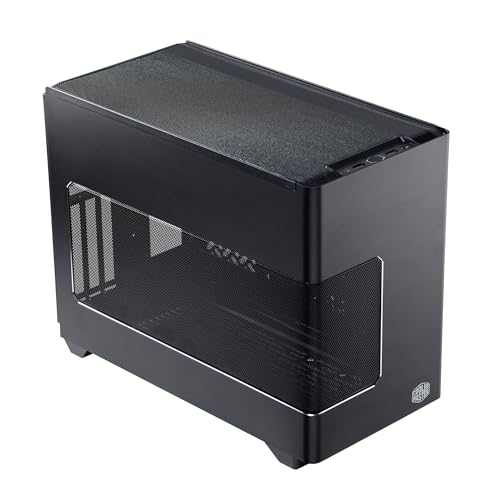
Cooler Master NR200P V3 Mini-ITX PC Case
A Mini-ITX case with vertical GPU mounting, room for GPUs up to 361.5mm, 280mm radiator support and tool-free mesh panels.
View on AmazonThese come from our ranked list Best ITX Case, which compares them spec by spec.
FAQ
What size motherboard fits these cases?
The Lian Li A3-mATX fits mATX and ITX boards, while the A4-H2O, Terra and NR200P V3 fit Mini-ITX boards. Check the board size against the case before you buy.
How long a graphics card fits in each case?
The A3-mATX takes GPUs up to 415mm, the NR200P V3 takes GPUs up to 361.5mm, and the Terra takes GPUs up to 322mm. The A4-H2O takes a triple-slot GPU. Measure the card and compare it with the case limit.
What power supply fits a small case?
The A3-mATX fits ATX, SFX and SFX-L power supplies, the A4-H2O fits SFX and SFX-L, and the NR200P V3 fits SFX power supplies up to 130mm long. Check the length limit in the case manual before you buy.
What is a riser cable for?
A riser cable lets the graphics card sit behind the motherboard or upright in the case. The A4-H2O and the NR200P V3 include a PCIe 5.0 riser cable, and the Terra includes a PCIe 4.0 riser cable.


