
How to Build a Caseless PC
 By Theo LangUpdated
A caseless PC is a computer built on an open frame instead of inside a closed case. You mount the motherboard, power supply, graphics card and drives on the frame, then connect them the same way you would inside a case. The parts stay exposed, so the build needs a stable surface, clear space around the parts and protection from dust, spills and knocks.
Choose an open frame
Start with an open frame made for builds without a case. It holds the motherboard on standoffs and gives the power supply and graphics card a fixed place to sit, so parts do not slide around on the desk. Check that the frame matches your motherboard size and that it has mounting points for the drives you plan to use. A frame with a built-in power button makes starting the PC simple.
Mount the motherboard and power supply
Shut the power supply down and unplug it before you touch any part, and follow the manual that came with the frame and the motherboard. Set the motherboard on the standoffs and fasten it with the screws from the frame, then set the power supply in its mount and fasten it too. Keep cables clear of the board so nothing pulls loose when you move the frame.
Install the graphics card and drives
Seat the graphics card in the top PCIe slot on the motherboard and fasten its bracket to the frame so the card does not sag or slip out. Connect the power cables from the power supply to the card. Mount each drive on the frame and connect its data and power cables, then check that no cable rests on a fan blade or covers a vent on the card.
Connect the power and front panel cables
Plug the main power cable from the power supply into the motherboard, then plug in the smaller CPU power cable near the top of the board. Connect the front panel cables for the power button, reset button and status lights, following the diagram in the motherboard manual. Double-check each plug is fully seated before you switch the power supply on.
Power on and keep the parts clear
Switch the power supply on and press the power button. Check that the fans spin and the display shows the startup screen, then shut the PC down and unplug it if anything looks wrong. Keep the build on a stable surface away from drinks, pets and loose metal objects, and clear dust from the parts often so it does not build up on the board.
What you need

Lian Li A3-mATX PC Case
A compact mATX case with room for a 415 mm GPU and a 360 mm radiator, if you decide to enclose the build later.
View on Amazon
Lian Li A4-H2OX5 Mini-ITX Case-SFX Layout-PCIe 5.0 Riser-Black-A4H2OX5
A Mini-ITX case with a PCIe 5.0 riser cable and room for a 240 mm AIO, if you want a small enclosure instead.
View on Amazon
Fractal Design Terra Jade
A Mini-ITX case with a walnut front panel, a PCIe 4.0 riser cable and room for a GPU up to 322 mm long, as the enclosed alternative.
View on Amazon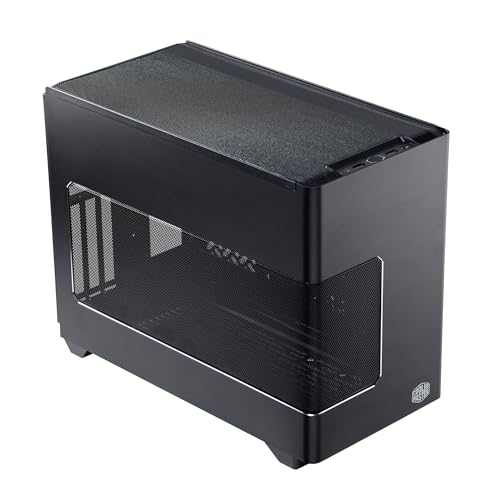
Cooler Master NR200P V3 Mini-ITX PC Case
A Mini-ITX case with vertical GPU mounting, a PCIe 5.0 riser and room for a 280 mm radiator, if you later want a case.
View on AmazonThese come from our ranked list Best ITX Case, which compares them spec by spec.
FAQ
Can I run a caseless PC every day?
A caseless PC runs with its parts exposed on an open frame, so it needs a stable surface in a clean space away from drinks, pets and loose metal objects. Keep dust off the parts and unplug the PC before you touch any part.
Does a caseless PC stay cool without a case?
Open air lets heat leave the parts freely, but there is no case to guide air across the board, so dust settles on the parts instead. Clean the board and fans often, and keep the space around the build clear so air can move.
What do I need to start a caseless build?
A caseless build uses a motherboard, a power supply, a graphics card, storage, memory and an open frame to hold them. You also need the cables that came with the parts and a display, keyboard and mouse to set the PC up.


