
How Easy Is It to Build a Gaming PC?
 By Theo LangUpdated
Building a gaming PC is straightforward for a first-time builder who follows a guide and checks part compatibility before ordering. The parts fit in set places, the cables plug into matching connectors, and the case, motherboard manual and part manuals walk through each step. The hard part is picking parts that fit together, so a build list and a compatibility check come before any screwdriver work.
Check part compatibility before ordering
Start with the case, motherboard, graphics card, power supply and cooler as one set. Check that the motherboard form factor matches the case, that the graphics card fits the length the case lists, and that the radiator and fans fit the mounts the case lists. Check that the power supply form factor matches the case and that its cables reach each part. A mismatch found after delivery costs time, so confirm each fit on the maker's spec sheet before ordering.
Lay out parts and read the manuals
Clear a table, open each box, and set the parts out with their screws and cables. Read the motherboard manual first, since it shows where the front-panel connectors, storage drives and fans plug in. Keep the case manual open too, since it shows where the motherboard, power supply and drives mount. Work on a hard surface, keep liquids away, and keep small screws in a tray so none roll off the table.
Install the core parts in order
Fit the processor, cooler and memory on the motherboard first, then set the motherboard into the case on its standoffs. Mount the power supply, route its cables behind the motherboard tray, and connect power to the motherboard, graphics card and drives. Seat the graphics card in its slot and fasten its bracket, then connect the front-panel cables and fans as the manuals show. Check each plug twice before moving on.
Power on and check each part
Plug in the monitor, keyboard and power cable, then switch the power supply on and press the case power button. Look for the fans turning and the startup screen on the monitor. If nothing appears, switch the power off, unplug the power cable, and check that each power plug and the graphics card are seated. Then follow the on-screen steps to install the operating system and the drivers from each maker's site.
Pick a case that fits the build
A small case saves desk space but leaves less room for long graphics cards, large coolers and cable routing, so check the fit limits before ordering. A larger case gives more room for fans and radiators and more space to work in. Mesh panels let air pass through the case, and a case with room for extra fans gives more cooling options. Choose the case after the parts list, not before it.
What you need

Lian Li A3-mATX PC Case
A 26.3L mATX case with room for GPUs up to 415mm, a 360mm radiator and up to 10 120mm fans, with a walnut wood front panel.
View on Amazon
Lian Li A4-H2OX5 Mini-ITX Case-SFX Layout-PCIe 5.0 Riser-Black-A4H2OX5
An 11 liter Mini-ITX case with a sandwich layout for a triple-slot GPU, a 240mm AIO and a PCIe 5.0 riser cable.
View on Amazon
Fractal Design Terra Jade
A 10.4L Mini ITX case with room for GPUs up to 322mm, a solid walnut front panel and a USB Type-C port.
View on Amazon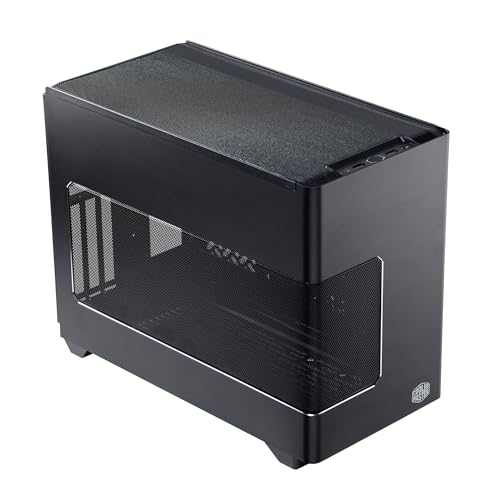
Cooler Master NR200P V3 Mini-ITX PC Case
An 18.6L Mini-ITX case with vertical GPU mounting for cards up to 361.5mm, a PCIe 5.0 riser and tool-free mesh panels.
View on AmazonThese come from our ranked list Best ITX Case, which compares them spec by spec.
FAQ
Do I need tools to build a gaming PC?
The Cooler Master NR200P V3 has tool-free aluminum and mesh panels for the side covers. Keep the screwdriver that fits the screws in your parts, and keep the manuals open while you work.
What if the PC does not turn on?
Switch the power off and unplug the power cable before opening the case. Check that the power supply switch is on, each power plug is seated, and the memory and graphics card are pressed fully into their slots. Then plug the power cable back in and try again.
How do I know the parts fit together?
Match the motherboard form factor to the case, and check the graphics card length, radiator size and power supply form factor against the limits the case lists. Check the memory type and the storage connectors against the motherboard manual. Confirm each fit before ordering, since a part that does not fit has to go back.


