
How to Build a PC
 By Theo LangUpdated
To build a PC, pick parts that fit together, install them in a case, connect power and data cables, then install an operating system and drivers. Start with the case and motherboard size, match the graphics card and cooler to the space inside, and check the parts against the maker's manual before you power on.
Pick parts that fit the case
Start with the case, because it sets the size of everything else. The Lian Li A3 takes mATX and ITX motherboards with GPUs up to 415mm, while the Fractal Terra takes Mini-ITX boards with GPUs up to 322mm. Check the graphics card length, the cooler height and the power supply size against the case before ordering, and follow the maker's manual for each part.
Install the motherboard, CPU and memory
Shut the PC down and unplug it before opening the case, and follow the maker's manual. Mount the motherboard on its standoffs, seat the CPU in its socket and close the latch, then press the memory modules into their slots until the clips close. Check the motherboard manual for which memory slots to use, and check the CPU and memory against the requirements published for your software.
Fit the graphics card and cooler
A graphics card must fit the case length and the slot count. The Cooler Master NR200P V3 takes GPUs up to 361.5mm with a vertical mount, and the Lian Li A4-H2O takes a triple-slot GPU behind the motherboard on a PCIe 5.0 riser cable. Fit the cooler next: the Lian Li A3 houses a 360mm radiator, and the Cooler Master case takes top-mounted 240mm or 280mm radiators. Check the radiator and fan clearances in the case manual before mounting.
Connect power, then switch on
Connect the power supply to the motherboard, the graphics card and the drives, and route the cables so they clear the fans. The Lian Li A3 takes ATX, SFX and SFX-L power supplies, while the Cooler Master case takes an SFX supply up to 130mm long. Connect the monitor, keyboard and mouse, then switch on and install the operating system and drivers from the maker's instructions.
What you need

Lian Li A3-mATX PC Case
A 26.3L mATX case with steel mesh panels, room for GPUs up to 415mm, a 360mm radiator and up to 10 120mm fans.
View on Amazon
Lian Li A4-H2OX5 Mini-ITX Case-SFX Layout-PCIe 5.0 Riser-Black-A4H2OX5
An 11-liter Mini-ITX case with a sandwich layout for a triple-slot GPU, a 240mm AIO and a PCIe 5.0 riser cable.
View on Amazon
Fractal Design Terra Jade
A 10.4L Mini-ITX case with a walnut front panel, room for GPUs up to 322mm, a PCIe 4.0 riser and USB Type-C 20Gbps.
View on Amazon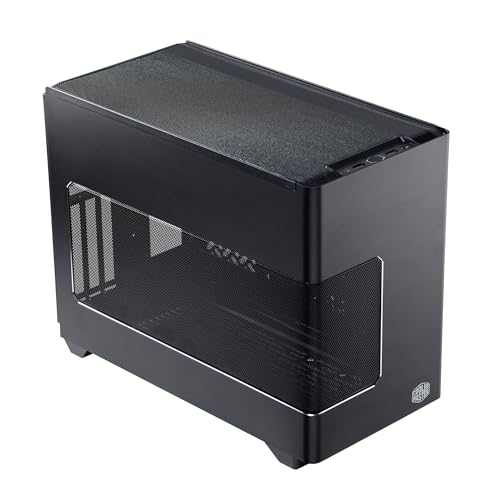
Cooler Master NR200P V3 Mini-ITX PC Case
An 18.6L Mini-ITX case with a vertical GPU mount for GPUs up to 361.5mm, a 280mm radiator and a PCIe 5.0 riser cable.
View on AmazonThese come from our ranked list Best ITX Case, which compares them spec by spec.
FAQ
What size case should I pick for a first build?
Pick the case around the parts you already have. A larger case such as the Lian Li A3 fits mATX boards and GPUs up to 415mm, while a smaller Mini-ITX case such as the Fractal Terra fits GPUs up to 322mm. Check the graphics card length and the cooler size against the case before ordering.
Do I need a separate graphics card?
Not always. Some CPUs include graphics for everyday use, while a separate card suits gaming and heavy creative work. Check the requirements published for your software or game, and check that the card fits the case length before ordering.
Can I reuse parts from an old PC?
You can reuse storage drives, fans and a case if they fit the new parts and still work well. Check the connectors and the case clearances first, shut the PC down and unplug it before opening it, and follow the maker's manual. Do not reuse a failing drive or a damaged power supply; contact the maker instead.


