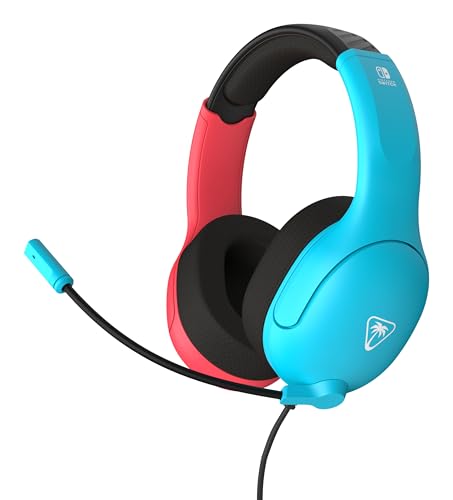
Using an Aviation Headset for Gaming
 By Theo LangUpdated
Yes, you can use an aviation headset for gaming, but it is not a plug-and-play swap. Aviation headsets are built for aircraft intercoms, so they use twin plugs and wiring that does not match a PC or console jack. With the right adapter you can hear game audio and talk, though a gaming headset is the simpler choice for this job.
What makes an aviation headset different
Aviation headsets are made for cockpits and aircraft intercom systems. They use twin plugs, one for audio and one for the mic, and wiring that differs from the single jack on a PC or console controller. Their earcups are built to cut cockpit noise, and their mics are made for clear radio talk. That design works in a plane, but it does not line up with the jack on a gaming device.
Check the plugs before you buy an adapter
Look at the plugs on the aviation headset and the jack on your device. Aviation headsets end in two plugs, while a PC or console controller takes a single 3.5mm plug for audio and mic. An adapter that joins the two plugs into one 3.5mm plug is the part that makes the connection work. Read the adapter notes first to confirm it carries the mic signal, since some adapters carry audio only.
Set the audio and mic on your device
Once the adapter is in place, open the sound settings on your device and pick the headset as the output and its mic as the input. If the input level shows no signal, check the mute switch on the headset cable and the input level in the settings. In a game, pick the headset mic in the voice chat settings as well, so your team hears you through the right mic.
When a gaming headset is the better pick
If you already own an aviation headset, an adapter gets you playing with the gear you have. If you are buying new, a gaming headset is the simpler choice: it plugs straight into a PC or console with no adapter, and its mic is made for game chat. You also avoid a chain of plugs and adapters between you and the game.
What you need

Razer BlackShark V2 X Gaming Headset
A gaming headset with 50mm drivers, 7.1 surround sound, a cardioid mic and a 3.5mm jack for PC, PS4, PS5 and Switch.
View on Amazon
Razer BlackShark V2 X Gaming Headset for PC
The white version of this Razer headset, with 50mm drivers, 7.1 surround sound, a bendable cardioid mic and a 3.5mm jack.
View on Amazon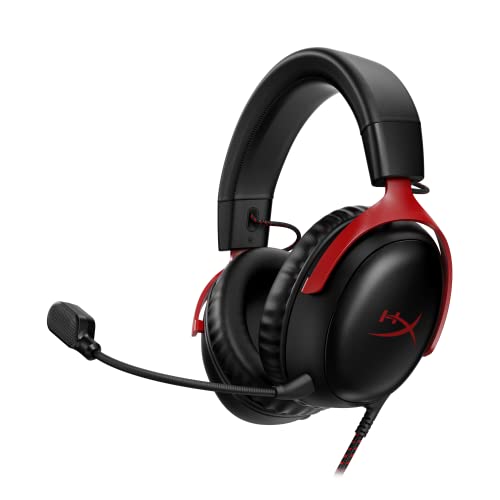
HyperX Cloud III Wired Gaming Headset for PC
A wired gaming headset with 53mm drivers, USB-C, USB-A and 3.5mm connections, memory foam earcups and a 10mm mic and an LED mute indicator.
View on Amazon
BENGOO G9000 Stereo Gaming Headset for PS4 PC Xbox One PS5 Controller
A stereo gaming headset with 40mm drivers, 7.1 surround sound, a noise-cancelling mic, memory earmuffs and a USB connection with volume control.
View on AmazonThese come from our ranked list Best PC Headset, which compares them spec by spec.
FAQ
Do aviation headsets plug straight into a PC?
No. Aviation headsets use twin plugs for aircraft intercoms, while a PC takes a single 3.5mm plug. You need an adapter that joins the two plugs into one.
Will the microphone work for game chat?
It can, once the adapter carries the mic signal and your device picks the headset mic as its input. If the input shows no signal, check the mute switch and the input setting in the game and on the device.
Is an aviation headset comfortable for long gaming sessions?
Aviation headsets are built to clamp tight and cut cockpit noise, so they can feel heavy and warm over a long session. A gaming headset made for long wear at a desk is the easier choice for long sessions.