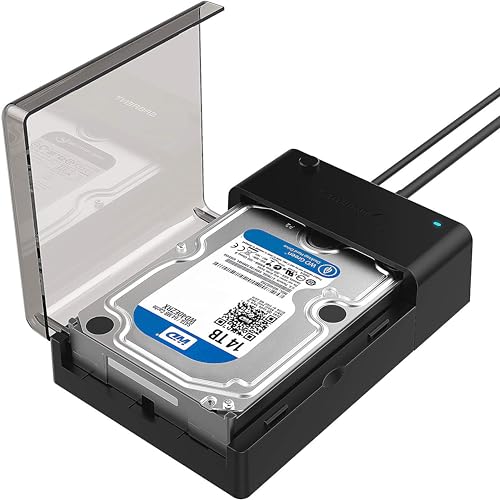
Best SATA SSD External Dock (2026): 7 Models Side by Side
 By Theo LangUpdated
Choose the SABRENT 4-Bay USB 3.0 Hard Drive Docking Station if you need four 2.5-inch or 3.5-inch SATA bays in one dock. Its USB 3.0 connection runs at up to 5Gbps, and its offline clone function copies drive to drive without a computer. The SABRENT USB-C dock trades bays for a 10Gbps connection, while the WAVLINK dual-bay docks add a second bay with offline cloning.
Your shortlist at a glance
PCKitHQ scores range from 9.2 to 9.8. See how we pick.
| Product and key specifications | Score and retailer |
|---|---|
01 Best Overall SABRENT 4-Bay USB 3.0 Hard Drive Docking Station | 9.8PCKitHQ scoreView on Amazon |
02 Second Pick SABRENT USB-C Hard Drive Docking Station | 9.7PCKitHQ scoreView on Amazon |
03 | 9.6PCKitHQ scoreView on Amazon |
04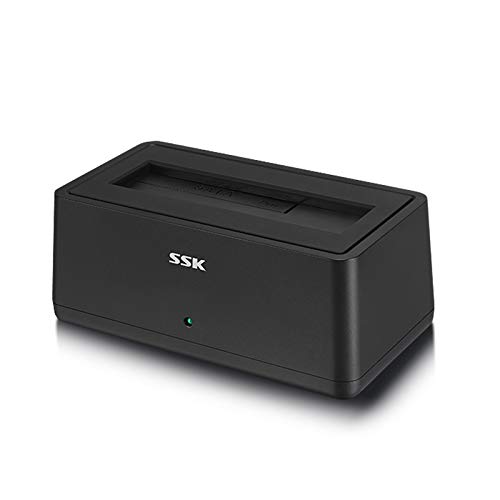 | 9.5PCKitHQ scoreView on Amazon |
05 | 9.4PCKitHQ scoreView on Amazon |
06 Also Consider FIDECO External Hard Drive Docking Station | 9.3PCKitHQ scoreView on Amazon |
07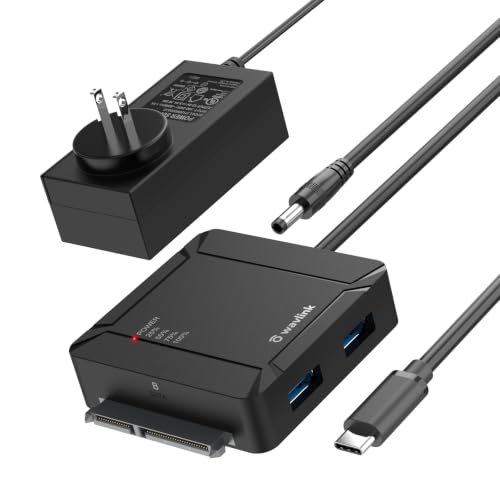 Also Consider WAVLINK USB-C HDD Docking Station | 9.2PCKitHQ scoreView on Amazon |
A closer look at each configuration
SABRENT 4-Bay USB 3.0 Hard Drive Docking Station
score
Four SATA bays, offline cloning, and USB 3.0 at 5Gbps define this docking station.
- Interface
- USB 3.0
- Weight
- 1 lb
- Warranty
- 1 Year Limited
The SABRENT 4-Bay USB 3.0 Hard Drive Docking Station holds up to four 2.5-inch or 3.5-inch SATA HDDs and SSDs for backups and multi-drive management. Its trayless design takes drives without trays or tools, and its USB 3.0 connection transfers files at up to 5Gbps. The offline clone function copies drive to drive without a computer, with LED indicators showing clone progress. Plug and play operation needs no drivers or software, and an external power adapter supports stable operation with multiple drives. It weighs 1 lb and carries a 1 Year Limited warranty.
Choose it if
- You need four 2.5-inch or 3.5-inch SATA bays
- You want offline cloning without a computer
Consider another if
- You need a 10Gbps connection like the SABRENT USB-C dock
- You need an M.2 NVMe slot like the ACASIS dock
SABRENT USB-C Hard Drive Docking Station
score
A single SATA bay with a 10Gbps USB-C connection defines this docking station.
- Interface
- USB 3.2 Gen 2x1
- Weight
- 1.14 lb
- Warranty
- 2 years manufacturer limited
The SABRENT USB-C Hard Drive Docking Station takes one 2.5-inch or 3.5-inch SATA SSD or HDD, with support for high-capacity drives of 20TB and larger. Its USB 3.2 Gen 2x1 connection runs at 10Gbps, with backward compatibility for 5Gbps and older connections. Both USB-A and USB-C to USB-C cables come in the box. The tool-less bay takes drives without tools, and a retractable dust cover protects the SATA connector from debris. Hot-swapping lets you insert and remove drives in seconds. It weighs 1.14 lb and carries a 2 years manufacturer limited warranty.
Choose it if
- You want a 10Gbps USB-C connection for SATA drives
- You need room for drives of 20TB and larger
Consider another if
- You need four bays like the SABRENT 4-Bay dock
- You need offline cloning like the WAVLINK dual-bay dock
WAVLINK USB 3.0 and USB C to SATA Dual-Bay External Hard Drive Docking Station for 2.5/3.5-inch HDD/SSD
score
Two SATA bays, offline cloning, and UASP at up to 6Gbps define this docking station.
- Interface
- USB 3.0
- USB-C
- Yes
- Weight
- 0.73 lb
The WAVLINK USB 3.0 and USB C to SATA Dual-Bay External Hard Drive Docking Station takes two 2.5-inch or 3.5-inch SATA HDDs or SSDs, with support for 16TB per bay. Its UASP transfer protocol supports speeds up to 6Gbps, with USB 3.0 at up to 5Gbps. Offline cloning runs at up to 60Mbps from a source disk to a target disk, and the target capacity must be larger than or equal to the source. A built-in power control switch and a 12V, 3A power source run the dock, and automatic sleep mode starts after 30 minutes of inactivity. Tool-free installation works on Windows, Mac OS X, and Linux, though it is not compatible with M1/M2-based Mac computers. It weighs 0.73 lb.
Choose it if
- You want two SATA bays with offline cloning
- You want USB-C and USB 3.0 connections in one dock
Consider another if
- You need a 10Gbps connection like the SABRENT USB-C dock
- You need four bays like the SABRENT 4-Bay dock
SSK USB 3.0 to SATA Hard Drive Docking Station Adapter for 2.5/3.5-inch HDD SSD
score
A single SATA bay with UASP and 5Gbps transfers defines this docking station.
- Interface
- USB 3.0
- Weight
- 0.88 lb
The SSK USB 3.0 to SATA Hard Drive Docking Station Adapter takes one 2.5-inch or 3.5-inch SATA I, II, or III HDD or SSD, with support for drives up to 24TB. Its USB 3.0 connection transfers data at up to 5Gbps with UASP support, and plug and play mounting needs no driver. The solid plastic case resists shock and vibration, and an efficient heat sink keeps the dock cool. Smart auto-sleep protects the drive after 10 minutes without operation. The package includes the dock, a USB 3.0 cable, a 12V/2A power adapter, and a manual. It weighs 0.88 lb.
Choose it if
- You want a single-bay dock for drives up to 24TB
- You want tool-free, plug and play drive swaps
Consider another if
- You need two bays like the WAVLINK dual-bay dock
- You need a 10Gbps connection like the SABRENT USB-C dock
ACASIS 10Gbps M.2 NVMe & SATA SSD to USB Docking Station
score
An M.2 NVMe and SATA slot with a 10Gbps USB-C connection defines this dock.
- Interface
- USB 3.2 Type-C
- USB-C
- Yes
- Weight
- 0.12 lb
- Warranty
- 1 Year Warranty
The FREEGENE ACASIS 10Gbps M.2 NVMe and SATA SSD to USB Docking Station takes M.2 PCIe NVMe M Key or B+M Key SSDs in 2230, 2242, 2260, and 2280 sizes, with backup capacity up to 8TB, and SATA SSDs are also compatible. Its USB 3.2 Type-C connection transfers data at up to 10Gbps. The aluminum alloy body and open toaster-style design aid heat dissipation and airflow, and the tool-free design lets you plug or unplug an M.2 SSD without tools. It weighs 0.12 lb and carries a 1 Year Warranty.
Choose it if
- You want a dock for M.2 NVMe SSDs up to 8TB
- You want an aluminum, tool-free dock for fast SSD swaps
Consider another if
- You need 2.5-inch or 3.5-inch SATA bays like the SABRENT 4-Bay
- You need offline cloning like the FIDECO dual-bay dock
FIDECO External Hard Drive Docking Station
score
Two SATA bays, offline cloning, and UASP define this USB 3.0 docking station.
- Interface
- USB3.0
- Weight
- 1.32 lb
- Warranty
- 1 Year Manufacturer
The FIDECO External Hard Drive Docking Station takes two 2.5-inch and 3.5-inch SATA HDDs or SSDs at the same time, with USB 3.0 transfer speeds up to 5Gbps and UASP support. Offline cloning copies between the two bays with no computer: insert two drives, press the Clone button for 5 seconds, and watch the LED indicator flash. Plug and play operation needs no driver. New drives need to be initialized before the computer recognizes them. It weighs 1.32 lb and carries a 1 Year Manufacturer warranty.
Choose it if
- You want two SATA bays connected at the same time
- You want offline cloning without a computer
Consider another if
- You need a 10Gbps connection like the SABRENT USB-C dock
- You need four bays like the SABRENT 4-Bay dock
WAVLINK USB-C HDD Docking Station
score
Two SATA bays, a USB 3.0 hub, and 36TB capacity define this docking station.
- Interface
- USB 3.0
- USB-C
- Yes
- Warranty
- 1 Year
The WAVLINK USB-C HDD Docking Station takes two 2.5-inch or 3.5-inch SATA HDDs or SSDs at the same time, supporting up to 18TB per drive for a total of 36TB. Its USB-C to SATA connection runs at up to 5Gbps with UASP and TRIM support. One-button offline cloning copies from drive A to drive B, and drive B must hold at least as much as drive A. A built-in hub adds two USB 3.0 ports for a keyboard, mouse, or hard drive, and it charges smartphones at up to 7.5W. For 2.5-inch SSDs, a USB-C power bank can power the dock. It carries a 1 Year warranty.
Choose it if
- You want two bays holding up to 36TB in total
- You want two extra USB 3.0 ports on the dock
Consider another if
- You need a 10Gbps connection like the SABRENT USB-C dock
- You need four bays like the SABRENT 4-Bay dock
Make the choice for your setup
Count the bays first
Bay count decides how many drives you can reach at once. The SABRENT 4-Bay dock holds four 2.5-inch or 3.5-inch SATA drives, while the WAVLINK dual-bay docks and the FIDECO dock each hold two. The SABRENT USB-C dock holds one 2.5-inch or 3.5-inch drive. The SSK adapter holds one as well. The ACASIS dock is different: it takes one M.2 NVMe or SATA SSD in 2230, 2242, 2260, or 2280 sizes, not a 2.5-inch or 3.5-inch drive. The 4-Bay dock suits backups and multi-drive management from a single dock. Match the bay count and the drive form factor to the drives you already own before you choose.
Compare connection speed and capacity
The SABRENT USB-C dock and the ACASIS dock run at up to 10Gbps, while the other five docks run at up to 5Gbps over USB 3.0. The WAVLINK dual-bay dock adds UASP support at up to 6Gbps on its SATA side. Capacity limits also differ: the SABRENT USB-C dock handles drives of 20TB and larger, and the WAVLINK USB-C dock supports up to 18TB per drive for 36TB in total. The SSK adapter supports drives up to 24TB, and the WAVLINK dual-bay dock supports 16TB per bay. The ACASIS dock backs up to 8TB. Check the rated speed and the capacity limit against your drives. If that fits your setup better, see our guide to the Best Business Laptop with Docking Station.
Use offline cloning and sleep modes
Four docks in this guide clone drives without a computer: the SABRENT 4-Bay dock, the WAVLINK dual-bay dock, and the FIDECO dock. The WAVLINK USB-C dock is the fourth. The WAVLINK USB-C dock clones from drive A to drive B only, and drive B must hold at least as much as drive A. The WAVLINK dual-bay dock also requires the target to hold at least as much as the source. The SABRENT 4-Bay dock shows clone progress on LED indicators, and the FIDECO dock flashes its LED after you hold the Clone button for 5 seconds. Two docks save energy with auto-sleep: the WAVLINK dual-bay dock sleeps after 30 minutes of inactivity, and the SSK adapter sleeps after 10 minutes without operation.
For a wider shortlist, start with Best Docking Station.
FAQ: SATA SSD External Dock
How many drives does each dock hold?
The SABRENT 4-Bay dock holds four 2.5-inch or 3.5-inch SATA drives. The WAVLINK dual-bay docks and the FIDECO dock each hold two. The SABRENT USB-C dock holds one. The SSK adapter holds one as well. The ACASIS dock holds one M.2 NVMe or SATA SSD.
Which docks clone drives without a computer?
The SABRENT 4-Bay dock, the WAVLINK dual-bay dock, and the FIDECO dock all support offline cloning. The WAVLINK USB-C dock supports it too. The WAVLINK USB-C dock clones from drive A to drive B only. The WAVLINK dual-bay dock clones at up to 60Mbps, and the FIDECO dock clones after a 5-second press of its Clone button.
What speeds do these docks support?
The SABRENT USB-C dock and the ACASIS dock run at up to 10Gbps. The other five docks run at up to 5Gbps over USB 3.0. The WAVLINK dual-bay dock adds UASP support at up to 6Gbps on its SATA side, and the WAVLINK USB-C dock adds UASP and TRIM.