ATX Motherboard Case Sizes Explained
 By Theo LangUpdated
An ATX motherboard fits in a case with ATX support. ATX boards are larger than mATX and Mini-ITX boards, so a case made only for those smaller boards does not fit an ATX board. Check the case spec for ATX before you buy, then check clearance for the graphics card, cooler, and power supply.
Match the board to the case
Start with the form factor the case accepts. A case states each board size it accepts, and an ATX board needs a case with ATX support. A case made only for mATX or Mini-ITX accepts those smaller boards and does not accept an ATX board. Read the case spec sheet, not the model name or the pictures, because size words in a model name do not prove support.
Check the mounting points and layout
An ATX board uses more mounting points than a smaller board, and the case must have standoffs in the matching positions. Look at the tray layout in the case manual and confirm the board sits flat with room around the edges for cables. Check that the board does not cover drive mounts, fan mounts, or cable openings you plan to use. If the layout forces cables across the board, choose a case with more room behind the tray.
Check clearance for the other parts
After the board fits, check the parts that share the case. Measure the graphics card length against the case limit, check the cooler height and radiator support, and check the power supply size and cable length. Leave room for air to move past the board and the graphics card. A case that fits the board but leaves no room for the cooler or cables makes the build hard to finish and hard to service.
Use these cases as a size check
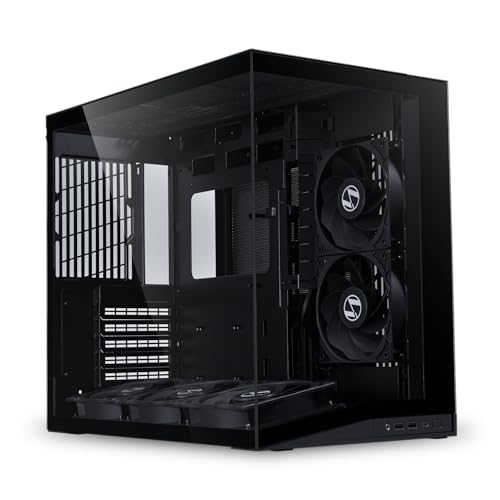
The cases shown with this article are mATX and Mini-ITX cases, so they show how smaller boards fit smaller cases. The Lian Li A3-mATX PC Case takes mATX and ITX boards. The Lian Li A4-H2OX5, Fractal Design Terra Jade, and Cooler Master NR200P V3 take Mini-ITX boards. Use them to compare sizes, and choose a case with ATX support when your board is ATX.
What you need

Lian Li A3-mATX PC Case
A compact mATX case with steel mesh panels, support for a 360mm radiator, and room for graphics cards up to 415mm.
View on Amazon
Lian Li A4-H2OX5 Mini-ITX Case-SFX Layout-PCIe 5.0 Riser-Black-A4H2OX5
A Mini-ITX case with a PCIe 5.0 riser cable, a triple-slot graphics card mount, and support for a 240mm AIO.
View on Amazon
Fractal Design Terra Jade
A Mini-ITX case with a walnut front panel, anodized aluminum panels, and a USB Type-C port on the front.
View on Amazon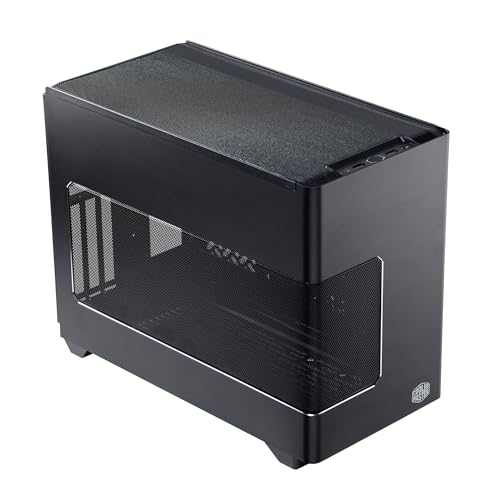
Cooler Master NR200P V3 Mini-ITX PC Case
A Mini-ITX case with a mesh panel, vertical graphics card mounting, and support for a 280mm AIO radiator.
View on AmazonThese come from our ranked list Best ITX Case, which compares them spec by spec.
FAQ
Can an ATX motherboard fit in any case?
No. The case must support ATX. A case made only for mATX or Mini-ITX is made for smaller boards and does not fit an ATX board.
What is the difference between ATX and mATX?
ATX boards are larger than mATX boards, so they need a case with ATX mounting points and more tray space. An mATX board fits in a case with mATX support, and some larger cases support both ATX and mATX.
Does a bigger case always fit an ATX board?
No. Size alone does not prove support. Check the case spec for ATX, then check the mounting points and clearance for the graphics card, cooler, and power supply.