What to Look for When Buying a Gaming PC
 By Theo LangUpdated
Look at the processor, graphics card, memory, storage, ports and warranty, then match them to the games you play. A gaming PC is a desktop built around a graphics card, with the processor, memory and storage to support it. Check the requirements published for each game before you buy.
Start with the processor and graphics card
The processor runs the game, the operating system and the apps open with it, and the graphics card draws the picture on the screen. Together they decide what a system can run, so read the requirements published for each game you plan to play and compare them with the parts in the system. A newer graphics card supports newer features, but the game requirements are the check that matters.
Match memory and storage to your library
Memory holds the game and the apps open with it while you play, and storage holds the games, files and the operating system itself. A solid-state drive loads files faster than a hard drive, and a larger drive holds more games before it fills up. These systems ship with 16 GB or 32 GB of DDR5 memory and a 1 TB or 2 TB solid-state drive, so compare the figures on the system you are considering with the space your games take.
Check the ports and wireless
Count the monitors, keyboard, mouse, headset and other devices you plan to plug in, then check the system has the ports for them. The CyberPowerPC system lists 1x HDMI and 2x DisplayPort, USB-C and USB-A ports, Ethernet and WiFi 6, while the Alienware systems list Wi-Fi 7 and Killer 2.5Gb Ethernet. A USB-C port does not always carry video, so check that the port supports video output before you count on it for a monitor.
Look at the case, cooling and warranty
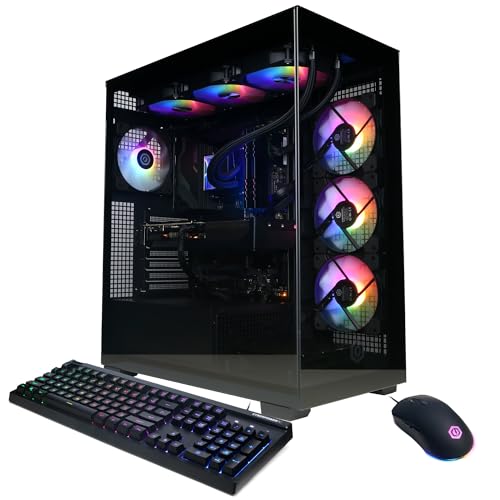
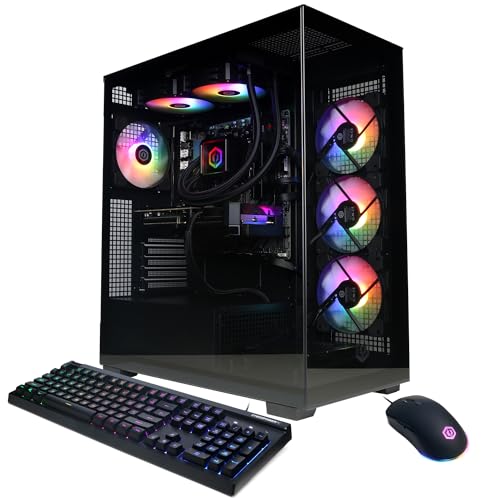
The case decides how much room the parts have and how easy the system is to move. The MSI system lists four system cooling fans, three in the front and one in the rear, to pull in cool air and push heat out, and the CyberPowerPC system has a tempered side case panel. The CyberPowerPC and MSI systems carry a 1 Year warranty, and the Alienware systems list 1 Year Onsite Service, so read the warranty term on the system you are considering.
Check what comes in the box
Check what comes in the box before you buy. The CyberPowerPC system includes a keyboard and mouse, and the Alienware systems include a keyboard. Use the box contents to plan the rest of your setup for the system you choose.
What you need

CyberPowerPC Gaming PC
A Ryzen 7 8700F system with a GeForce RTX 5060 Ti 8GB, 16GB DDR5, a 1TB PCIe 4.0 SSD, WiFi 6 and Windows 11 Home.
View on Amazon
Alienware Aurora Gaming Desktop
An Intel Core Ultra 7 265F system with a GeForce RTX 5070, 32GB DDR5, a 1TB SSD, Wi-Fi 7 and Killer 2.5Gb Ethernet.
View on AmazonAlienware Gaming Desktop
An Intel Ultra7 265F system with a GeForce RTX 5060 Ti, 16GB DDR5, a 1TB SSD, Wi-Fi 7 and AlienFX lighting.
View on Amazon
MSI Codex Z2 Gaming Desktop
An AMD Ryzen 7 8700F system with a GeForce RTX 5070, 32GB DDR5, a 2TB SSD, USB Type-C and Windows 11 Home.
View on AmazonThese come from our ranked list Best Gaming PC, which compares them spec by spec.
FAQ
How much memory should a gaming PC have?
These systems ship with 16 GB or 32 GB of DDR5 memory. Memory holds the game and the apps open with it, so compare the figure on the system you are considering with the requirements published for your games.
Do I need a monitor, keyboard and mouse as well?
The CyberPowerPC system includes a keyboard and mouse, and the Alienware systems include a keyboard, so check what comes in the box before you buy.
What warranty comes with a gaming PC?
The CyberPowerPC and MSI systems carry a 1 Year warranty, and the Alienware systems list 1 Year Onsite Service. Read the warranty term on the system you are considering before you buy.
What is the difference between 16 GB and 32 GB of memory?
Both are DDR5 memory in these systems, and the figure is the amount of memory installed. More memory holds more of the game and apps open at once, so compare the figure with the requirements published for your games.