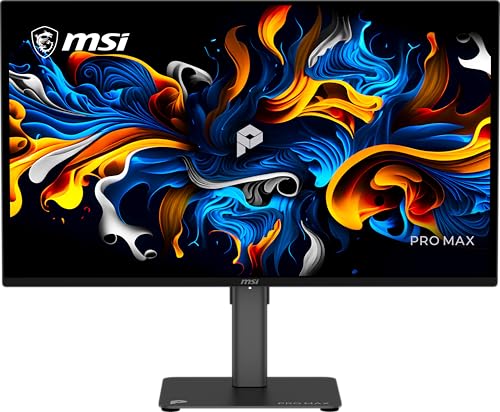
What to Look for in a CAD Monitor
 By Theo LangUpdated
A CAD monitor needs accurate color, sharp text and enough screen space for drawings and toolbars. Look for an IPS panel, 1920x1080 resolution or higher, high sRGB coverage, and the HDMI or DisplayPort connection your computer has. Size, refresh rate and extra features come after color and sharpness.
Screen size and resolution
Screen size sets how large a drawing looks, and resolution sets how sharp lines and text look. A 27 inch screen shows the same drawing as a 24 inch screen at the same resolution, only bigger. All four monitors here have 1920x1080 resolution, so text and lines stay readable at normal desk distance. If you work with large drawings, compare the screen size and resolution together, since a larger screen at the same resolution shows the same detail, only bigger.
Color accuracy and sRGB coverage
Color accuracy matters in CAD when you read colored layers, check renders or match a print. Look for the sRGB coverage the maker states: the Dell SE2726HG has 99% sRGB, the Acer KB242Y G0bi has 99% sRGB and the Sceptre E248W-FW100T has 100% sRGB. An IPS panel keeps color steady when you view the screen from the side, which helps when a colleague looks over your shoulder. Check the color figures in the monitor's own notes before you buy, since color is the spec CAD work leans on most.
Panel type and viewing angle
An IPS panel shows the same colors and brightness across a wide viewing angle, so the drawing looks right even when you sit off to the side. The Dell 24 has a 178 degree viewing angle on its IPS panel, and the Acer and the Dell 27 also have IPS panels. A narrow viewing angle shifts color and brightness as you move, which makes it hard to judge a drawing. If you share your screen with someone beside you, choose an IPS panel for CAD work.
Refresh rate and response time
Refresh rate sets how many frames the screen shows each second, and response time sets how fast a pixel changes. The monitors here have refresh rates from 100 Hz to 240 Hz, with response times of 1 ms or 0.5 ms. CAD work is mostly still drawings and menus, so a high refresh rate matters less here than it does for gaming. Pick the refresh rate that fits the rest of your use: if you also play games or watch video on the same screen, a higher rate helps there.
Ports, mounting and extras
Check that the monitor has the port your computer uses. All four monitors here have HDMI, and the Dell 27 and the Sceptre also have DisplayPort. The Acer adds a VGA port, and the Sceptre has built-in speakers. The Acer and the Sceptre are VESA mountable, so you can put them on a monitor arm or a wall mount. A tilt stand lets you set the viewing angle, and the Dell 24 and the Dell 27 both have a tilt stand.
What you need

Dell 24 Monitor SE2426H
A 23.8 inch IPS monitor with 1920x1080 resolution, a 144 Hz refresh rate, a 1 ms response time, two HDMI ports and a 178 degree viewing angle.
View on Amazon
Dell 27 Gaming Monitor SE2726HG
A 27 inch IPS monitor with 1920x1080 resolution, a 240 Hz refresh rate, a 0.5 ms response time, 99% sRGB coverage and DisplayPort 1.4.
View on Amazon
Acer 23.8-inch Office Monitor KB242Y G0bi
A 23.8 inch IPS monitor with 1920x1080 resolution, a 120 Hz refresh rate, 99% sRGB coverage, HDMI and VGA ports and a VESA mount.
View on Amazon
Sceptre 24-inch Gaming Monitor 1ms E248W-FW100T
A 24 inch monitor with 1920x1080 resolution, a 100 Hz refresh rate, 100% sRGB coverage, DisplayPort and HDMI ports and built-in speakers.
View on AmazonThese come from our ranked list Best PC with Monitor, which compares them spec by spec.
FAQ
What size monitor is best for CAD work?
A 27 inch screen shows the same drawing as a 24 inch screen at the same resolution, only bigger, while a 24 inch screen fits a smaller desk. Both sizes here have 1920x1080 resolution, so pick the size that fits your desk. If you work with large drawings, a larger screen shows the same drawing bigger, so small text stays readable.
Do I need a 4K monitor for CAD?
Not always. A 1920x1080 monitor shows drawings clearly at 24 and 27 inch sizes, and the four monitors here all have that resolution. A higher resolution helps when you work with fine detail or large drawings, so check the resolution your computer and software can drive before you choose.
Is a high refresh rate useful for CAD?
Only a little. CAD work is mostly still drawings, so color accuracy and screen size matter more than refresh rate. A higher refresh rate helps if you also play games or watch video on the same screen, so match the rate to the rest of your use.