What to Look for in a Gaming PC
 By Theo LangUpdated
Look at four parts first: the processor, the graphics card, the memory and the storage. The processor and graphics card set what the PC can do, memory sets how much the PC holds while it works, and storage sets how many games and files fit on the drive. The four PCs here show how those parts differ, so compare them against the requirements published for the games you play.
Start with the processor and graphics card
The processor handles the work the PC does, and the graphics card handles the picture on the screen. The CyberPowerPC and the msi Codex Z2 use an AMD Ryzen 7 8700F processor, while the two Alienware desktops use an Intel Core Ultra 7 265F processor. The CyberPowerPC and one Alienware desktop use a GeForce RTX 5060 Ti, and the other Alienware desktop and the msi Codex Z2 use a GeForce RTX 5070. Check the requirements published for your games, and match the parts to them.
Check the memory and storage
Memory holds what the PC is working on right now, and storage holds the games, files and programs you keep. The CyberPowerPC, the Alienware Aurora and the Alienware RTX 5060 Ti desktop have 1TB of storage, and the msi Codex Z2 has 2TB. The CyberPowerPC and the Alienware RTX 5060 Ti desktop have 16GB of DDR5 memory, while the Alienware Aurora and the msi Codex Z2 have 32GB of DDR5 memory. Compare the memory and storage figures with the requirements published for your games.
Look at the ports and wireless
Ports decide what you can plug in: a monitor, a keyboard, a mouse, a headset and a network cable. The CyberPowerPC has HDMI, two DisplayPort outputs, two USB-C 3.2 ports, four USB-A 3.2 ports, two USB-A 2.0 ports and a LAN port. The msi Codex Z2 has a USB Type-C port. The Alienware Aurora and the Alienware RTX 5060 Ti desktop have Wi-Fi 7 and Killer 2.5Gb Ethernet, while the CyberPowerPC has WiFi 6. Check that the ports match the monitor and gear you already own.
Mind the size, lights and warranty
A desktop also has to fit your desk and your room. The Alienware Aurora weighs 33.89 lb, the msi Codex Z2 weighs 21.3 lb, and the Alienware RTX 5060 Ti desktop weighs 13.14 lb. The CyberPowerPC has a tempered side case panel and custom RGB lighting, and the Alienware desktops have AlienFX lighting zones. The CyberPowerPC and the msi Codex Z2 carry a 1 year warranty, and the Alienware desktops include 1 year onsite service.
What you need

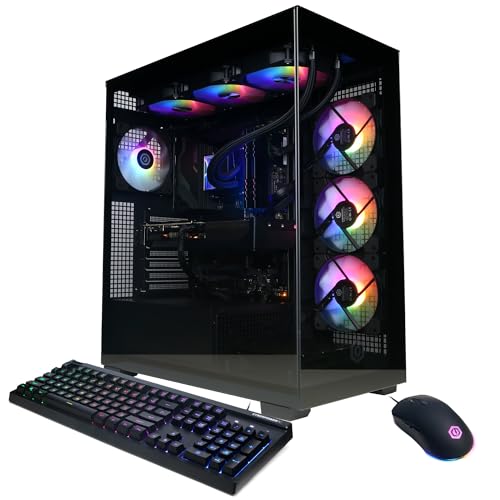
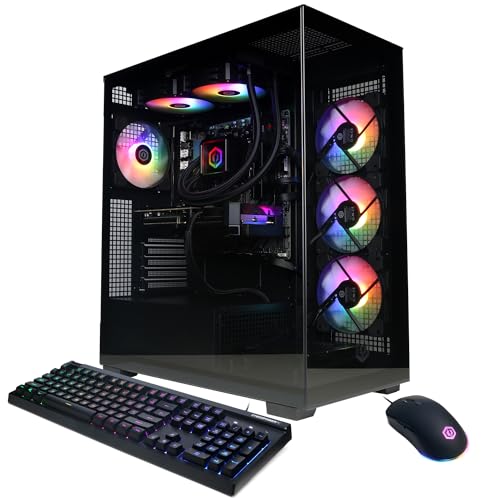
CyberPowerPC Gaming PC
A CyberPowerPC with an AMD Ryzen 7 8700F processor, a GeForce RTX 5060 Ti, 16GB of DDR5 memory and a 1TB PCIe 4.0 SSD.
View on Amazon
Alienware Aurora Gaming Desktop
An Alienware Aurora with an Intel Core Ultra 7 265F processor, a GeForce RTX 5070, 32GB of DDR5 memory and a 1TB SSD.
View on AmazonAlienware Gaming Desktop
An Alienware desktop with an Intel Core Ultra 7 265F processor, a GeForce RTX 5060 Ti, 16GB of DDR5 memory and a 1TB SSD.
View on Amazon
MSI Codex Z2 Gaming Desktop
An msi Codex Z2 with an AMD Ryzen 7 8700F processor, a GeForce RTX 5070, 32GB of DDR5 memory and a 2TB SSD.
View on AmazonThese come from our ranked list Best Gaming PC, which compares them spec by spec.
FAQ
How much memory should a gaming PC have?
It depends on the games and programs you run. Memory holds what the PC is working on right now, so compare the memory figure with the requirements published for your games. The PCs here have 16GB or 32GB of DDR5 memory.
What is the difference between 1TB and 2TB of storage?
Storage holds the games, files and programs you keep, and the figure is the size of the drive. A 2TB drive holds twice the storage of a 1TB drive. The msi Codex Z2 has 2TB of storage, while the other three PCs here have 1TB.
Does a gaming PC need Wi-Fi?
It depends on how you connect to your network. The Alienware desktops have Wi-Fi 7 and Killer 2.5Gb Ethernet, and the CyberPowerPC has WiFi 6 and a LAN port. Check the connection options on the PC you pick against the network you use at home.