
What SD Card Do You Need for 4K Video?
 By Theo LangUpdated
For 4K video, pick a card with a V30 video speed rating, like the elecacc 32GB card here, which is rated V30 and U3 with up to 90 MB/s read speed. The other three cards in this guide are rated U1 and Class 10 and are listed for Full HD video. Check your camera manual for the card rating it asks for, and match the card to the camera.
Read the speed rating first
The speed rating on the card tells you what video it handles. The elecacc card is rated V30 and U3 for Full 4K HD video. The GIGASTONE cards and the INLAND card are rated U1 and Class 10 for Full HD video. A higher rating means the card covers heavier video work, so match the rating on the card to the video your camera records.
Match the card to the camera
All four cards here are 32GB SDHC cards, so they fit cameras that take SDHC cards. The elecacc card works with SDHC devices and SDHC enabled UHS devices. The INLAND card works only with SDHC and SDXC host devices and is not compatible with mobile phones. Check the SDHC or SDXC logo on your camera and the camera manual before buying, since a card that does not fit the slot cannot record.
Read speed is not write speed
The speeds on these listings are read speeds: up to 90 MB/s on the elecacc, up to 80 MB/s on the GIGASTONE 5-pack, up to 100 MB/s on the GIGASTONE 2-pack and 60 MB/s on the INLAND. The INLAND card states a write speed of 10 MB/s. Read speed affects how fast files move off the card, while the video speed rating is the figure that describes recording. Compare the read speeds across the cards, and look for the write speed in the listing when it matters to you.
Capacity, packs and warranties
Each card here holds 32GB. The elecacc comes in a 3-pack, the GIGASTONE cards in a 5-pack and a 2-pack, and the INLAND in a 2-pack. The GIGASTONE 5-pack includes 5 mini cases and the 2-pack includes 2 mini cases. Warranties run 1 year on the elecacc, 5 years on the GIGASTONE cards and 3 years on the INLAND. A spare card in the bag covers a full card or a card that stops working.
What you need

32GB SD Card (3 Pack)
A 32GB SDHC card in a 3-pack, rated V30 and U3 with up to 90 MB/s read speed and listed for Full 4K HD video.
View on Amazon
GIGASTONE 32GB SD Card 5-Pack UHS-I U1
A 32GB SDHC card in a 5-pack with up to 80 MB/s read speed, U1 and Class 10 ratings, and 5 mini cases.
View on Amazon
GIGASTONE 32GB SD Card 2-Pack
A 32GB SDHC card in a 2-pack with up to 100 MB/s read speed, U1 and Class 10 ratings, and 2 mini cases.
View on Amazon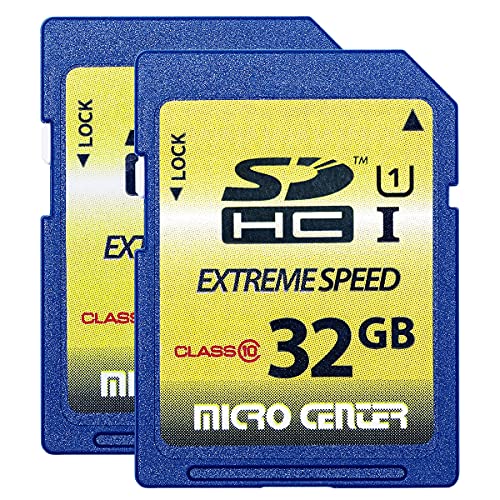
INLAND 32GB SDHC Flash Memory Card Standard
A 32GB SDHC card in a 2-pack with 60 MB/s read speed, 10 MB/s write speed, Class 10 and U1 ratings, and a 3-year limited warranty.
View on AmazonThese come from our ranked list Best Sdhc, which compares them spec by spec.
FAQ
Is a U1 card enough for 4K video?
The U1 cards in this guide are listed for Full HD video, not 4K. The elecacc card is the one rated V30 and U3 and listed for Full 4K HD video, so match the rating to the video your camera records.
What does V30 mean on an SD card?
V30 is the video speed rating on the elecacc card, which also carries a U3 rating. It is the rating for Full 4K HD video on that card, while the U1 cards here are listed for Full HD video.
Do these cards work in any camera?
No. All four are 32GB SDHC cards, so they fit cameras that take SDHC cards. The INLAND card works only with SDHC and SDXC host devices, and it is not compatible with mobile phones. Check your camera manual for the card type it takes.


