
What Does a Memory Card Do?
 By Theo LangUpdated
A memory card is a small removable storage card that holds photos, videos, music and files for a camera, phone, tablet or handheld console. You slide it into a slot or a card reader, and the device writes new files to it and reads them back when you open them. When the card fills up, you move the files to a computer or swap in another card.
What a memory card stores
Capacity is measured in gigabytes. A 512GB card holds more than a 256GB card, and a 256GB card holds more than a 128GB card. Photos and 4K video fill a card faster than documents or music, so check the capacity against the files you plan to keep on it.
How speed ratings work
A card lists a read speed and a write speed in MB/s. Read speed decides how fast files move off the card to a computer, and write speed decides how fast the camera or phone saves new photos and video. Cards rated V30 and U3 are built for 4K video recording, since video needs a steady write speed while it records. A faster card shortens the wait when you copy a full card to a computer.
How to use one in a device
Slide the card into the slot until it clicks, oriented the way your device manual shows. Format the card in the device before first use, since that sets up the file system the device expects. When you remove the card, use the eject option on the device or computer first, then pull it out. Pulling a card out while the device writes to it can damage the files on it.
Moving files to a computer
Put the card in your computer's card slot or a card reader, then open it like a drive and copy the files to a folder. Copy the files before you format the card or reuse it, so the originals stay on the computer. Keep a second copy of files you cannot replace.
What you need

SanDisk 512GB Extreme PRO SD Memory Card
A 512GB SanDisk card with read speeds up to 250MB/s and write speeds up to 170MB/s, rated V30, U3 and C10 for 4K UHD video.
View on Amazon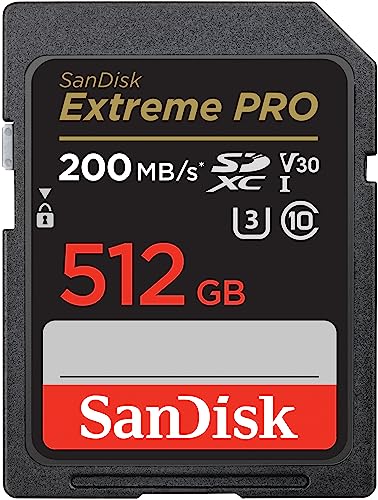
SanDisk 512GB Extreme PRO SD Memory Card
A 512GB SanDisk card with read speeds up to 200MB/s through QuickFlow Technology, write speeds up to 140MB/s, and V30 and U3 ratings for 4K UHD video.
View on Amazon
Lexar 256GB SILVER SD Memory Card
A 256GB Lexar card with a 225MB/s read speed and a 160MB/s write speed, rated V30 and U3 for 4K video recording.
View on AmazonLexar 128GB SILVER SD Memory Card
A 128GB Lexar card with a 225MB/s read speed and a 160MB/s write speed, rated V30 and U3 for 4K video recording.
View on AmazonThese come from our ranked list Best Sdxc Memory Card, which compares them spec by spec.
FAQ
Can I use a memory card in a phone?
Some phones take a memory card in a tray or a slot. Check your phone manual for the card size it takes before you buy one.
What size memory card should I get?
Match the capacity to the files you keep on it. Photos and 4K video fill a card faster than documents, so a 512GB card holds more than a 128GB card before it fills up.
Does a memory card work in any camera?
No. Cameras take different card sizes and types, so check your camera manual for the size and speed rating it takes. A card rated V30 and U3 suits 4K video recording on cameras that list that rating.


