
What Do SD Cards Do?
 By Theo LangUpdated
An SD card is a small removable memory card that stores files for a device. Cameras, camcorders and other devices write photos and video to the card, and you can move the card to a computer or card reader to copy the files off.
What an SD card stores
An SD card stores the files a device creates and reads back. In a camera it holds photos and video clips; in a camcorder it holds recorded video. You can also use it to carry files between a device and a computer, since a card reader or an SD slot on the computer reads the same card.
Match the card to the device
Check the slot and the logo on the device before you buy. The cards here are SDHC cards, and the INLAND card states it works only with SDHC or SDXC host devices, so a device with an SD-only slot will not read it. Look for the SDHC or SDXC logo on the device, and read the device manual for the card types it accepts.
Read the speed rating
The speed rating on the card tells you how fast it moves data. The cards here are rated Class 10 or U1, and the elecacc card also carries a V30 rating. The elecacc card lists a rated read speed of 90 MB/s, the GIGASTONE 2-Pack lists up to 100 MB/s, the GIGASTONE 5-Pack lists up to 80 MB/s, and the INLAND card lists 60 MB/s read and 10 MB/s write. A faster read speed moves files to a computer sooner, so compare the rated speeds when you choose.
Move files off the card
To copy files, take the card out of the device and put it in a computer SD slot or a card reader, then copy the files to the computer. The elecacc card describes plug and play operation, so the computer reads it without extra setup. Copy the files before you format or reuse the card, so a mistake does not erase the only copy.
What you need

32GB SD Card (3 Pack)
A 32 GB SDHC card in a 3-pack, rated V30 with a read speed of up to 90 MB/s, for Full HD video and continuous shooting.
View on Amazon
GIGASTONE 32GB SD Card 5-Pack UHS-I U1
A 32 GB SDHC card in a 5-pack with 5 mini cases, rated U1 and Class 10 with a read speed of up to 80 MB/s, for Full HD video.
View on Amazon
GIGASTONE 32GB SD Card 2-Pack
A 32 GB SDHC card in a 2-pack with 2 mini cases, rated U1 and Class 10 with a read speed of up to 100 MB/s, for Full HD video.
View on Amazon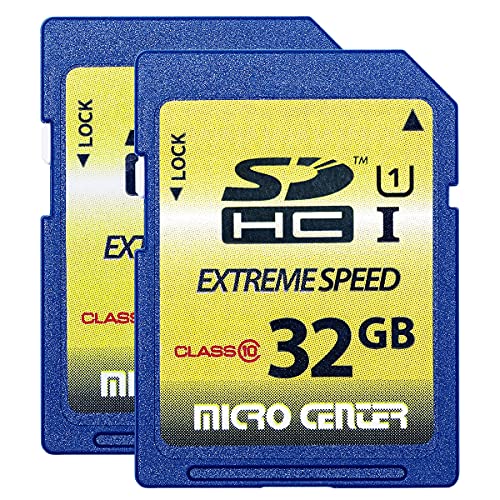
INLAND 32GB SDHC Flash Memory Card Standard
A 32 GB SDHC card in a 2-pack, rated Class 10 and U1 with a 60 MB/s read speed and 10 MB/s write speed, for trail cameras and digital cameras.
View on AmazonThese come from our ranked list Best Sdhc, which compares them spec by spec.
FAQ
What do SD cards do in a camera?
They store the photos and video the camera records. You can take the card out and copy the files to a computer, then put the card back in the camera to record more.
Can an SD card work in any device?
No. The card must match the slot and the card type the device accepts. The INLAND card states it works only with SDHC or SDXC host devices, so check the device manual before you buy.
What does the speed rating on an SD card mean?
It describes how fast the card moves data. A higher rated read speed copies files to a computer sooner, and the Class 10, U1 and V30 marks on the cards here state the speed grade each card meets.
Do SD cards keep files without power?
Yes. An SD card is flash memory, so it holds files after you take it out of a device. Keep a spare copy of files that matter, since a lost or damaged card still loses them.


