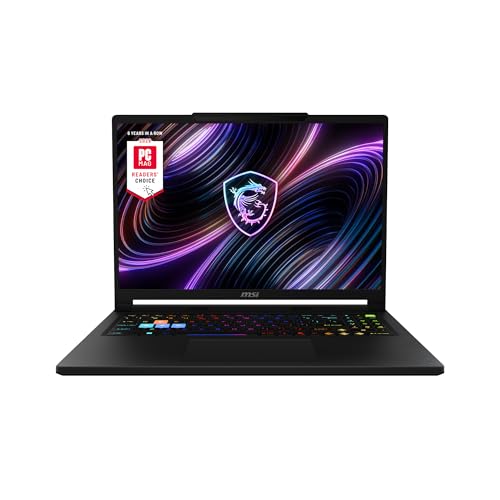
What Makes a Gaming Laptop?
 By Theo LangUpdated
A gaming laptop is a laptop built around a dedicated graphics card, a processor, memory and a high refresh rate display. The graphics card draws the game world, the processor runs the game logic, the memory holds the data the game is using, and the display shows each new frame. Cooling, storage and ports decide how those parts hold up over a long session.
The graphics card
A dedicated graphics card does the visual work of a game: it draws each frame, including lighting, shadows and textures. That is the part that separates a gaming laptop from a laptop with integrated graphics, where the processor shares the visual work. Check the graphics card model in the spec sheet, and check the system requirements published for the games you play, since each game names the card it needs.
The processor and memory
The processor runs the game logic and the background tasks, and the memory holds the data those tasks are using. Memory comes in capacities such as 8 GB, 16 GB, 32 GB and 64 GB, and the memory type is DDR4 or DDR5. More memory lets the laptop keep more data close at hand, but the right amount depends on the game, so check the requirements published for the software you run.
The display
A gaming display refreshes more times each second than a standard laptop screen, and refresh rates such as 60 Hz, 120 Hz, 144 Hz and 240 Hz are the common names. A higher refresh rate shows each new frame sooner, and a higher resolution such as 1440p or 2160p shows more detail. Match the display to the resolution and refresh rate the games you play can use, and check the spec sheet for the exact panel.
Storage and ports
Games install to the laptop's drive, so storage capacity decides how many games fit at once. Check the drive size in the spec sheet against the install sizes of the games you play. Ports matter too: check for USB-C, HDMI and Ethernet, and check that a USB-C port supports video output if you plan to connect a monitor, since a port name alone does not prove it.
Cooling and weight
A gaming laptop makes heat when its processor and graphics card work hard, and its fans and heat pipes move that heat out of the case. Cooling decides how the laptop handles a long session, so read the cooling design in the spec sheet. Weight matters when you carry the laptop, so check the listed weight and the size of the charger before you buy.
What you need

Acer Nitro V 16S Gaming Laptop
A 16 in gaming laptop with an AMD Ryzen 7 260 processor, an NVIDIA GeForce RTX 5060 Laptop GPU, 32GB DDR5 and a 180Hz display.
View on Amazon
ASUS ROG Strix G16 Gaming Laptop
A 16 in gaming laptop with an Intel Core i7 14650HX processor, an NVIDIA GeForce RTX 5060 Laptop GPU, 16GB DDR5 and a 165Hz display.
View on Amazon
MSI Katana 15 HX 15.6-inch Gaming Laptop
A 15.6 in gaming laptop with an Intel Core i9-14900HX processor, an NVIDIA GeForce RTX 5070, 32GB DDR5 and a 165Hz QHD+ display.
View on Amazon
HP Victus 15.6-inch Gaming Laptop
A 15.6 in gaming laptop with an Intel Core i5-12450H processor, an NVIDIA GeForce RTX 3050, 16GB RAM and a 144Hz Full HD display.
View on AmazonThese come from our ranked list Best Gaming Laptop, which compares them spec by spec.
FAQ
Can a gaming laptop do school or office work too?
Yes. It is a laptop with a processor, memory, storage and a display, so it handles the same school or office tasks as other laptops. Check the listed weight if you carry it every day, and check the battery and charger details in the spec sheet.
What is the difference between a gaming laptop and a regular laptop?
A gaming laptop adds a dedicated graphics card and a high refresh rate display to the parts a regular laptop already has. The card draws each frame of the game, and the display shows each new frame as it arrives. Cooling, memory and storage still matter, so compare the spec sheets side by side.
Do I need a separate monitor for a gaming laptop?
No. The built-in display is the laptop's own screen. The HP Victus has a 144Hz display, the ASUS ROG Strix G16 and the msi Katana 15 HX have 165Hz displays, and the Acer Nitro V 16S has a 180Hz display. A monitor helps if you want a larger screen, so check that your laptop's USB-C or HDMI port supports video output first.