How to Choose a Gaming Laptop
 By Theo LangUpdated
Choosing a gaming laptop starts with the games you play and the screen you want, then the processor, graphics card, memory, and storage that fit them. Check the requirements published for your games, compare the display resolution and refresh rate, and weigh how much weight you are willing to carry. The four laptops below show the range of choices.
Start with your games and screen
List the games you play most and check the requirements published for each one, since those figures set the level of processor, graphics card, memory, and storage to look for. Then pick a screen size and resolution, such as 1080p or 1440p, and a refresh rate, such as 144 Hz, that matches how you play. Check the listed weight separately from screen size: the 16-inch Acer weighs 4.63 lb, while the 15.6-inch HP weighs 7 lb, and compare resolution separately, such as the 1920 x 1200 display of the Acer and the QHD+ display of the msi.
Compare the processor and graphics card
The processor runs the game and the rest of the system, while the graphics card draws the picture on the screen. Compare the processor and graphics card names on each laptop with the requirements published for your games, and look at the model and generation rather than the brand alone. A laptop with a newer graphics card can list newer display and video features, so check the spec sheet for the card you are considering.
Check memory, storage, and ports
Memory holds the game data the laptop works with while you play, and storage holds the games and files you keep. Compare the memory and storage figures, such as 16GB or 32GB of memory and 1TB of storage, with the requirements published for your games. Check the ports too: a USB-C port does not always carry video, so check that your laptop's USB-C port supports video output before you plan on an external monitor.
Weigh size, weight, and battery
Gaming laptops weigh more than thin laptops, so check the listed weight and the size against your desk and your bag. Battery charge runs down while you play, so plan to plug in for long sessions. Try the keyboard and trackpad if you can, and check the warranty term the maker lists.
What you need

Acer Nitro V 16S Gaming Laptop
A 16-inch laptop with an AMD Ryzen 7 260 processor, an RTX 5060 GPU, 32GB DDR5 memory, a 1TB Gen 4 SSD, and a 1920 x 1200 180Hz display.
View on Amazon
ASUS ROG Strix G16 Gaming Laptop
A 16-inch laptop with an Intel Core i7-14650HX processor, an RTX 5060 GPU, 16GB DDR5 memory, a 1TB Gen 4 SSD, and a 165Hz FHD+ display.
View on Amazon
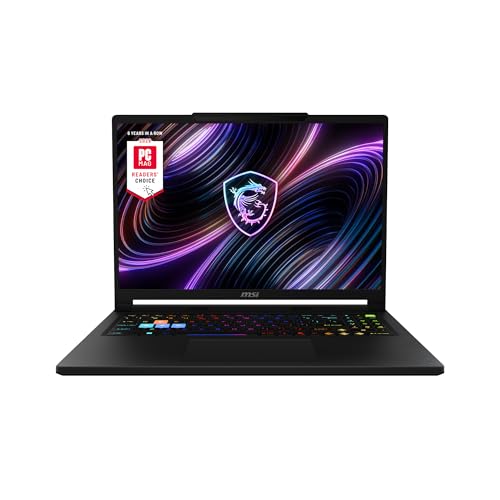
MSI Katana 15 HX 15.6-inch Gaming Laptop
A 15.6-inch laptop with an Intel Core i9-14900HX processor, an RTX 5070 GPU, 32GB DDR5 memory, a 1TB NVMe SSD, and a QHD+ display at 165Hz.
View on Amazon
HP Victus 15.6-inch Gaming Laptop
A 15.6-inch laptop with an Intel Core i5-12450H processor, an RTX 3050 GPU, 16GB RAM, a 512GB PCIe SSD, and a Full HD display at 144Hz.
View on AmazonThese come from our ranked list Best Gaming Laptop, which compares them spec by spec.
FAQ
How much memory does a gaming laptop need?
It depends on your games. Check the memory figure in the requirements published for each game you play, and compare it with the memory each laptop lists.
Can a gaming laptop also do school or office work?
Yes. A gaming laptop uses Windows like other laptops, so it handles documents, browsing, and video calls as well as games. Check the listed weight if you plan to carry it every day.
What screen size is best for a gaming laptop?
There is no single best size. Screen size does not decide how easy a laptop is to carry: the 16-inch Acer weighs 4.63 lb, while the 15.6-inch HP weighs 7 lb, so check the listed weight as well as the screen size. Pick the size that fits your desk and your bag.