What Is the Point of an Ultrawide Monitor?
 By Theo LangUpdated
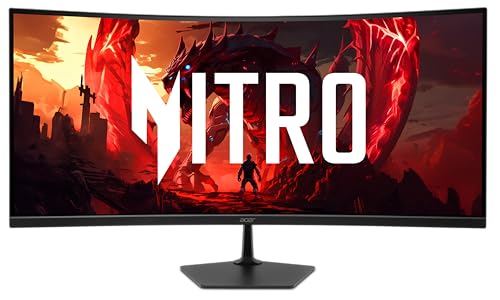
An ultrawide monitor is a wide screen in 21:9 that gives you more horizontal space than a standard screen of the same height. The point is room: you can keep a document, a browser and a chat window open side by side without a second monitor or a bezel in the middle. For games and films, the wider view fills more of your field of vision.
More room for work side by side
The extra width holds a document, a spreadsheet and a browser at the same time, so you stop switching between windows. You can keep a call or a chat window open beside your main work instead of hiding it behind another window. A single wide screen also removes the bezel gap you get with two monitors on a desk.
A wider view for games and films
Games and films made for a wide frame use the full width of the screen, so the picture stretches further into your peripheral vision. A curved screen bends the edges toward you, which keeps the far sides of the picture at a more even distance from your eyes. Check that the game or film you want supports the wide resolution before you count on the full effect.
What the 3440 x 1440 resolution means
A 34 inch ultrawide monitor lists 3440 x 1440 pixels, wider than 1440p on a standard screen. That gives you more pixels across for timelines, code and wide tables, while the height matches 1440p, so text stays the same size as on a 1440p screen. When you compare ultrawide monitors, look at the refresh rate, panel type and ports after the resolution.
Check your desk and your graphics card
A 34 inch ultrawide takes up more desk width than a standard monitor, so measure the space and check the stand or mount fits. Your graphics card and cable must support 3440 x 1440 at the refresh rate you want, so check the card's listed outputs and the monitor's ports before buying.
What you need

SANSUI 34-inch Curved Gaming Monitor UWQHD 3440 x Ultrawide
A 34 inch curved ultrawide with 3440 x 1440 resolution, a 200 Hz refresh rate, two HDMI 2.1 inputs and a 1500R curve.
View on Amazon
Samsung 34' Odyssey G5 Ultra-Wide Gaming Monitor LC34G55TWWNXZA
A 34 inch curved ultrawide with a 1000R curve, 165 Hz refresh rate, 1 ms response time and adaptive sync.
View on Amazon
Alienware 34 Curved Gaming Monitor AW3425DW
A 34.2 inch curved QD-OLED ultrawide with 3440 x 1440 resolution, a 240 Hz refresh rate and an 1800R curve.
View on Amazon
Sceptre 34-inch Curved ultrawide WQHD Monitor R1500
A 34 inch curved ultrawide with 3440 x 1440 resolution, up to 180 Hz, DisplayPort inputs and built-in speakers.
View on AmazonThese come from our ranked list Best Ultrawide Monitor, which compares them spec by spec.
FAQ
Is an ultrawide monitor the same as two monitors?
It gives you similar width in one panel with no bezel in the middle, so windows sit side by side on one screen. Two separate monitors still win when you want one screen in portrait or a screen you can turn off on its own.
Do all games and films fill an ultrawide screen?
No. Games and films made for a wide frame fill it, while older games and some videos show black bars at the sides. Check the game or app you care about supports the wide resolution before you buy.
What size desk fits a 34 inch ultrawide?
Measure the monitor's width against your desk and leave room for the stand and your keyboard. A 34 inch ultrawide is wider than a standard monitor, so check the listed width before you buy.