
Best Ultrawide Monitor in the World (2026): 4 Picks Compared
 By Theo LangUpdated
If you want a 34-inch curved view for gaming at 200Hz, choose the Acer Nitro 34in WQHD 3440x1440 Curved 200Hz Gaming Monitor EDA340CUR. Its 34-inch 3440x1440 curved screen, 200Hz refresh rate and 0.5ms response time suit fast-paced games on a wide 21:9 display, with AMD FreeSync Premium to keep frames in sync. The other ultrawide monitors here differ in resolution, refresh rate or screen size.
Your shortlist at a glance
PCKitHQ scores range from 9.2 to 9.8. See how we pick.
| Product and key specifications | Score and retailer |
|---|---|
01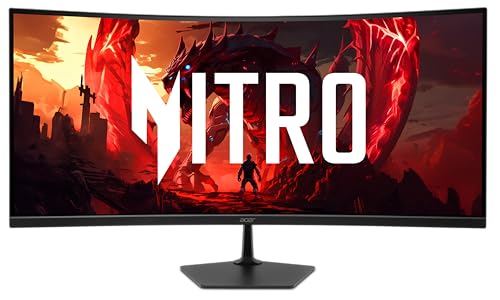 | 9.8PCKitHQ scoreView on Amazon |
02 | 9.6PCKitHQ scoreView on Amazon |
| 03 | 9.4PCKitHQ scoreView on Amazon |
04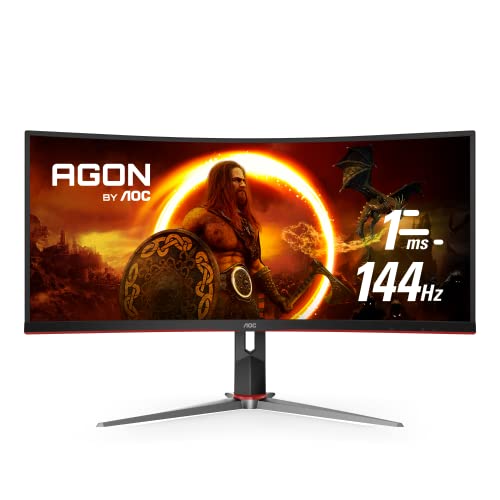 | 9.2PCKitHQ scoreView on Amazon |
A closer look at each configuration
Acer Nitro 34-inch WQHD Curved Gaming Monitor EDA340CUR X0biip
score
The 34-inch 3440x1440 curved screen at 200Hz with a 0.5ms response time and AMD FreeSync Premium suits fast gaming on a wide 21:9 display.
- Resolution
- 3440 x 1440
- Native refresh rate
- 200 Hz
- Screen size
- 34 in
- Ultrawide screen
- Yes
- HDMI
- Yes
- DisplayPort
- Yes
This Acer Nitro has a 34-inch curved screen with 3440x1440 resolution and a 1500R curve, so the 21:9 display keeps every corner at the same distance from your eyes. The native refresh rate is 200Hz with a 0.5ms GTG response time, and AMD FreeSync Premium syncs the monitor with the graphics card. The screen covers sRGB 99%, and the zero-frame design leaves more of the 34-inch screen visible edge to edge. Connections are 2x HDMI 2.1 and DisplayPort, the stand tilts -5 to 20 degrees, and the monitor is VESA mountable. A Bluelight Filter is listed, and the warranty is 3 year parts and labor.
Choose it if
- You want a 34-inch 3440x1440 curved screen for gaming
- You want a 200Hz refresh rate with AMD FreeSync Premium
Consider another if
- You need a 30-inch screen for a smaller desk
- You need a 2560x1080 resolution for your setup
Sceptre Curved 30-inch Gaming Monitor 200+Hz FreeSync Build-in Speakers 2560 x C305B-200UN
score
The 30-inch curved 2560x1080 screen with built-in speakers and Picture by Picture suits gaming and side-by-side work on a narrower ultrawide.
- Resolution
- 2560 x 1080
- Screen size
- 30 in
- Curved screen
- Yes
- Ultrawide screen
- Yes
- HDMI
- Yes
- DisplayPort
- Yes
This Sceptre has a 30-inch curved screen with 2560x1080 resolution and a 21:9 aspect ratio, with a 170-degree viewing angle in both directions. DisplayPort delivers up to 200+Hz, and AMD FreeSync keeps the picture smooth in fast games. Built-in speakers give office-level audio for calls, and Blue Light Shift lowers the blue light of the screen. Picture by Picture shows two sources side by side, so you can compare charts or game and stream at the same time. The warranty is a limited 1 year.
Choose it if
- You want built-in speakers for calls and music
- You want Picture by Picture from two sources at once
Consider another if
- You need a 3440x1440 resolution for sharper text
- You need a 34-inch screen for a wider view
Acer Nitro 34-inch WQHD Curved Office Monitor EDA340CUR J0biip
score
The 34-inch 3440x1440 curved screen at up to 120Hz with a 1ms response time and AMD FreeSync Premium suits office work and gaming on one wide display.
- Resolution
- 3440 x 1440
- Screen size
- 34 in
- Ultrawide screen
- Yes
- HDMI
- Yes
This Acer Nitro office monitor has a 34-inch curved screen with 3440x1440 resolution and a 1500R curve, with sRGB 99% color saturation and a 0.233mm pixel pitch. The refresh rate is up to 120Hz with a 1ms VRB response time, and AMD FreeSync Premium syncs the monitor with the graphics card. The zero-frame design leaves more of the screen visible edge to edge, and the stand tilts -5 to 20 degrees. Ports are 1 x DisplayPort 1.4 and 2 x HDMI 2.1, with an HDMI cable included, and the monitor is VESA mounting compliant at 100 x 100mm. The warranty is 3 year parts and labor.
Choose it if
- You want a 34-inch 3440x1440 screen for office work
- You want AMD FreeSync Premium with 99% sRGB color
Consider another if
- You need a 144Hz refresh rate for competitive play
- You need a 0.5ms response time for competitive play
AOC CU34G2X 34-inch Curved Frameless Immersive Gaming Monitor
score
The 34-inch 3440x1440 VA panel at 144Hz with a 1ms response time and a height-adjustable stand suits gaming on a curved ultrawide.
- Resolution
- 3440x1440
- Native refresh rate
- 144 Hz
- Panel
- VA
- Curved screen
- Yes
- Ultrawide screen
- Yes
- Weight
- 10.36 lb
This AOC has a 34-inch curved screen with 3440x1440 resolution on a VA panel, with a 1500R curve and a 3-sided frameless design. The native refresh rate is 144Hz with a 1ms MPRT response time, and Adaptive-Sync keeps the picture smooth in competitive games. The VA panel shows over 115% sRGB and 98% Adobe RGB color coverage. The stand is height adjustable, and the monitor weighs 10.36 lb. The warranty covers 3-year zero dead pixels with 3-year advance replacement and 1-year accidental damage.
Choose it if
- You want a height-adjustable stand on a 34-inch screen
- You want a VA panel with 115% sRGB color coverage
Consider another if
- You need a 200Hz refresh rate for fast gaming
- You need a 1500R curve on a 30-inch screen
Make the choice for your setup
Match the resolution to the screen
All three 34-inch monitors here have 3440x1440 resolution, while the 30-inch Sceptre has 2560x1080. A 3440x1440 screen shows more columns side by side than a 2560x1080 screen, so compare the resolution with the screen size before you choose. The Acer Nitro 200Hz and the Acer Nitro 120Hz office monitor share the same 34-inch 3440x1440 screen, and the AOC matches them at 3440x1440 with a VA panel. The Sceptre trades resolution for a smaller 30-inch screen and built-in speakers. Pick the resolution and screen size that fit the desk space, the viewing distance and the work you do on it. Check the resolution and the screen size together, since a wide screen with a low resolution shows larger text and fewer columns.
Compare refresh rate and response time
The Acer Nitro 200Hz monitor has a native 200Hz refresh rate with a 0.5ms response time. A higher refresh rate shows more frames each second. The AOC has a native 144Hz refresh rate with a 1ms MPRT response time, and the Acer office monitor runs up to 120Hz with a 1ms VRB response time. The Sceptre delivers up to 200+Hz through DisplayPort with a 5ms response time. Keep native refresh rate separate from an overclocked mode, and compare the response time with the refresh rate, since a fast panel with a slow response still smears moving images. AMD FreeSync Premium on both Acer monitors and Adaptive-Sync on the AOC sync the screen with the graphics card, while the Sceptre lists AMD FreeSync. Shoppers with a related need can compare our guide to the Best 32 Inch Monitor for Laptop.
Check the connections and the stand
The Acer Nitro 200Hz monitor has 2x HDMI 2.1 and DisplayPort, and the Acer office monitor has 1 x DisplayPort 1.4 and 2 x HDMI 2.1 with an HDMI cable included. The Sceptre has HDMI and DisplayPort. Both Acer monitors tilt -5 to 20 degrees and are VESA mountable, while the AOC stand is height adjustable and the Sceptre has built-in speakers for calls. The 1500R curve on the Acer monitors and the AOC keeps every corner of the screen at the same distance from your eyes. Match the ports to the ports on the computer you own, and check the tilt, the height adjustment and the mounting options against the desk and the stand you plan to use.
Comparing more options? See 24 vs 27 Inch Monitor.
FAQ: Ultrawide Monitor in the World
Which monitors here have a 3440x1440 resolution?
The Acer Nitro 200Hz monitor, the Acer Nitro 120Hz office monitor and the AOC all have 3440x1440 resolution on 34-inch screens. The Sceptre has 2560x1080 resolution on a 30-inch screen. Compare the resolution with the screen size before you choose.
What refresh rates do these monitors list?
The Acer Nitro 200Hz monitor lists a native 200Hz refresh rate, and the AOC lists a native 144Hz refresh rate. The Acer office monitor runs up to 120Hz, and the Sceptre delivers up to 200+Hz through DisplayPort.
Which of these monitors has built-in speakers?
The Sceptre lists built-in speakers for office-level audio on calls and music. Its Picture by Picture mode shows two sources side by side, and its Blue Light Shift lowers the blue light of the screen.


