
What Is an SD Card Slot in a Laptop?
 By Theo LangUpdated
An SD card slot in a laptop is a slot on the side of the laptop that takes a full-size SD memory card. Slide a card in and the laptop reads it like a removable drive, so you can move photos and video from a camera without a cable or a separate reader. The slot is there so a camera card can be read straight on the laptop.
What the slot is for
An SD slot reads full-size SD cards, the memory cards cameras use to store photos and video. Slide a card in and the laptop treats it like a removable drive, so you can copy photos and video onto the laptop without a cable. The same slot also works for cards you keep in the laptop as extra storage for files and backups.
Full-size SD and microSD cards
A laptop SD slot takes full-size SD cards. A microSD card is smaller and does not fit the slot on its own, so it needs an adapter that holds it at full size. Check the card size before you buy a card for the slot, and look for the SDHC or SDXC mark on the card and on the laptop if you want to confirm they match.
How to use the slot
Slide the card into the slot gently until it clicks into place. Open the card in your file manager and copy the files you want onto the laptop. Eject the card through the operating system before you pull it out, so a copy still in progress is not cut off partway through.
What the speed ratings mean
SD cards carry speed ratings such as Class 10, U1, U3 and V30, and the rating tells you what video the card is built for. Class 10 and U1 cards suit Full HD video recording, while V30 cards suit 4K video. The read speed printed on the card is a maximum figure, so the speed you see in use depends on the card and the reader.
What you need

32GB SD Card (3 Pack)
A 3-pack of 32GB SDHC cards rated U1 and V30 with read speeds up to 90 MB/s for Full HD video recording.
View on Amazon
GIGASTONE 32GB SD Card 5-Pack UHS-I U1
A 5-pack of 32GB SDHC cards rated U1 and Class 10 with read speeds up to 80 MB/s and 5 mini cases.
View on Amazon
GIGASTONE 32GB SD Card 2-Pack
A 2-pack of 32GB SDHC cards rated U1 and Class 10 with read speeds up to 100 MB/s and 2 mini cases.
View on Amazon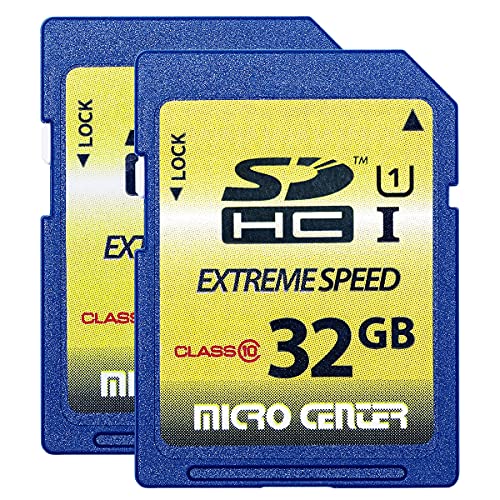
INLAND 32GB SDHC Flash Memory Card Standard
A 2-pack of 32GB SDHC cards rated Class 10 and U1 with 60 MB/s read and 10 MB/s write speeds for trail cameras and DSLRs.
View on AmazonThese come from our ranked list Best Sdhc, which compares them spec by spec.
FAQ
Can a microSD card fit in a laptop SD slot?
Not on its own. A microSD card is smaller than a full-size SD card, so it needs an adapter that makes it the size of a full-size SD card before it fits the slot.
Why does my laptop not see the SD card?
Check that the card is pushed fully into the slot and that the card is an SDHC card if the laptop only reads SDHC and SDXC cards. If the card still does not show, try the card in another device to find whether the card or the slot is the fault.
Can I leave an SD card in the slot for extra storage?
Yes, the card stays in the slot and the laptop reads it like a removable drive. Keep a copy of files that matter on the laptop as well, since a card left in a laptop can be lost with the laptop.


