
What Is an MLC SD Card?
 By Theo LangUpdated
An MLC SD card uses multi-level cell flash memory, which stores more than one bit of data in each memory cell. That design packs more storage into the same chip than single-level cell memory, so MLC cards hold more capacity in the same size. The trade-off is that each cell handles more write and erase work over its life, which affects how the card wears.
What MLC means
MLC stands for multi-level cell. In this kind of flash memory, each cell holds more than one bit of data, while single-level cell memory holds fewer bits in each cell. Storing more bits per cell lets the maker fit more capacity onto one chip. That is why MLC became the common design for SD cards sold for cameras, phones and everyday storage.
How MLC affects capacity
Because each cell holds more data, an MLC card can offer more storage in the same physical size than a card built with single-level cell memory. Makers can therefore fit larger capacities onto one chip without making the chip bigger. When you compare two cards of the same size, the MLC design is the reason one can hold more photos and video.
How MLC affects lifespan
Flash memory cells wear a little each time data is written and erased, and MLC cells carry more bits per cell, so the wear adds up differently than in single-level cell memory. In normal camera and everyday use this is not something you need to track. Watch for signs of wear instead: files that fail to save, read errors, or a card your device stops recognising. Replace the card when those signs appear.
How to choose an MLC card
Start with capacity and the speed rating your device needs. The speed class printed on the card, such as Class 10, U1 or V30, tells you the minimum write speed for recording video, so match it to the video format you record. Then check that your device accepts the card type, such as SDHC, in the device manual. Buy the size and speed that fit the device you own.
What you need

32GB SD Card (3 Pack)
A 32 GB SD card in a 3-pack rated up to 90 MB/s with a V30 speed rating for Full HD video recording.
View on Amazon
GIGASTONE 32GB SD Card 5-Pack UHS-I U1
A 32 GB SD card in a 5-pack rated up to 80 MB/s with a U1 speed rating for Full HD video recording.
View on Amazon
GIGASTONE 32GB SD Card 2-Pack
A 32 GB SD card in a 2-pack rated up to 100 MB/s with a U1 speed rating for Full HD video recording.
View on Amazon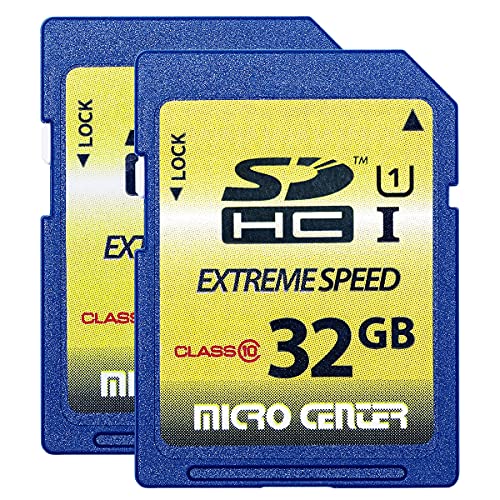
INLAND 32GB SDHC Flash Memory Card Standard
A 32 GB SD card in a 2-pack with a 60 MB/s read speed and a 10 MB/s write speed, with a Class 10 rating.
View on AmazonThese come from our ranked list Best Sdhc, which compares them spec by spec.
FAQ
What does MLC stand for in an SD card?
MLC stands for multi-level cell. It describes flash memory that stores more than one bit of data in each cell, unlike single-level cell memory that stores fewer bits per cell.
Is an MLC SD card good for cameras?
It can be. Check the speed class your camera needs, such as Class 10 or U1, and match the card rating to the video format you record, rather than judging the card by its cell type alone.
How do I know if my SD card is MLC?
Look up the card model on the maker's product page, since the cell type is not printed on the card itself. The card shows its capacity and speed class, not the memory design inside.


