What Is a Desktop CPU?
 By Theo LangUpdated
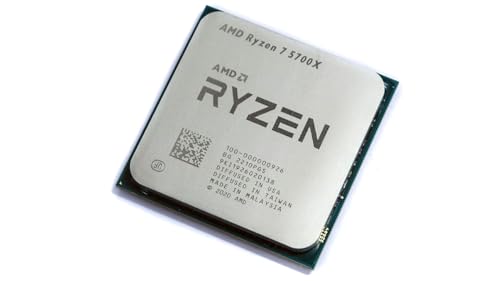
A desktop CPU is the main processor chip inside a desktop computer. It runs the operating system and every program you open, from a web browser to a game, by carrying out instructions in order. It sits in a socket on the motherboard, and the motherboard, memory and cooling must match the CPU you choose.
What the CPU does
The CPU is the part of the computer that follows instructions. When you open a program, click a link or save a file, the CPU carries out the steps behind that action. It works with memory, which holds the data it is working on right now, and with storage, which holds files for the long term. Clock speed and core count shape how quickly the CPU works through those steps.
Cores and threads
A core is one processing unit inside the CPU, and a thread is one line of work a core can handle. A CPU with more cores can work on more tasks at the same time, and a CPU with more threads can keep more lines of work moving. Programs that split their work across cores benefit most, while programs that run one line of work at a time lean on single-core speed.
Clock speed
Clock speed is the rate at which a CPU carries out instructions, measured in GHz. A higher clock speed means the CPU completes more cycles in the same time, so each step runs faster. Clock speed is only one part of the picture: core count, cache and the CPU generation matter too, so compare the whole spec sheet rather than one figure on its own.
How to choose one
Start with the socket on your motherboard, since a CPU only fits a matching socket. Then check the memory the board takes, DDR4 or DDR5, and the cooling the CPU needs. Check whether a cooler is included with the CPU you buy, and follow the maker's cooling guidance. Check the requirements published for your software or game, and match the CPU to those requirements rather than to a brand name.
What you need

Intel Core i9-14900K Desktop Processor
A 24-core processor with 8 P-cores and 16 E-cores, 32 threads and boost clock up to 6 GHz, with integrated Intel UHD Graphics 770 and DDR4 and DDR5 support.
View on Amazon
Intel Core Ultra 9 Desktop Processor 285K
A 24-core processor with up to 5.7 GHz max turbo frequency, 36 MB Intel Smart Cache, an unlocked design, DDR5 support and an integrated Intel AI Boost NPU.
View on Amazon
AMD Ryzen 9 9950X3D 16-Core Processor
A 16-core processor on the AM5 socket with boost clock up to 5.7 GHz and a 4.3 GHz base clock, built on AMD Zen 5 architecture.
View on Amazon
AMD Ryzen 9 9950X 16-Core
A 16-core, 32-thread unlocked processor with 5.7 GHz max boost, 80 MB cache and DDR5-5600 support for the Socket AM5 platform.
View on AmazonThese come from our ranked list Best CPU for Fortnite, which compares them spec by spec.
FAQ
Is a desktop CPU the same as a laptop CPU?
No. A desktop CPU sits in a socket on a desktop motherboard and is larger, with more room for cooling, while a laptop CPU is built for a small case and low power use. Check the socket and the board before swapping one for the other.
Do I need a graphics card with a desktop CPU?
Check the CPU spec sheet. A CPU with integrated graphics can run a monitor on its own, while a CPU without it needs a separate graphics card. A CPU either includes integrated graphics or it does not.
Can I upgrade the CPU in my desktop?
Yes, if the new CPU fits the socket on your motherboard and the board supports it. Shut the computer down and unplug it first, follow the maker's manual, and check the board's compatibility list before buying.