How to Install a CPU Processor
 By Theo LangUpdated
To put in a CPU, match the processor to your motherboard socket, seat it in the socket without force, then fit the cooler and connect its fan. Shut the computer down and unplug it first, and follow the steps in the motherboard manual. The steps below walk through the order, from checking the socket to the first start-up check.
Check the socket and chipset first
A processor only fits a motherboard with the matching socket and chipset, so check your motherboard manual before you buy or install one. The Intel Core i9-14900K works with Intel 600-series or 700-series chipset-based motherboards. The AMD Ryzen 9 9950X3D and the AMD Ryzen 9 9950X use the Socket AM5 platform. If the socket does not match, the processor will not fit, so confirm the match in the manual first.
Shut down and unplug the computer
Shut the computer down and unplug the power cable before you open the case. Follow the steps in the maker's manual for opening your case, and work on a clear surface with the case on its side if the manual shows that. Keep screws and small parts in one place so they are easy to find when you close the case again.
Seat the processor in the socket
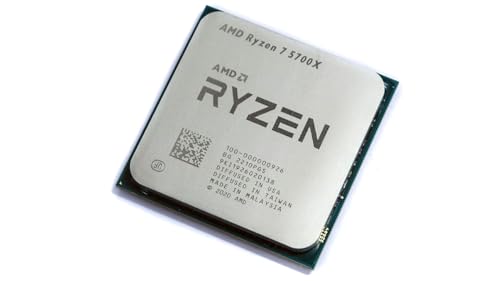
Open the socket cover and lift the retention lever, following the motherboard manual. Line up the processor with the socket using the notches and the marker on one corner, then lower it straight in. It should drop into place without pressure, so never force it. Close the lever to lock the processor in the socket.
Add thermal paste and fit the cooler
Put a small dot of thermal paste in the center of the processor, then set the cooler on top and fasten it as the cooler manual describes. The AMD Ryzen 9 9950X has 16 cores and 32 threads with a 5.7 GHz max boost on the Socket AM5 platform, so fasten the cooler as the cooler manual describes. Connect the cooler fan cable to the motherboard fan header so the fan runs when the computer starts.
Close the case and check the first start
Put the side panel back on and plug the power cable in. Turn the computer on and watch for the start-up screen, which should show the processor the system found. If nothing appears, shut the computer down, unplug it again and check that the processor is seated and the cooler fan cable is connected. If the problem stays, contact the maker.
What you need

Intel Core i9-14900K Desktop Processor
A 24-core Intel processor with 32 threads and a max boost clock of 6 GHz, with support for DDR4 and DDR5 platforms.
View on Amazon
Intel Core Ultra 9 Desktop Processor 285K
A 24-core Intel Core Ultra 9 processor with up to 5.7 GHz max turbo frequency, DDR5 memory support and an integrated NPU.
View on Amazon
AMD Ryzen 9 9950X3D 16-Core Processor
A 16-core AMD Ryzen 9 processor with a max boost clock up to 5.7 GHz on the Socket AM5 platform.
View on Amazon
AMD Ryzen 9 9950X 16-Core
A 16-core, 32-thread AMD Ryzen 9 processor with 5.7 GHz max boost on Socket AM5, sold without a cooler.
View on AmazonThese come from our ranked list Best CPU for Fortnite, which compares them spec by spec.
FAQ
Can any CPU fit any motherboard?
No. The processor and the motherboard must share the same socket and chipset, so check the motherboard manual and the processor listing before you buy. A processor that does not match will not fit in the socket.
Do I need thermal paste?
Yes. Thermal paste sits between the processor and the cooler and helps heat move from the processor into the cooler. Use a small amount in the center of the processor, as the cooler manual describes, and fit the cooler straight on top.
What if the computer does not start after the install?
Shut the computer down and unplug it, then check that the processor is seated, the lever is closed and the cooler fan cable is connected. Check the power cable as well, then try again. If it still does not start, contact the maker.